
Chat GPT Image: How to Create and Edit Images in ChatGPT (2026 Guide)
On this page
Short answer
Chat GPT image generation now runs through a feature OpenAI calls ChatGPT Images: you describe a picture in a normal chat, or upload a photo and say what to change, and ChatGPT draws or edits it in the same conversation. As of 25 October 2026, OpenAI's help center names the current version ChatGPT Images 2.5, says it is available on every plan including Free, and confirms the old DALL-E GPT has been retired. Paid plans raise the limits; the Free plan's exact allowance is not published.
That last point matters, because many older guides on this topic were written for DALL-E 3, which OpenAI has since retired from ChatGPT, and some repeat fixed daily limits that no current OpenAI page states. Below is what OpenAI's own pages say today, how to get good results, where the feature falls short, and when a different tool makes more sense. Every fact here links to the page we read on the check date above.
What ChatGPT Images can do in 2026
ChatGPT Images is not a separate app. It sits inside ChatGPT on the web, iOS and Android, and OpenAI says you can also generate and edit images in Codex. You keep chatting while an image renders, which OpenAI warns can take a few minutes for complex requests.
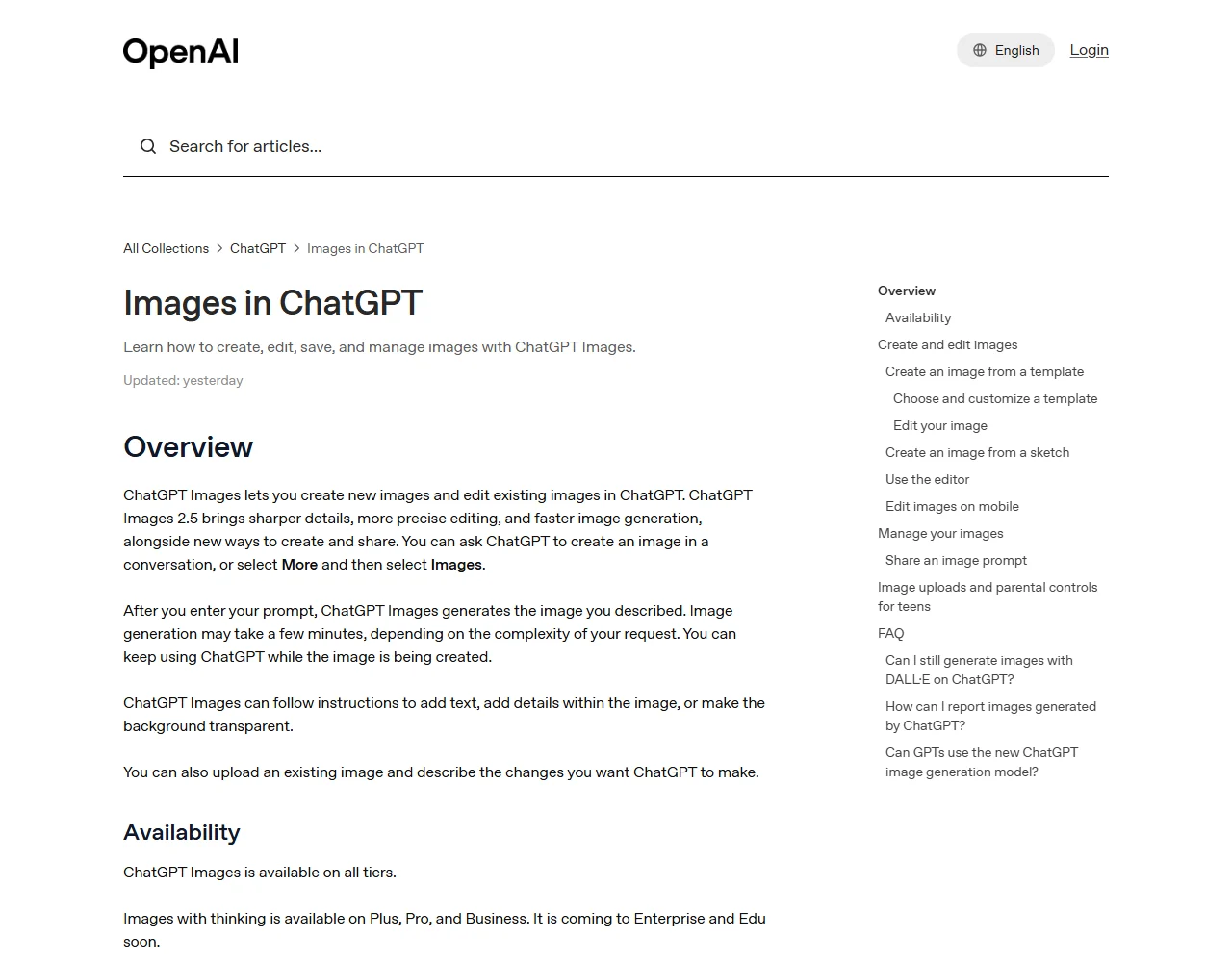
According to the help center, the feature can:
- Create images from text. Describe the image, or open More and pick Images before typing.
- Edit uploaded photos. Upload an existing picture and describe the change.
- Add text and fine details. OpenAI lists adding text, adding details within the image and making the background transparent as supported instructions.
- Change the aspect ratio. Use the aspect ratio picker, or simply write the ratio in your prompt.
- Start from templates. Templates for things like posters and logos live under Images > Templates in the sidebar. They are not yet available in Work mode.
- Turn a sketch into an image. On mobile, type @, choose Sketch, draw, then add instructions.
Every image you make is saved automatically under Images, where you can copy, download or share it. One detail worth knowing: to delete an image from that library, you have to delete the conversation it came from.
Custom GPTs with the Image Generation capability turned on also use the new model, so a GPT someone built for you will not be stuck on the retired DALL-E version.
Images with thinking
There is a second mode called Images with thinking. OpenAI lists it for Plus, Pro and Business, with Enterprise and Edu "coming soon". The pricing page describes Plus as offering "More complex and accurate image creation", which lines up with this mode being the main reason to upgrade if images are your priority.
How to create a chat gpt image step by step
The basic flow is short. The skill is in the prompt, which we cover in the next section.
- Open ChatGPT and start a new chat, or open Images from the sidebar.
- Describe the picture in one to three sentences: what it is for, the subject, the setting and the style.
- If you need a specific shape (a 9:16 story, a 16:9 banner), pick it in the aspect ratio picker or write it in the prompt.
- Wait for the render. You can keep working in the chat meanwhile.
- Ask for changes in plain language, or select the image to open the editor.
Editing a specific area
The editor gives you Select, Aspect ratio, Undo, Redo, Cancel and Save. Highlight the part you want changed, then describe the edit. On mobile, the image controls also include Resize and Remove.
OpenAI is unusually candid here: "Highlights are not always precise, and edits may extend beyond the area you selected." In practice that means you should compare the whole image after each edit, not just the area you painted. If a face, a logo or a line of text sits near your selection, say in the prompt that it must stay unchanged.
Prompt tips that OpenAI itself recommends
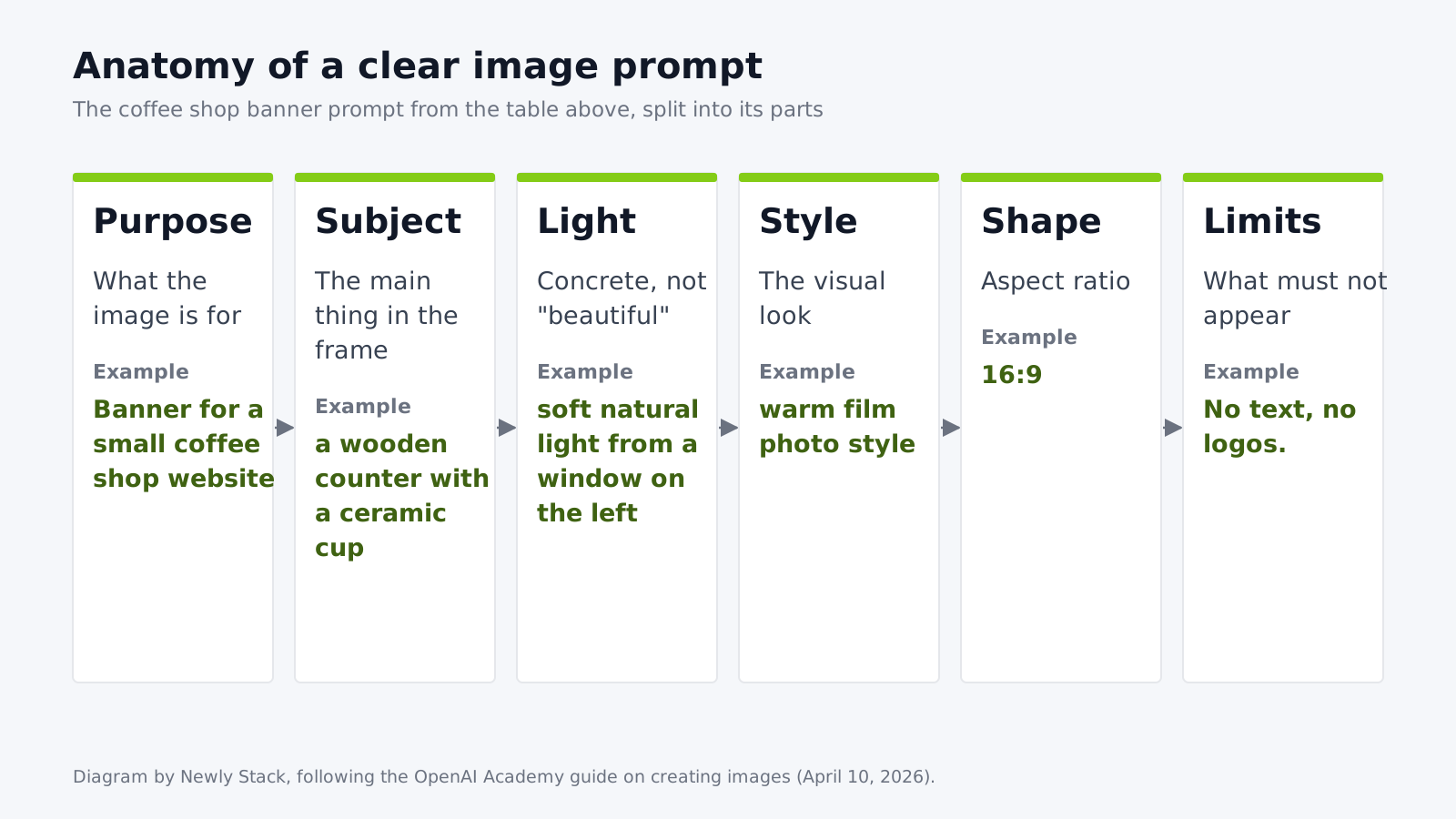
OpenAI's Academy guide on creating images (published 10 April 2026) gives more practical advice than most third-party listicles. The core idea is that a good prompt is clear rather than long. In most cases, one to three sentences are enough, as long as they cover the purpose of the image, the main subject, what is happening, where it takes place and the visual style.
A few rules from that guide are worth copying directly into your habits:
- Be concrete about light and materials. Academy's example: "soft natural light from a window on the left" works better than "beautiful lighting".
- State constraints out loud. If you do not want extra text, logos or visual changes, say so.
- Lock what should not change when editing. The suggested pattern is "Change only X. Keep everything else exactly the same."
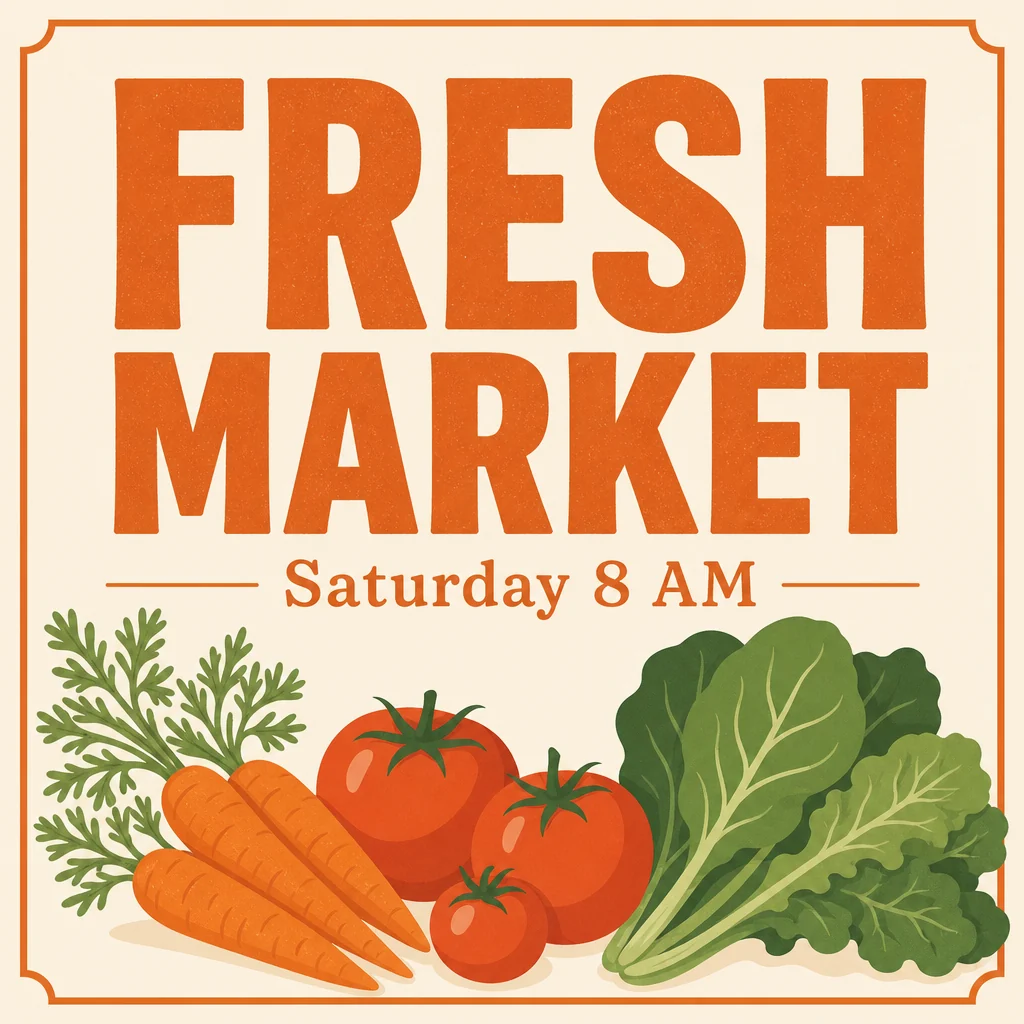
- Treat text in images carefully. Put the words in quotes or ALL CAPS, specify font style, size, color and placement, keep it short, and spell unusual brand names letter by letter.
- For dense layouts, such as infographics with lots of labels, ask for "sharp text rendering" and plan to polish the result in a design tool.
Here is how those rules change a weak prompt:
| Weak prompt | Stronger prompt (following OpenAI Academy guidance) |
|---|---|
| "A nice picture of a coffee shop" | "Banner for a small coffee shop website. A wooden counter with a ceramic cup, soft natural light from a window on the left, warm film photo style, 16:9. No text, no logos." |
| "Make the sky better" | "Change only the sky to a clear dusk gradient. Keep everything else exactly the same." |
| "Poster that says weekend sale" | "Add the headline \"WEEKEND SALE\" in bold sans-serif, white, centered at the top. No other text." |
Our own view: the third row is the riskiest. OpenAI itself tells you to consider polishing dense text in a design tool. That is a fair signal not to send a ChatGPT poster to print without proofreading every letter.
Free vs paid: what each ChatGPT plan includes for images
OpenAI's pricing page describes image allowances in words, not numbers. On 25 October 2026 it listed the following for individual plans. Prices are as displayed to a visitor from Indonesia and may differ in your region; check our ChatGPT pricing page for the current price and its check date.
| Plan | Price shown (Indonesia, per month) | Image wording on the pricing page |
|---|---|---|
| Free | IDR 0 | "Limited image creation" |
| Go | IDR 75,000 | "More image creation" (the plan "may include ads") |
| Plus | IDR 349,000 | "More complex and accurate image creation" |
| Pro | From IDR 1,889,000 | "Unlimited and faster image creation", subject to abuse guardrails |
What this table does not tell you is the actual number of chat gpt images per day on each tier. OpenAI does not publish it, and limits can shift with demand. If you see a fixed daily number for Free users elsewhere, look for the OpenAI page it comes from; we could not find one on the help center or the pricing page on the check date. We would rather tell you "not published" than repeat a number we cannot source.
Developers have a separate route: the GPT Image models are listed on OpenAI's API pricing page, and OpenAI's billing help says API usage is billed separately from your ChatGPT subscription. If you plan to generate images in bulk inside your own product, compare API pricing rather than chat plans. Our AI API overview explains how that billing usually works.
Labels, provenance and the rules you agree to
Every image you download from ChatGPT carries origin signals. OpenAI's provenance page says images generated with ChatGPT, Codex or the OpenAI API include both Content Credentials (the C2PA metadata standard) and SynthID watermarks.
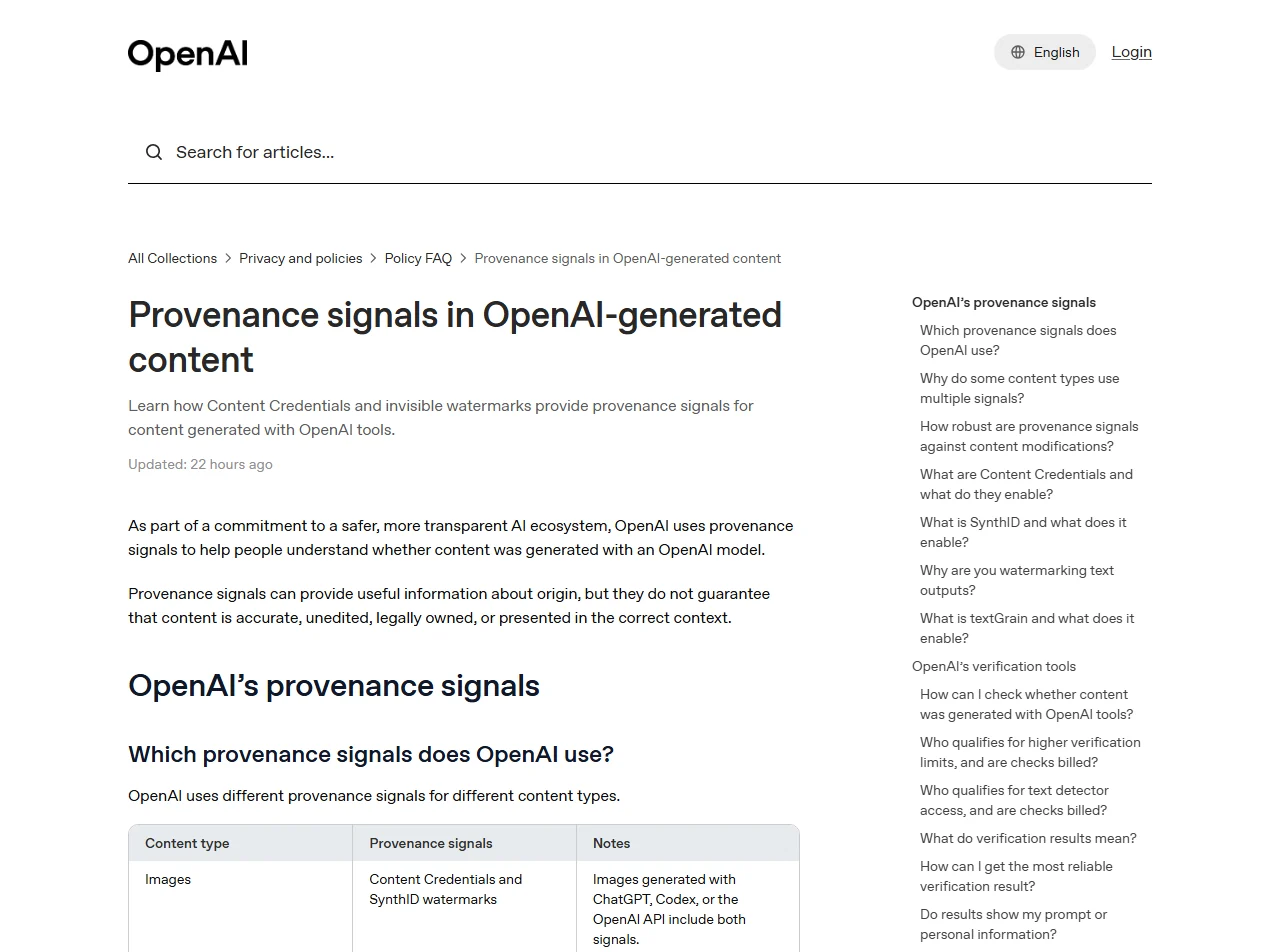
Two practical consequences follow:
- Metadata is fragile, the watermark less so. OpenAI notes that Content Credentials can be lost through everyday actions such as taking a screenshot or converting a file. The invisible watermark is there to survive those changes where technically possible.
- A label is not a guarantee. OpenAI says provenance signals do not prove that content is accurate, unedited, legally owned or shown in the right context.
On use, OpenAI Academy says you are not required to credit OpenAI when you publish a generated image, though you may. It also asks you to be careful with likenesses: if you generate images of real people, including yourself, use a reference photo and make sure you have permission. And when in doubt, ask for a "generic" or "ownable" design instead of imitating a specific brand or artwork. All of this sits under OpenAI's usage policies, and the help center explains how to report images that may break them.
ChatGPT Images vs other AI image generators
ChatGPT is convenient because it lives where you already write. It is not the only free option, and for some jobs it is not the best fit. Here is how the entry points compare, using prices from each vendor's page as recorded in our directory on 25 October 2026.
| Tool | Free access | Entry paid plan | Where to check |
|---|---|---|---|
| ChatGPT Images | Yes, "limited image creation" | Go, IDR 75,000/month | chatgpt.com/pricing |
| Google Gemini | Yes, image creation and editing on the free plan | Google AI Plus, Rp 75.000/month | gemini.google/subscriptions |
| Bing Image Creator | Yes, 15 free fast creations per day, then standard speed | No paid plan | Bing help |
| Midjourney | No free plan | Basic, $10/month | Midjourney plans |
| Adobe Firefly | Free daily generations | Paid plans with monthly generative credits | Adobe Firefly |
| Ideogram | Weekly credits for eligible free accounts | Plus, $20/month | Ideogram pricing |
How we would choose, based on what each vendor documents rather than on our own render tests:
- You already pay for ChatGPT and need quick visuals for a doc or a post: stay in ChatGPT. Having the image and the text in one thread is the real advantage.
- You want a free tool with a published daily number: Bing Image Creator is the only one in this table that states one.
- You want a Google ecosystem alternative at a similar entry price: see our ChatGPT vs Gemini comparison.
- You want an alternative built for stylized art: see our Midjourney alternatives, or browse the full AI image generation shortlist, and if you want motion next, the image to video tools.
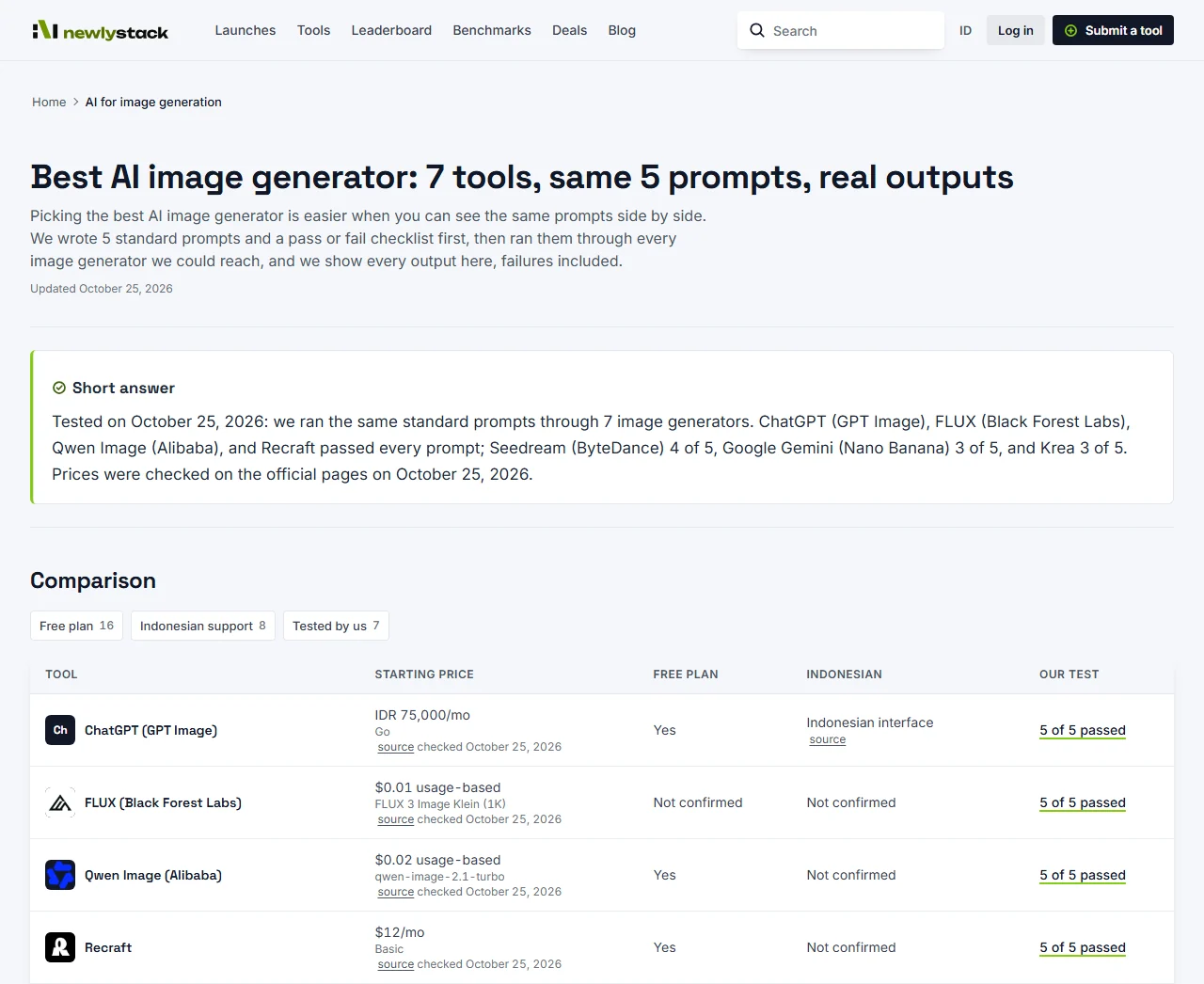
A contrarian note: "best image generator" rankings age in weeks. Model names change, limits change, and a pricing page can rewrite its wording overnight. That is why every price on Newly Stack shows its source link and check date, and why we drop any fact older than 90 days from comparisons until it is re-checked.
Can ChatGPT Images handle Bahasa Indonesia?
Indonesian is on ChatGPT's official list of supported interface languages, so you can use the app in Indonesian. Whether the image model follows Indonesian prompts well, and whether it spells Indonesian words correctly inside an image, is a separate question that OpenAI does not document.
This is exactly the gap our Bahasa Indonesia benchmark is built to close. The NS-ID benchmark scores AI text models on real Indonesian tasks using a fixed test set, re-run every month; it does not cover image generation. In our separate test lab, OpenAI GPT Image 2 (through the API, not the ChatGPT app) passed all 5 short Indonesian photo-editing prompts on 25 October 2026, but we have not tested long Indonesian prompts or in-image Indonesian text yet. Until it is, our advice for Indonesian marketers is simple: keep in-image text short, follow OpenAI's own tip of spelling unusual words letter by letter, and proofread every label before publishing.
If you mainly need a general assistant rather than an image tool, our model leaderboard and the list of ChatGPT alternatives are better starting points. For no-cost options across categories, see free AI tools, and check current deals before paying full price for any plan.
Bottom line: chat gpt image creation in 2026 is a capable, convenient feature available on every ChatGPT plan, with editing, templates and provenance labels built in. Its weak spots are undocumented free limits, imprecise selection edits and dense in-image text. Start on Free, learn the prompt patterns above, and upgrade only once you hit the limit often enough to care.
Frequently asked questions
Is ChatGPT image generation free?
Yes, with limits. OpenAI's help center says ChatGPT Images is available on all tiers, and the pricing page lists the Free plan with "Limited image creation". OpenAI does not publish an exact daily number for the Free plan, so treat any fixed figure you read elsewhere as unofficial.
Does ChatGPT still use DALL-E to make images?
No. OpenAI's help center states that the official DALL-E GPT has been retired from ChatGPT and that image creation and editing now run through ChatGPT Images. The current version named on that page is ChatGPT Images 2.5.
Can I edit my own photo with ChatGPT?
Yes. You can upload an existing image and describe the change, or use the selection tool to highlight one area first. OpenAI notes that highlights are not always precise and edits may extend beyond the area you selected, so check the whole image after each edit.
Can people tell an image was made with ChatGPT?
Often, yes. OpenAI says images generated with ChatGPT, Codex or the OpenAI API include Content Credentials metadata and SynthID watermarks. Content Credentials can be lost when someone takes a screenshot or converts the file, which is why OpenAI also adds an invisible watermark.
Do I have to credit OpenAI when I publish a ChatGPT image?
OpenAI Academy says attribution is optional: you are not required to credit OpenAI, but you may if it helps explain how the asset was made. You still have to follow OpenAI's usage policies, and you should get permission before generating images of real people.
Can I write prompts for ChatGPT Images in Bahasa Indonesia?
ChatGPT lists Indonesian among its supported interface languages. Newly Stack has not yet tested how well ChatGPT Images follows Indonesian prompts or renders Indonesian text; results will appear on our Bahasa Indonesia benchmark page once the test has run.
How do I edit only one part of a ChatGPT image?
Select the image to open the editor, highlight the area, and describe the change. OpenAI warns that highlights are not always precise and edits may extend beyond the selection, so check the whole image afterwards. You can also describe the edit in the chat, using the OpenAI Academy pattern "Change only X. Keep everything else exactly the same."
Can developers generate ChatGPT-style images through an API?
Yes. OpenAI lists its GPT Image models on the API pricing page, and its billing help says API usage is billed separately from a ChatGPT subscription. For bulk generation inside your own product, compare API prices rather than chat plans.
Sources
Pages we read for this article, with the date we accessed each one.
- Images in ChatGPT (OpenAI Help Center)accessed October 25, 2026
- ChatGPT Pricingaccessed October 25, 2026
- Creating images with ChatGPT (OpenAI Academy)accessed October 25, 2026
- Provenance signals in OpenAI-generated content (OpenAI Help Center)accessed October 25, 2026
- How to change your language setting in ChatGPT (OpenAI Help Center)accessed October 25, 2026
- OpenAI Usage Policiesaccessed October 25, 2026
- Google AI plans (Gemini subscriptions, Indonesia)accessed October 25, 2026
- Bing Image Creator helpaccessed October 25, 2026
- Managing billing for ChatGPT and the API platform (OpenAI Help Center)accessed October 25, 2026
- OpenAI API pricing (GPT Image models)accessed October 25, 2026
- Comparing Midjourney Plans (Midjourney Docs)accessed October 25, 2026
- Ideogram plans and pricingaccessed October 25, 2026
- Adobe Firefly (Is Adobe Firefly free to use?)accessed October 25, 2026
Related articles
Artificial Intelligence Companies in 2026: Who Builds What
The artificial intelligence companies that matter in 2026: model labs, chip makers and challengers, with dated plan prices, Indonesian support and sources.
AI Data Center: What It Is, How It Works and Why It Matters
An AI data center trains and runs AI models on GPUs and other accelerators. See how it differs from a regular data center, its power use and who builds them.
How to Use AI: A Practical Beginner's Guide (2026)
Learn how to use AI step by step: pick one assistant, write clear prompts, check every answer, and set up your own AI helper without training a model.