







Best AI for coding: 6 assistants on the same 5 tasks

To find the best AI for coding we gave every assistant the same 5 everyday tasks: fix a buggy function, write a SQL query, refactor TypeScript, write a regex and write unit tests. The code was checked by running it where possible, and every answer is shown below.

Updated October 25, 2026

Short answer

Tested on October 25, 2026: we ran the same standard prompts through 6 coding assistants. Claude Code, DeepSeek, Gemini Code Assist, Mistral Vibe (formerly Le Chat), and OpenAI Codex passed every prompt; Qwen Chat 4 of 5. Prices were checked on the official pages on October 25, 2026.

Comparison

Swipe the table sideways to see more columns

Price = cheapest paid plan on the official pricing page. Click a source link to see the page we checked. Test results are dated results of the route named on each card, not a judgement of the company.
ToolStarting priceFree planIndonesianOur test
$17/moPro (annual)sourcechecked October 25, 2026NoUnderstands Indonesiansource5 of 5 passed
Usage-based or on request, see sourcesourcechecked October 25, 2026YesIndonesian interfacesource5 of 5 passed
$19/moStandard (annual)sourcechecked October 25, 2026NoNot confirmed5 of 5 passed
$5.99/moPro (Education)sourcechecked October 25, 2026YesNot confirmed5 of 5 passed
IDR 337,000/moBusinesssourcechecked October 25, 2026YesNot confirmed5 of 5 passed
No paid plan listedsourcechecked October 25, 2026YesUnderstands Indonesiansource4 of 5 passed
$19/moPro Tiersourcechecked October 25, 2026YesNot confirmedNot tested yet
$18/moProsourcechecked October 25, 2026YesNot confirmedNot tested yet
IDR 75,000/moGosourcechecked October 25, 2026YesUnderstands IndonesiansourceNot tested yet
$20/moProsourcechecked October 25, 2026YesUnderstands IndonesiansourceNot tested yet
Usage-based or on request, see sourcesourcechecked October 25, 2026YesNot confirmedNot tested yet
$8/moPlussourcechecked October 25, 2026YesNot confirmedNot tested yet
$20/moProsourcechecked October 25, 2026YesNot confirmedNot tested yet
$10/moProsourcechecked October 25, 2026YesNot confirmedNot tested yet
$100/yrAI Prosourcechecked October 25, 2026YesNot confirmedNot tested yet
Usage-based or on request, see sourcesourcechecked October 25, 2026Not confirmedNot confirmedNot tested yet
$180/yrPlussourcechecked October 25, 2026YesNot confirmedNot tested yet
$20/moProsourcechecked October 25, 2026YesNot confirmedNot tested yet
$25/moProsourcechecked October 25, 2026YesNot confirmedNot tested yet
$18/moCoresourcechecked October 25, 2026Not confirmedNot confirmedNot tested yet
$30/moPlussourcechecked October 25, 2026YesNot confirmedNot tested yet

Every output below is the real, unedited result of one run (in text answers only long dashes are normalized to a plain dash). Pass means every required checklist item was met.

Claude Code

5 of 5 passed

Model: claude-opus-5-5 · Run through: API model anthropic:claude-opus-5-5 · Tested October 25, 2026

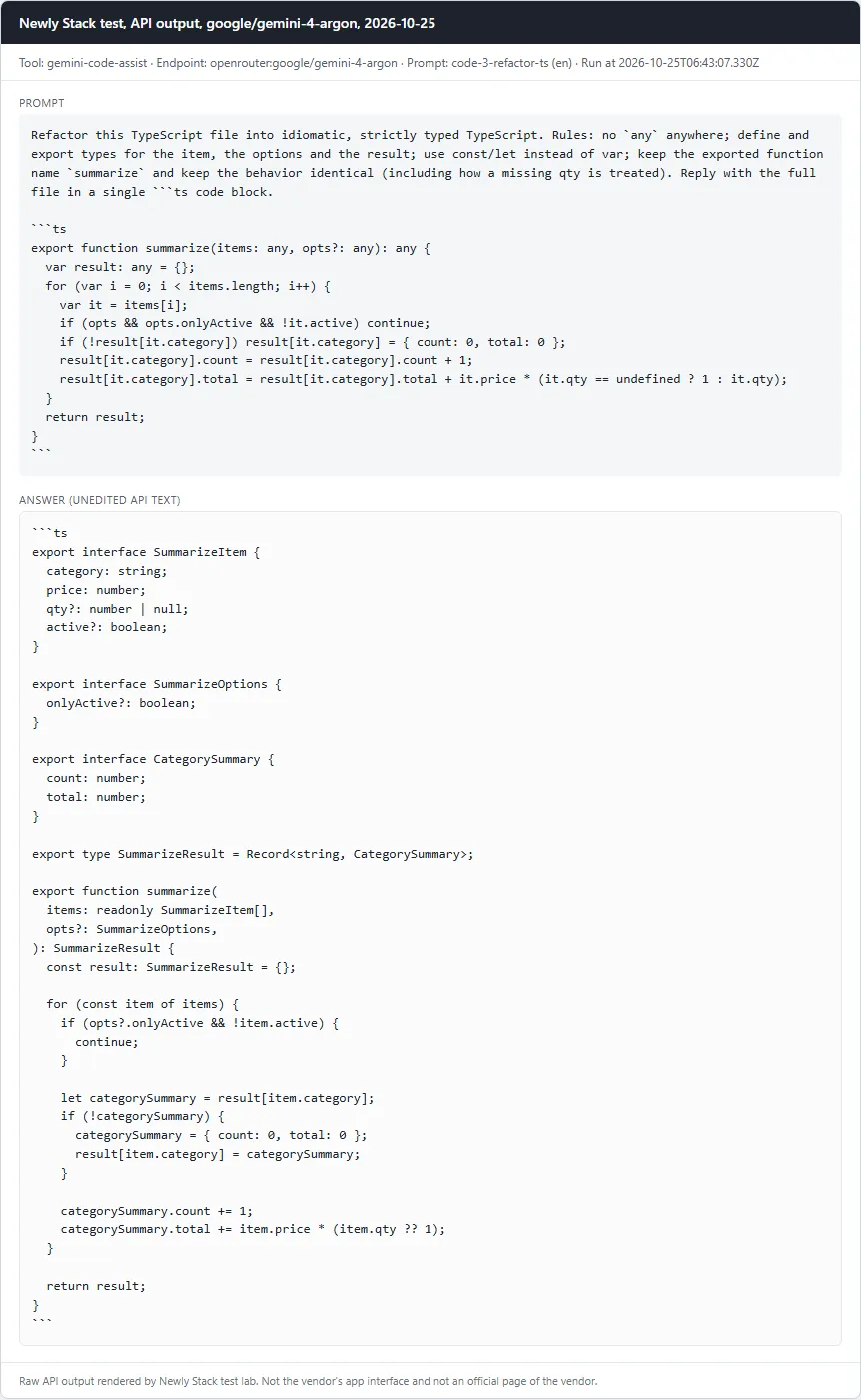
Claude Code: Card with the prompt and the full API answer from claude-opus-5-5
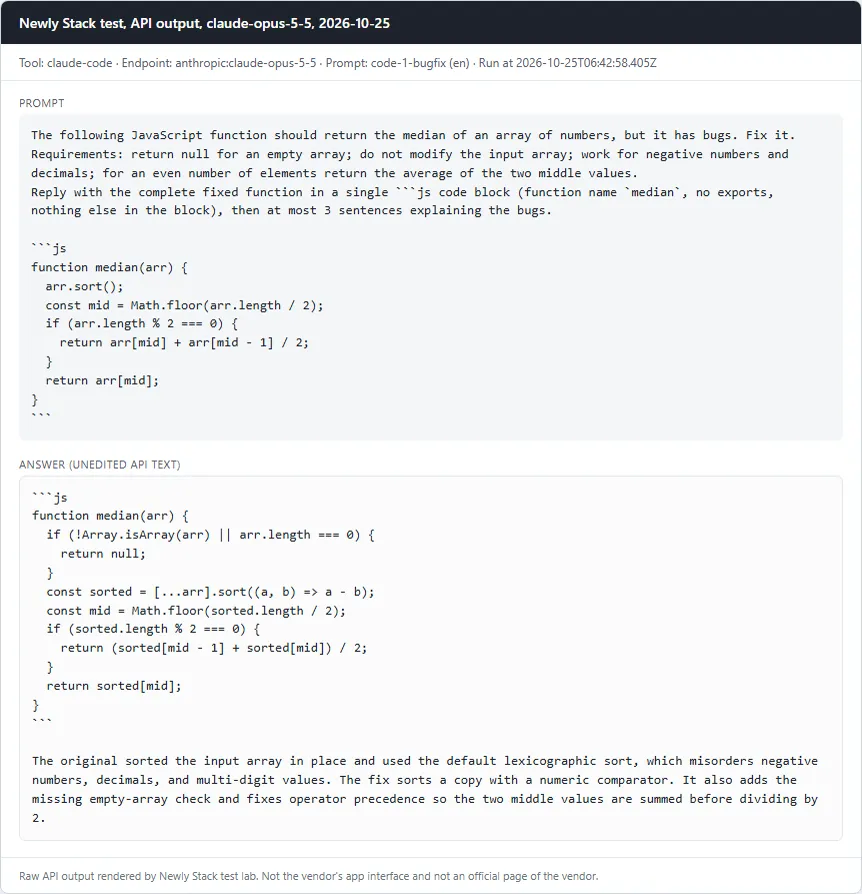
Fix a buggy JavaScript function (median)Pass
Prompt

The following JavaScript function should return the median of an array of numbers, but it has bugs. Fix it. Requirements: return null for an empty array; do not modify the input array; work for negative numbers and decimals; for an even number of elements return the average of the two middle values. Reply with the complete fixed function in a single ```js code block (function name `median`, no exports, nothing else in the block), then at most 3 sentences explaining the bugs. ```js function median(arr) { arr.sort(); const mid = Math.floor(arr.length / 2); if (arr.length % 2 === 0) { return arr[mid] + arr[mid - 1] / 2; } return arr[mid]; } ```

Checklist

  • ✓ A js code block is present and defines a function named median
  • ✓ median([3,1,2]) === 2
  • ✓ median([10,2,1,4]) === 3
  • ✓ median([100,20,3]) === 20 (catches default string sort)
  • ✓ median([-1,-3]) === -2 and median([1.5,2.5,0.5]) === 1.5
  • ✓ median([]) === null
  • ✓ The input array is not mutated
Read the full answer (unedited model output, punctuation normalized)
```js
function median(arr) {
  if (!Array.isArray(arr) || arr.length === 0) {
    return null;
  }
  const sorted = [...arr].sort((a, b) => a - b);
  const mid = Math.floor(sorted.length / 2);
  if (sorted.length % 2 === 0) {
    return (sorted[mid - 1] + sorted[mid]) / 2;
  }
  return sorted[mid];
}
```

The original sorted the input array in place and used the default lexicographic sort, which misorders negative numbers, decimals, and multi-digit values. The fix sorts a copy with a numeric comparator. It also adds the missing empty-array check and fixes operator precedence so the two middle values are summed before dividing by 2.
claude-opus-5-5 · Tested October 25, 2026

Claude Code: Card with the prompt and the full API answer from claude-opus-5-5
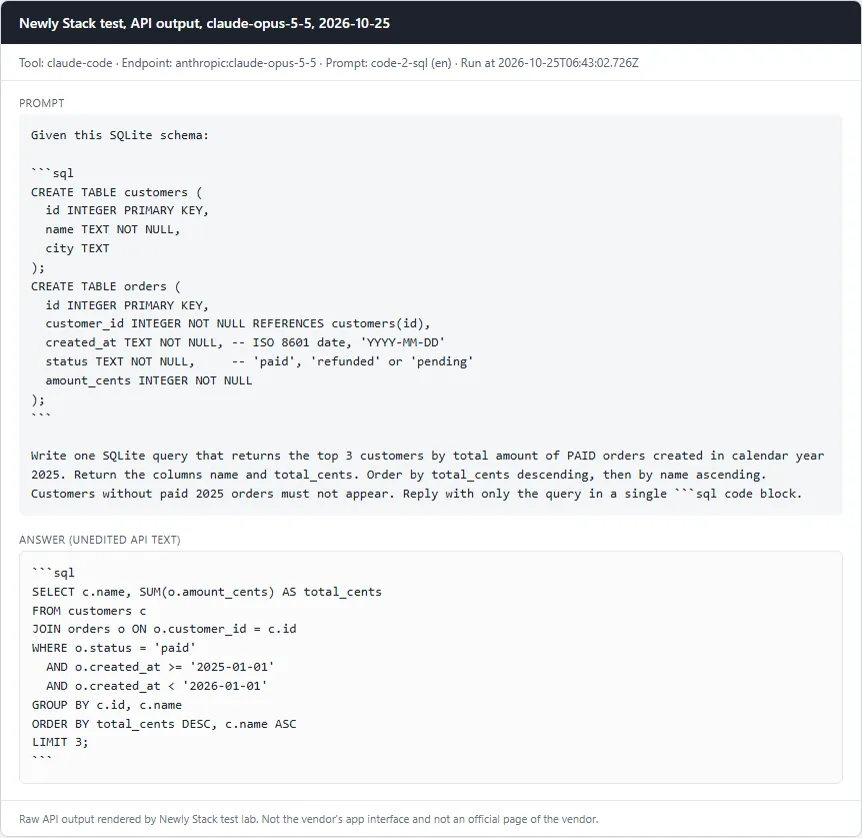
Write a SQL query against a given schemaPass
Prompt

Given this SQLite schema: ```sql CREATE TABLE customers ( id INTEGER PRIMARY KEY, name TEXT NOT NULL, city TEXT ); CREATE TABLE orders ( id INTEGER PRIMARY KEY, customer_id INTEGER NOT NULL REFERENCES customers(id), created_at TEXT NOT NULL, -- ISO 8601 date, 'YYYY-MM-DD' status TEXT NOT NULL, -- 'paid', 'refunded' or 'pending' amount_cents INTEGER NOT NULL ); ``` Write one SQLite query that returns the top 3 customers by total amount of PAID orders created in calendar year 2025. Return the columns name and total_cents. Order by total_cents descending, then by name ascending. Customers without paid 2025 orders must not appear. Reply with only the query in a single ```sql code block.

Checklist

  • ✓ A sql code block is present
  • ✓ The query runs without error on node:sqlite against the schema plus our seed data (fixtures/seed.sql)
  • ✓ Result has exactly the columns name, total_cents
  • ✓ Result rows equal the reference: Ayu 12000, Budi 12000, Citra 12000 (seed traps: a 2024-12-31 paid order, a refunded order, a pending order, a 2026-01-01 order)
Read the full answer (unedited model output, punctuation normalized)
```sql
SELECT c.name, SUM(o.amount_cents) AS total_cents
FROM customers c
JOIN orders o ON o.customer_id = c.id
WHERE o.status = 'paid'
  AND o.created_at >= '2025-01-01'
  AND o.created_at < '2026-01-01'
GROUP BY c.id, c.name
ORDER BY total_cents DESC, c.name ASC
LIMIT 3;
```

claude-opus-5-5 · Tested October 25, 2026

Claude Code: Card with the prompt and the full API answer from claude-opus-5-5
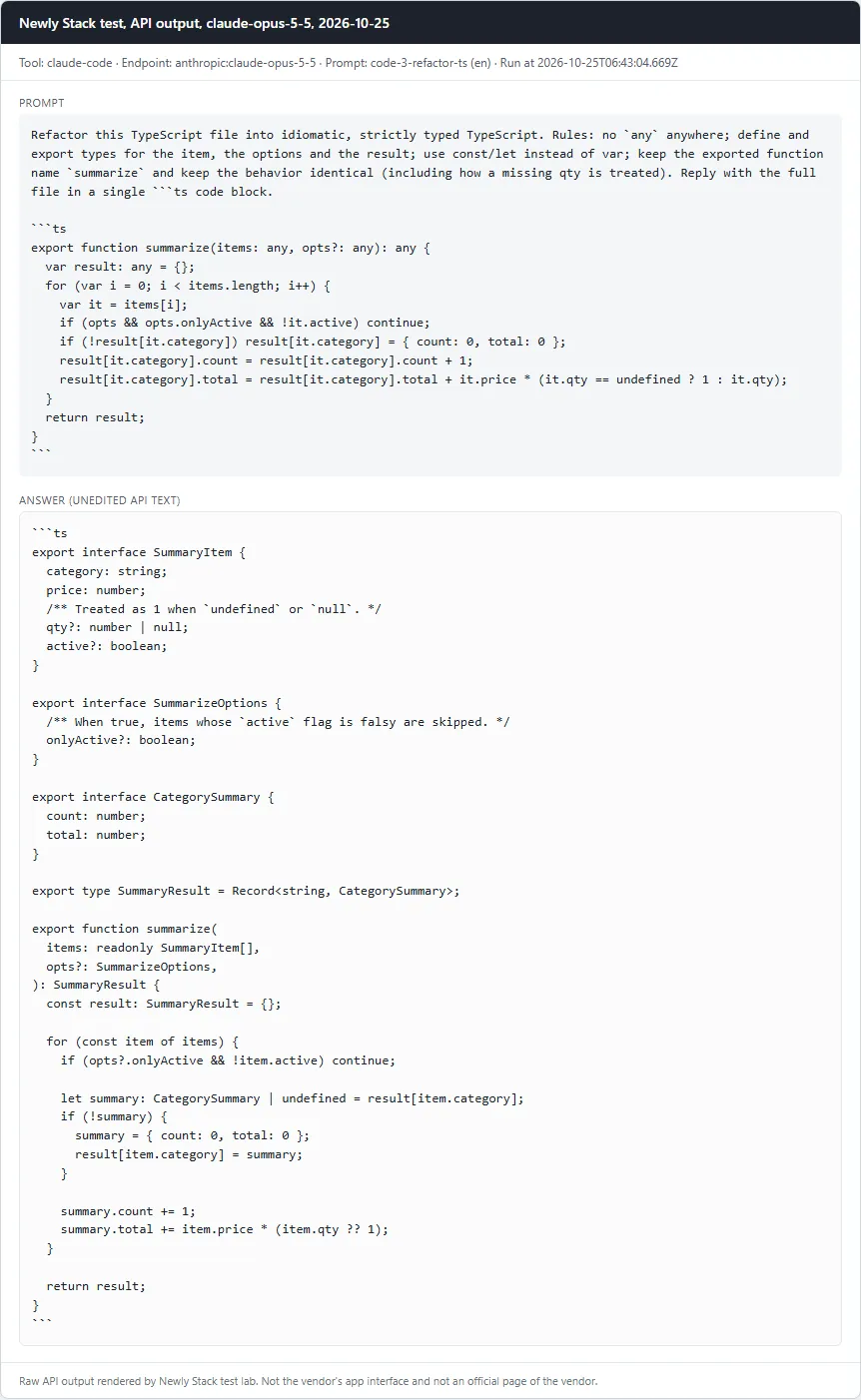
Refactor TypeScript to strict typesPass
Prompt

Refactor this TypeScript file into idiomatic, strictly typed TypeScript. Rules: no `any` anywhere; define and export types for the item, the options and the result; use const/let instead of var; keep the exported function name `summarize` and keep the behavior identical (including how a missing qty is treated). Reply with the full file in a single ```ts code block. ```ts export function summarize(items: any, opts?: any): any { var result: any = {}; for (var i = 0; i < items.length; i++) { var it = items[i]; if (opts && opts.onlyActive && !it.active) continue; if (!result[it.category]) result[it.category] = { count: 0, total: 0 }; result[it.category].count = result[it.category].count + 1; result[it.category].total = result[it.category].total + it.price * (it.qty == undefined ? 1 : it.qty); } return result; } ```

Checklist

  • ✓ A ts code block is present
  • ✓ The word any does not appear in the code
  • ✓ No var declarations
  • ✓ tsc --strict --noEmit passes (TypeScript from the workspace node_modules)
  • ✓ Behavior equals the legacy function on 4 fixed inputs (no options, onlyActive true, qty 0, qty missing), run with node type stripping
Read the full answer (unedited model output, punctuation normalized)
```ts
export interface SummaryItem {
  category: string;
  price: number;
  /** Treated as 1 when `undefined` or `null`. */
  qty?: number | null;
  active?: boolean;
}

export interface SummarizeOptions {
  /** When true, items whose `active` flag is falsy are skipped. */
  onlyActive?: boolean;
}

export interface CategorySummary {
  count: number;
  total: number;
}

export type SummaryResult = Record<string, CategorySummary>;

export function summarize(
  items: readonly SummaryItem[],
  opts?: SummarizeOptions,
): SummaryResult {
  const result: SummaryResult = {};

  for (const item of items) {
    if (opts?.onlyActive && !item.active) continue;

    let summary: CategorySummary | undefined = result[item.category];
    if (!summary) {
      summary = { count: 0, total: 0 };
      result[item.category] = summary;
    }

    summary.count += 1;
    summary.total += item.price * (item.qty ?? 1);
  }

  return result;
}
```

claude-opus-5-5 · Tested October 25, 2026

Claude Code: Card with the prompt and the full API answer from claude-opus-5-5
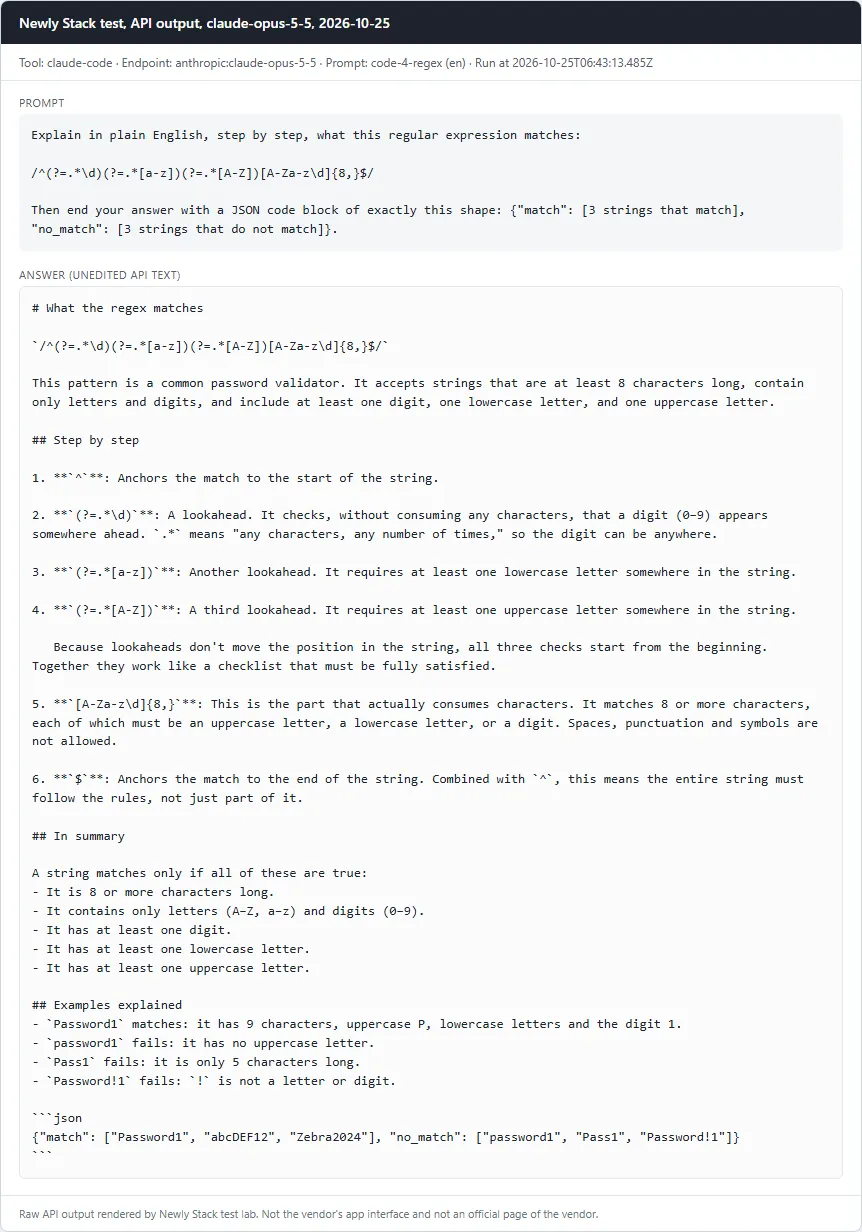
Explain a regular expressionPass
Prompt

Explain in plain English, step by step, what this regular expression matches: /^(?=.*\d)(?=.*[a-z])(?=.*[A-Z])[A-Za-z\d]{8,}$/ Then end your answer with a JSON code block of exactly this shape: {"match": [3 strings that match], "no_match": [3 strings that do not match]}.

Checklist

  • ✓ Explanation mentions the minimum length of 8
  • ✓ Mentions that a digit is required
  • ✓ Mentions that a lowercase letter is required
  • ✓ Mentions that an uppercase letter is required
  • ✓ Mentions that only letters and digits are allowed (no symbols or special characters)
  • ✓ A JSON block parses with 3 match and 3 no_match strings
  • ✓ Every match string really matches and every no_match string really does not (tested with node)
Read the full answer (unedited model output, punctuation normalized)
# What the regex matches

`/^(?=.*\d)(?=.*[a-z])(?=.*[A-Z])[A-Za-z\d]{8,}$/`

This pattern is a common password validator. It accepts strings that are at least 8 characters long, contain only letters and digits, and include at least one digit, one lowercase letter, and one uppercase letter.

## Step by step

1. **`^`**: Anchors the match to the start of the string.

2. **`(?=.*\d)`**: A lookahead. It checks, without consuming any characters, that a digit (0–9) appears somewhere ahead. `.*` means "any characters, any number of times," so the digit can be anywhere.

3. **`(?=.*[a-z])`**: Another lookahead. It requires at least one lowercase letter somewhere in the string.

4. **`(?=.*[A-Z])`**: A third lookahead. It requires at least one uppercase letter somewhere in the string.

   Because lookaheads don't move the position in the string, all three checks start from the beginning. Together they work like a checklist that must be fully satisfied.

5. **`[A-Za-z\d]{8,}`**: This is the part that actually consumes characters. It matches 8 or more characters, each of which must be an uppercase letter, a lowercase letter, or a digit. Spaces, punctuation and symbols are not allowed.

6. **`$`**: Anchors the match to the end of the string. Combined with `^`, this means the entire string must follow the rules, not just part of it.

## In summary

A string matches only if all of these are true:
- It is 8 or more characters long.
- It contains only letters (A–Z, a–z) and digits (0–9).
- It has at least one digit.
- It has at least one lowercase letter.
- It has at least one uppercase letter.

## Examples explained
- `Password1` matches: it has 9 characters, uppercase P, lowercase letters and the digit 1.
- `password1` fails: it has no uppercase letter.
- `Pass1` fails: it is only 5 characters long.
- `Password!1` fails: `!` is not a letter or digit.

```json
{"match": ["Password1", "abcDEF12", "Zebra2024"], "no_match": ["password1", "Pass1", "Password!1"]}
```

claude-opus-5-5 · Tested October 25, 2026

Claude Code: Card with the prompt and the full API answer from claude-opus-5-5
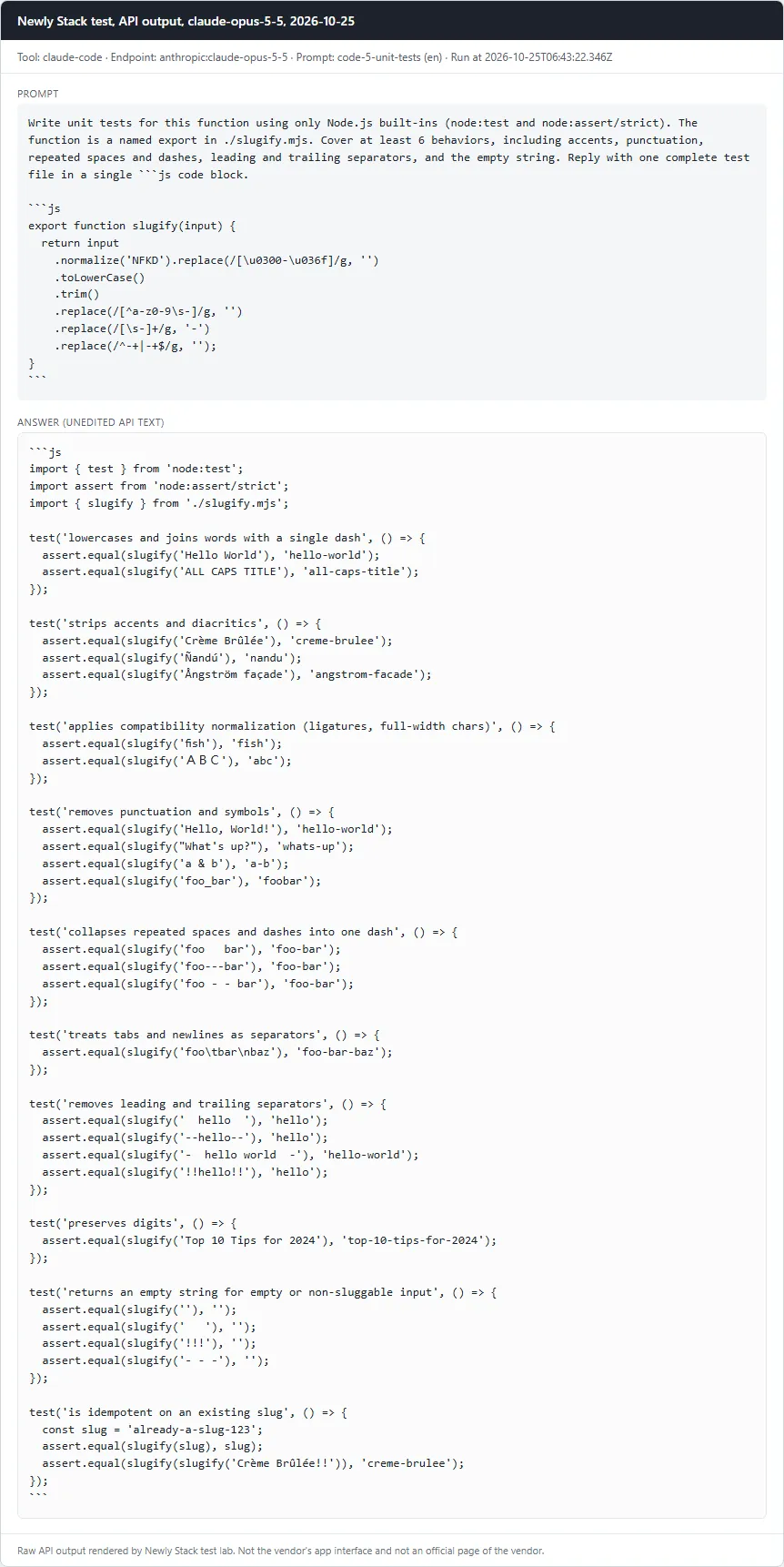
Write unit tests for a functionPass
Prompt

Write unit tests for this function using only Node.js built-ins (node:test and node:assert/strict). The function is a named export in ./slugify.mjs. Cover at least 6 behaviors, including accents, punctuation, repeated spaces and dashes, leading and trailing separators, and the empty string. Reply with one complete test file in a single ```js code block. ```js export function slugify(input) { return input .normalize('NFKD').replace(/[\u0300-\u036f]/g, '') .toLowerCase() .trim() .replace(/[^a-z0-9\s-]/g, '') .replace(/[\s-]+/g, '-') .replace(/^-+|-+$/g, ''); } ```

Checklist

  • ✓ A js code block is present
  • ✓ At least 6 test cases (test()/it() calls)
  • ✓ node --test passes against the correct slugify.mjs
  • ✓ node --test fails against mutant A (accent stripping removed)
  • ✓ node --test fails against mutant B (leading/trailing dash trimming removed)
Read the full answer (unedited model output, punctuation normalized)
```js
import { test } from 'node:test';
import assert from 'node:assert/strict';
import { slugify } from './slugify.mjs';

test('lowercases and joins words with a single dash', () => {
  assert.equal(slugify('Hello World'), 'hello-world');
  assert.equal(slugify('ALL CAPS TITLE'), 'all-caps-title');
});

test('strips accents and diacritics', () => {
  assert.equal(slugify('Crème Brûlée'), 'creme-brulee');
  assert.equal(slugify('Ñandú'), 'nandu');
  assert.equal(slugify('Ångström façade'), 'angstrom-facade');
});

test('applies compatibility normalization (ligatures, full-width chars)', () => {
  assert.equal(slugify('fish'), 'fish');
  assert.equal(slugify('ABC'), 'abc');
});

test('removes punctuation and symbols', () => {
  assert.equal(slugify('Hello, World!'), 'hello-world');
  assert.equal(slugify("What's up?"), 'whats-up');
  assert.equal(slugify('a & b'), 'a-b');
  assert.equal(slugify('foo_bar'), 'foobar');
});

test('collapses repeated spaces and dashes into one dash', () => {
  assert.equal(slugify('foo   bar'), 'foo-bar');
  assert.equal(slugify('foo---bar'), 'foo-bar');
  assert.equal(slugify('foo - - bar'), 'foo-bar');
});

test('treats tabs and newlines as separators', () => {
  assert.equal(slugify('foo\tbar\nbaz'), 'foo-bar-baz');
});

test('removes leading and trailing separators', () => {
  assert.equal(slugify('  hello  '), 'hello');
  assert.equal(slugify('--hello--'), 'hello');
  assert.equal(slugify('-  hello world  -'), 'hello-world');
  assert.equal(slugify('!!hello!!'), 'hello');
});

test('preserves digits', () => {
  assert.equal(slugify('Top 10 Tips for 2024'), 'top-10-tips-for-2024');
});

test('returns an empty string for empty or non-sluggable input', () => {
  assert.equal(slugify(''), '');
  assert.equal(slugify('   '), '');
  assert.equal(slugify('!!!'), '');
  assert.equal(slugify('- - -'), '');
});

test('is idempotent on an existing slug', () => {
  const slug = 'already-a-slug-123';
  assert.equal(slugify(slug), slug);
  assert.equal(slugify(slugify('Crème Brûlée!!')), 'creme-brulee');
});
```

claude-opus-5-5 · Tested October 25, 2026

DeepSeek

5 of 5 passed

Model: deepseek-v4-pro · Run through: API model deepseek:deepseek-v4-pro · Tested October 25, 2026

DeepSeek: Card with the prompt and the full API answer from deepseek-v4-pro
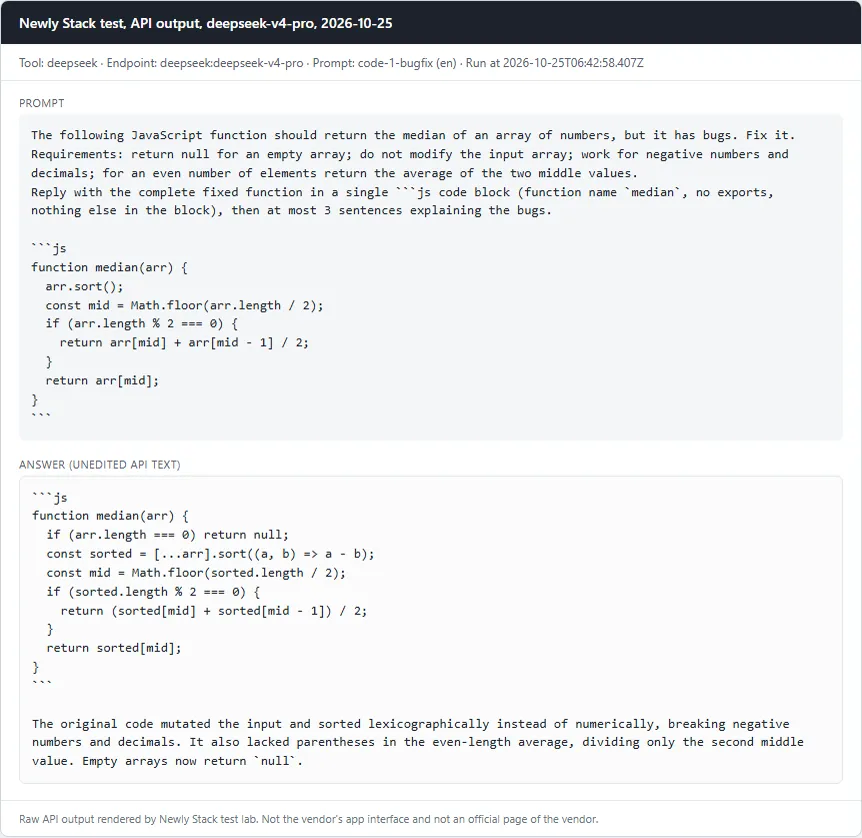
Fix a buggy JavaScript function (median)Pass
Prompt

The following JavaScript function should return the median of an array of numbers, but it has bugs. Fix it. Requirements: return null for an empty array; do not modify the input array; work for negative numbers and decimals; for an even number of elements return the average of the two middle values. Reply with the complete fixed function in a single ```js code block (function name `median`, no exports, nothing else in the block), then at most 3 sentences explaining the bugs. ```js function median(arr) { arr.sort(); const mid = Math.floor(arr.length / 2); if (arr.length % 2 === 0) { return arr[mid] + arr[mid - 1] / 2; } return arr[mid]; } ```

Checklist

  • ✓ A js code block is present and defines a function named median
  • ✓ median([3,1,2]) === 2
  • ✓ median([10,2,1,4]) === 3
  • ✓ median([100,20,3]) === 20 (catches default string sort)
  • ✓ median([-1,-3]) === -2 and median([1.5,2.5,0.5]) === 1.5
  • ✓ median([]) === null
  • ✓ The input array is not mutated
Read the full answer (unedited model output, punctuation normalized)
```js
function median(arr) {
  if (arr.length === 0) return null;
  const sorted = [...arr].sort((a, b) => a - b);
  const mid = Math.floor(sorted.length / 2);
  if (sorted.length % 2 === 0) {
    return (sorted[mid] + sorted[mid - 1]) / 2;
  }
  return sorted[mid];
}
```

The original code mutated the input and sorted lexicographically instead of numerically, breaking negative numbers and decimals. It also lacked parentheses in the even-length average, dividing only the second middle value. Empty arrays now return `null`.

deepseek-v4-pro · Tested October 25, 2026

DeepSeek: Card with the prompt and the full API answer from deepseek-v4-pro
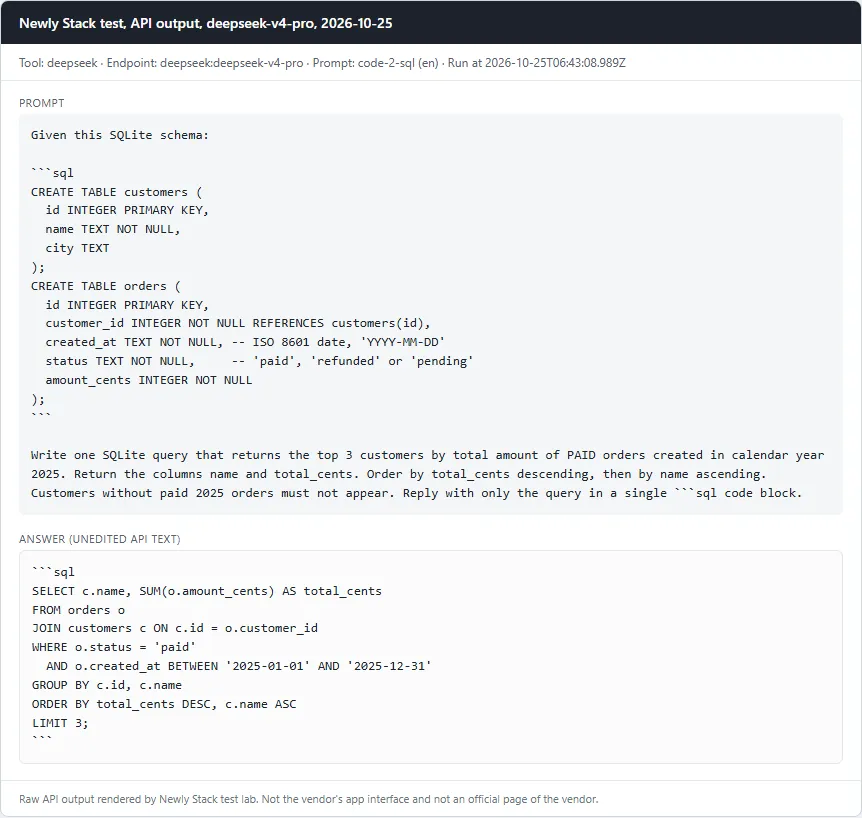
Write a SQL query against a given schemaPass
Prompt

Given this SQLite schema: ```sql CREATE TABLE customers ( id INTEGER PRIMARY KEY, name TEXT NOT NULL, city TEXT ); CREATE TABLE orders ( id INTEGER PRIMARY KEY, customer_id INTEGER NOT NULL REFERENCES customers(id), created_at TEXT NOT NULL, -- ISO 8601 date, 'YYYY-MM-DD' status TEXT NOT NULL, -- 'paid', 'refunded' or 'pending' amount_cents INTEGER NOT NULL ); ``` Write one SQLite query that returns the top 3 customers by total amount of PAID orders created in calendar year 2025. Return the columns name and total_cents. Order by total_cents descending, then by name ascending. Customers without paid 2025 orders must not appear. Reply with only the query in a single ```sql code block.

Checklist

  • ✓ A sql code block is present
  • ✓ The query runs without error on node:sqlite against the schema plus our seed data (fixtures/seed.sql)
  • ✓ Result has exactly the columns name, total_cents
  • ✓ Result rows equal the reference: Ayu 12000, Budi 12000, Citra 12000 (seed traps: a 2024-12-31 paid order, a refunded order, a pending order, a 2026-01-01 order)
Read the full answer (unedited model output, punctuation normalized)
```sql
SELECT c.name, SUM(o.amount_cents) AS total_cents
FROM orders o
JOIN customers c ON c.id = o.customer_id
WHERE o.status = 'paid'
  AND o.created_at BETWEEN '2025-01-01' AND '2025-12-31'
GROUP BY c.id, c.name
ORDER BY total_cents DESC, c.name ASC
LIMIT 3;
```

deepseek-v4-pro · Tested October 25, 2026

DeepSeek: Card with the prompt and the full API answer from deepseek-v4-pro
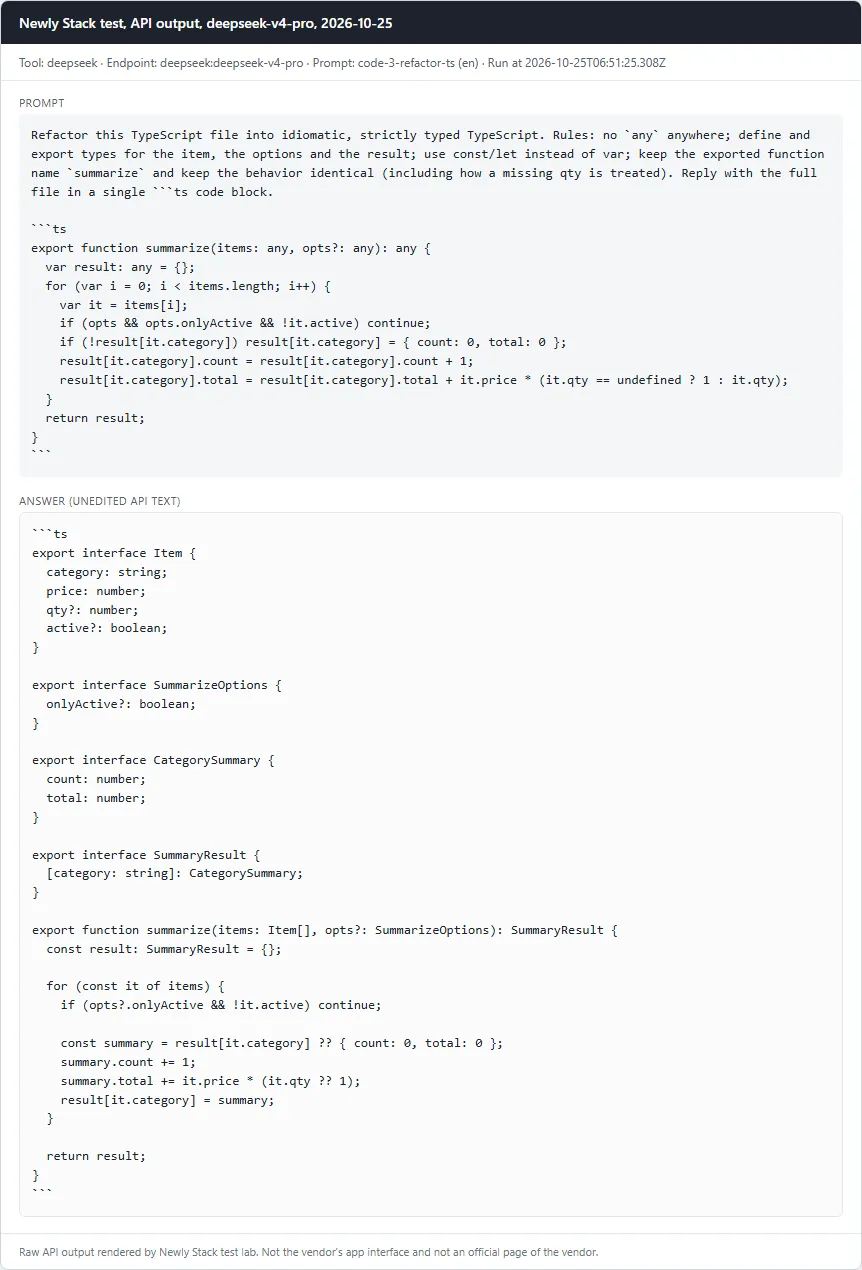
Refactor TypeScript to strict typesPass
Prompt

Refactor this TypeScript file into idiomatic, strictly typed TypeScript. Rules: no `any` anywhere; define and export types for the item, the options and the result; use const/let instead of var; keep the exported function name `summarize` and keep the behavior identical (including how a missing qty is treated). Reply with the full file in a single ```ts code block. ```ts export function summarize(items: any, opts?: any): any { var result: any = {}; for (var i = 0; i < items.length; i++) { var it = items[i]; if (opts && opts.onlyActive && !it.active) continue; if (!result[it.category]) result[it.category] = { count: 0, total: 0 }; result[it.category].count = result[it.category].count + 1; result[it.category].total = result[it.category].total + it.price * (it.qty == undefined ? 1 : it.qty); } return result; } ```

Checklist

  • ✓ A ts code block is present
  • ✓ The word any does not appear in the code
  • ✓ No var declarations
  • ✓ tsc --strict --noEmit passes (TypeScript from the workspace node_modules)
  • ✓ Behavior equals the legacy function on 4 fixed inputs (no options, onlyActive true, qty 0, qty missing), run with node type stripping
Read the full answer (unedited model output, punctuation normalized)
```ts
export interface Item {
  category: string;
  price: number;
  qty?: number;
  active?: boolean;
}

export interface SummarizeOptions {
  onlyActive?: boolean;
}

export interface CategorySummary {
  count: number;
  total: number;
}

export interface SummaryResult {
  [category: string]: CategorySummary;
}

export function summarize(items: Item[], opts?: SummarizeOptions): SummaryResult {
  const result: SummaryResult = {};

  for (const it of items) {
    if (opts?.onlyActive && !it.active) continue;

    const summary = result[it.category] ?? { count: 0, total: 0 };
    summary.count += 1;
    summary.total += it.price * (it.qty ?? 1);
    result[it.category] = summary;
  }

  return result;
}
```

deepseek-v4-pro · Tested October 25, 2026

DeepSeek: Card with the prompt and the full API answer from deepseek-v4-pro
Explain a regular expressionPass
Prompt

Explain in plain English, step by step, what this regular expression matches: /^(?=.*\d)(?=.*[a-z])(?=.*[A-Z])[A-Za-z\d]{8,}$/ Then end your answer with a JSON code block of exactly this shape: {"match": [3 strings that match], "no_match": [3 strings that do not match]}.

Checklist

  • ✓ Explanation mentions the minimum length of 8
  • ✓ Mentions that a digit is required
  • ✓ Mentions that a lowercase letter is required
  • ✓ Mentions that an uppercase letter is required
  • ✓ Mentions that only letters and digits are allowed (no symbols or special characters)
  • ✓ A JSON block parses with 3 match and 3 no_match strings
  • ✓ Every match string really matches and every no_match string really does not (tested with node)
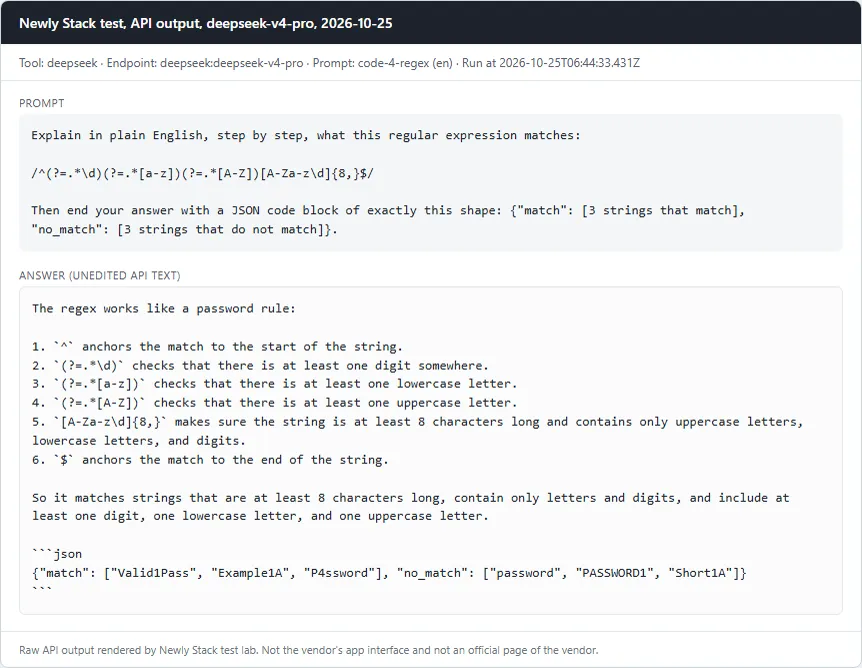
Read the full answer (unedited model output, punctuation normalized)
The regex works like a password rule:

1. `^` anchors the match to the start of the string.
2. `(?=.*\d)` checks that there is at least one digit somewhere.
3. `(?=.*[a-z])` checks that there is at least one lowercase letter.
4. `(?=.*[A-Z])` checks that there is at least one uppercase letter.
5. `[A-Za-z\d]{8,}` makes sure the string is at least 8 characters long and contains only uppercase letters, lowercase letters, and digits.
6. `$` anchors the match to the end of the string.

So it matches strings that are at least 8 characters long, contain only letters and digits, and include at least one digit, one lowercase letter, and one uppercase letter.

```json
{"match": ["Valid1Pass", "Example1A", "P4ssword"], "no_match": ["password", "PASSWORD1", "Short1A"]}
```

deepseek-v4-pro · Tested October 25, 2026

DeepSeek: Card with the prompt and the full API answer from deepseek-v4-pro
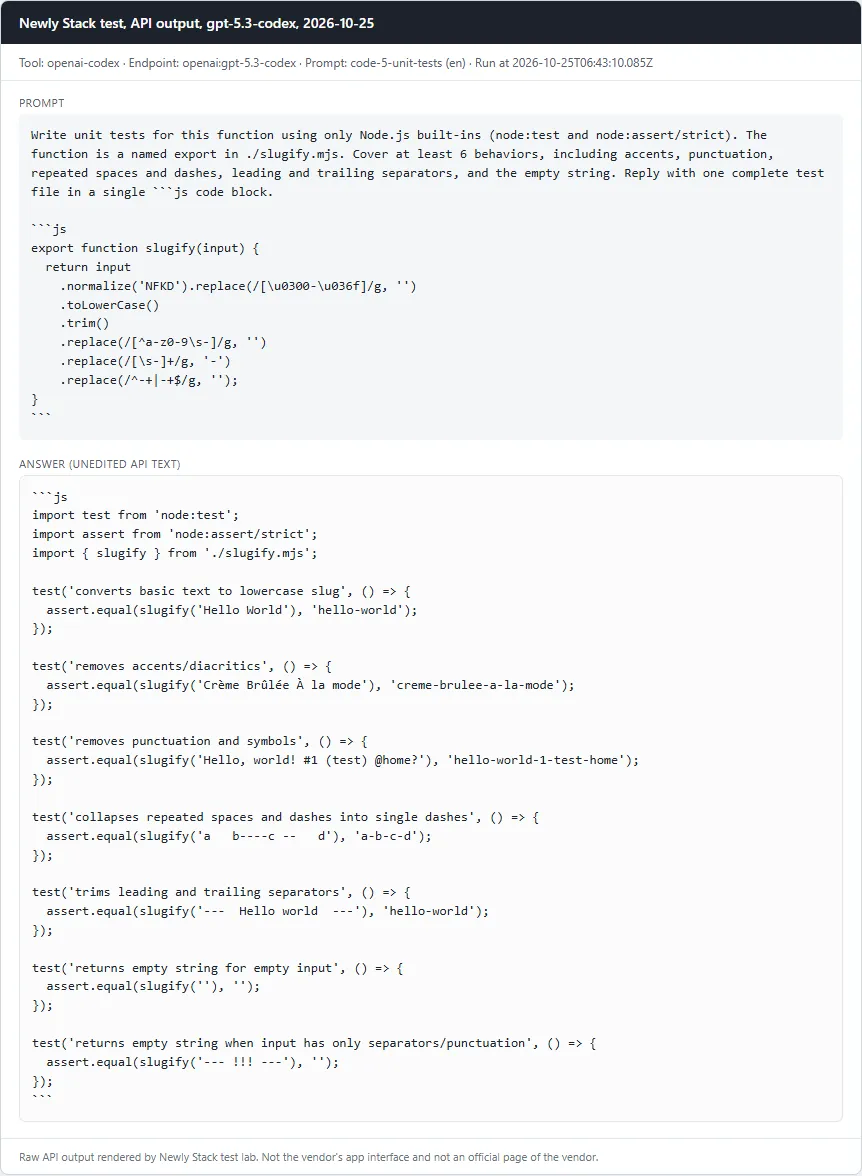
Write unit tests for a functionPass
Prompt

Write unit tests for this function using only Node.js built-ins (node:test and node:assert/strict). The function is a named export in ./slugify.mjs. Cover at least 6 behaviors, including accents, punctuation, repeated spaces and dashes, leading and trailing separators, and the empty string. Reply with one complete test file in a single ```js code block. ```js export function slugify(input) { return input .normalize('NFKD').replace(/[\u0300-\u036f]/g, '') .toLowerCase() .trim() .replace(/[^a-z0-9\s-]/g, '') .replace(/[\s-]+/g, '-') .replace(/^-+|-+$/g, ''); } ```

Checklist

  • ✓ A js code block is present
  • ✓ At least 6 test cases (test()/it() calls)
  • ✓ node --test passes against the correct slugify.mjs
  • ✓ node --test fails against mutant A (accent stripping removed)
  • ✓ node --test fails against mutant B (leading/trailing dash trimming removed)
Read the full answer (unedited model output, punctuation normalized)
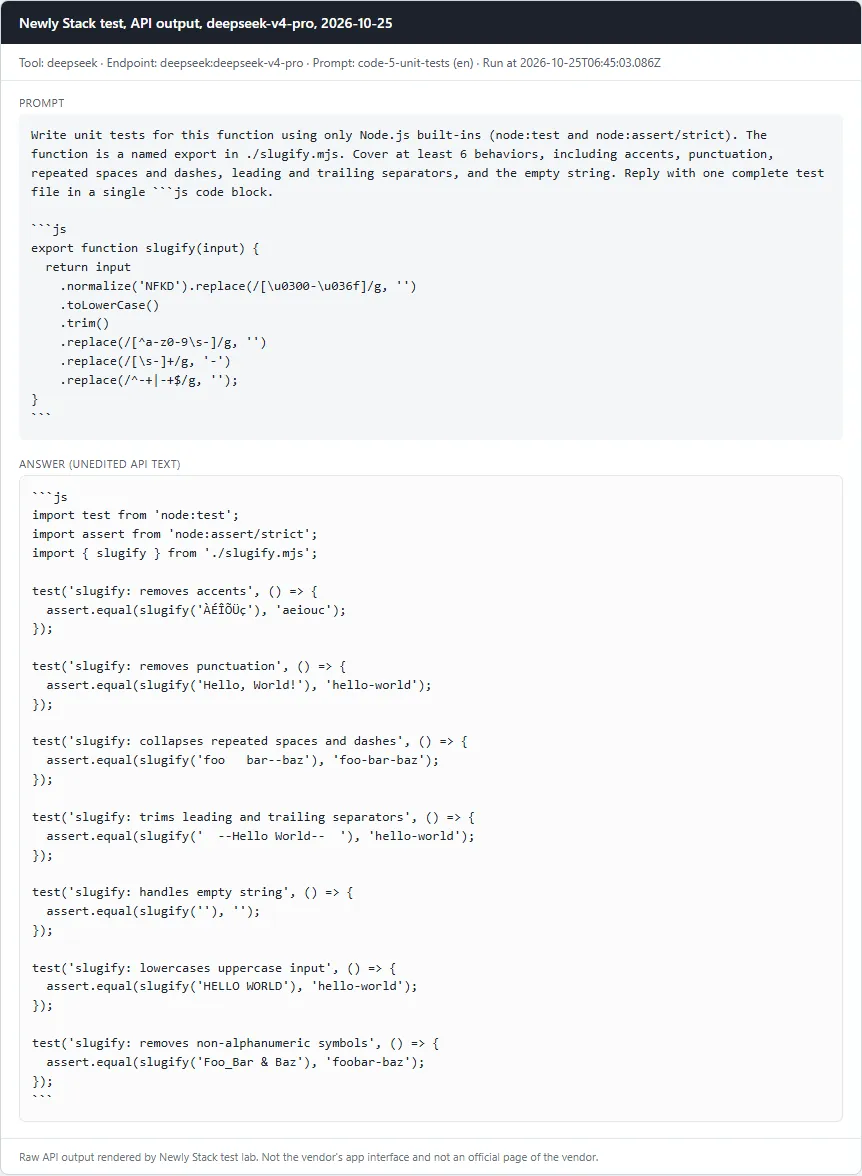
```js
import test from 'node:test';
import assert from 'node:assert/strict';
import { slugify } from './slugify.mjs';

test('slugify: removes accents', () => {
  assert.equal(slugify('ÀÉÎÕÜç'), 'aeiouc');
});

test('slugify: removes punctuation', () => {
  assert.equal(slugify('Hello, World!'), 'hello-world');
});

test('slugify: collapses repeated spaces and dashes', () => {
  assert.equal(slugify('foo   bar--baz'), 'foo-bar-baz');
});

test('slugify: trims leading and trailing separators', () => {
  assert.equal(slugify('  --Hello World--  '), 'hello-world');
});

test('slugify: handles empty string', () => {
  assert.equal(slugify(''), '');
});

test('slugify: lowercases uppercase input', () => {
  assert.equal(slugify('HELLO WORLD'), 'hello-world');
});

test('slugify: removes non-alphanumeric symbols', () => {
  assert.equal(slugify('Foo_Bar & Baz'), 'foobar-baz');
});
```

deepseek-v4-pro · Tested October 25, 2026

Gemini Code Assist

5 of 5 passed

Model: google/gemini-4-argon · Run through: API model openrouter:google/gemini-4-argon · Tested October 25, 2026

Gemini Code Assist: Card with the prompt and the full API answer from google/gemini-4-argon
Fix a buggy JavaScript function (median)Pass
Prompt

The following JavaScript function should return the median of an array of numbers, but it has bugs. Fix it. Requirements: return null for an empty array; do not modify the input array; work for negative numbers and decimals; for an even number of elements return the average of the two middle values. Reply with the complete fixed function in a single ```js code block (function name `median`, no exports, nothing else in the block), then at most 3 sentences explaining the bugs. ```js function median(arr) { arr.sort(); const mid = Math.floor(arr.length / 2); if (arr.length % 2 === 0) { return arr[mid] + arr[mid - 1] / 2; } return arr[mid]; } ```

Checklist

  • ✓ A js code block is present and defines a function named median
  • ✓ median([3,1,2]) === 2
  • ✓ median([10,2,1,4]) === 3
  • ✓ median([100,20,3]) === 20 (catches default string sort)
  • ✓ median([-1,-3]) === -2 and median([1.5,2.5,0.5]) === 1.5
  • ✓ median([]) === null
  • ✓ The input array is not mutated
Read the full answer (unedited model output, punctuation normalized)
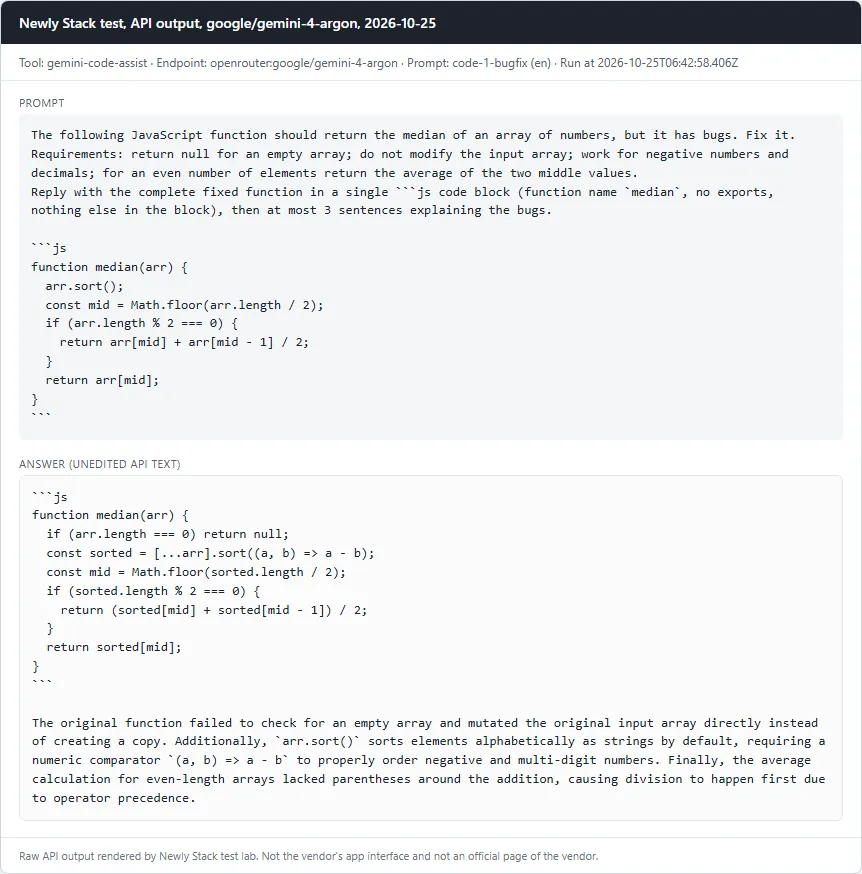
```js
function median(arr) {
  if (arr.length === 0) return null;
  const sorted = [...arr].sort((a, b) => a - b);
  const mid = Math.floor(sorted.length / 2);
  if (sorted.length % 2 === 0) {
    return (sorted[mid] + sorted[mid - 1]) / 2;
  }
  return sorted[mid];
}
```

The original function failed to check for an empty array and mutated the original input array directly instead of creating a copy. Additionally, `arr.sort()` sorts elements alphabetically as strings by default, requiring a numeric comparator `(a, b) => a - b` to properly order negative and multi-digit numbers. Finally, the average calculation for even-length arrays lacked parentheses around the addition, causing division to happen first due to operator precedence.

google/gemini-4-argon · Tested October 25, 2026

Gemini Code Assist: Card with the prompt and the full API answer from google/gemini-4-argon
Write a SQL query against a given schemaPass
Prompt

Given this SQLite schema: ```sql CREATE TABLE customers ( id INTEGER PRIMARY KEY, name TEXT NOT NULL, city TEXT ); CREATE TABLE orders ( id INTEGER PRIMARY KEY, customer_id INTEGER NOT NULL REFERENCES customers(id), created_at TEXT NOT NULL, -- ISO 8601 date, 'YYYY-MM-DD' status TEXT NOT NULL, -- 'paid', 'refunded' or 'pending' amount_cents INTEGER NOT NULL ); ``` Write one SQLite query that returns the top 3 customers by total amount of PAID orders created in calendar year 2025. Return the columns name and total_cents. Order by total_cents descending, then by name ascending. Customers without paid 2025 orders must not appear. Reply with only the query in a single ```sql code block.

Checklist

  • ✓ A sql code block is present
  • ✓ The query runs without error on node:sqlite against the schema plus our seed data (fixtures/seed.sql)
  • ✓ Result has exactly the columns name, total_cents
  • ✓ Result rows equal the reference: Ayu 12000, Budi 12000, Citra 12000 (seed traps: a 2024-12-31 paid order, a refunded order, a pending order, a 2026-01-01 order)
Read the full answer (unedited model output, punctuation normalized)
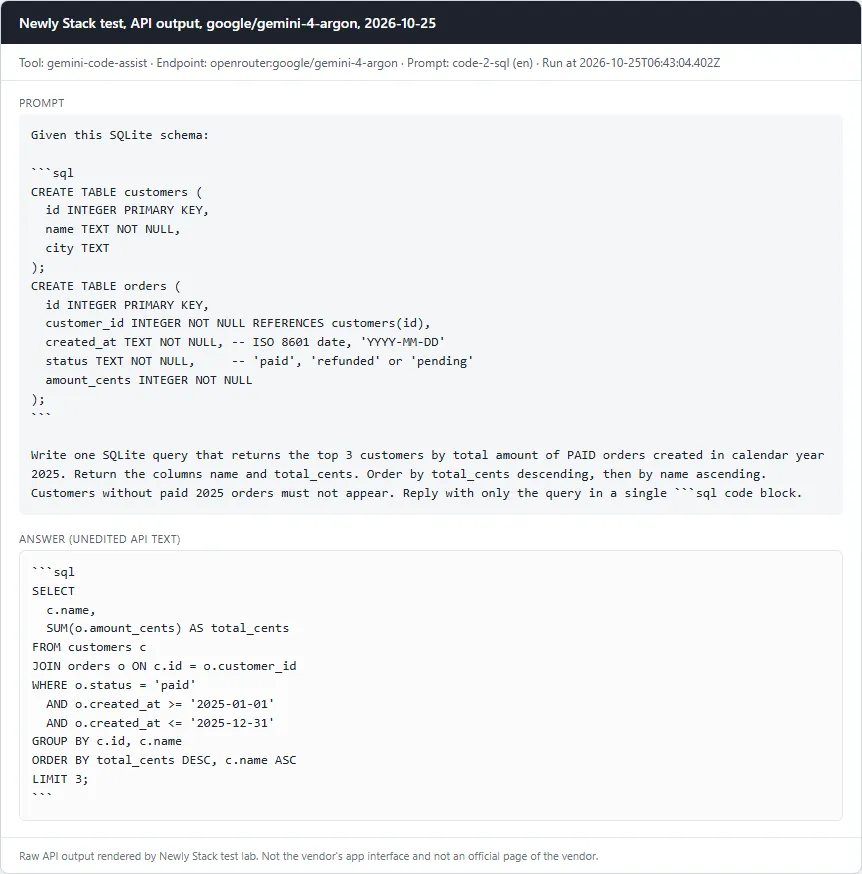
```sql
SELECT 
  c.name, 
  SUM(o.amount_cents) AS total_cents
FROM customers c
JOIN orders o ON c.id = o.customer_id
WHERE o.status = 'paid'
  AND o.created_at >= '2025-01-01'
  AND o.created_at <= '2025-12-31'
GROUP BY c.id, c.name
ORDER BY total_cents DESC, c.name ASC
LIMIT 3;
```

google/gemini-4-argon · Tested October 25, 2026

Gemini Code Assist: Card with the prompt and the full API answer from google/gemini-4-argon
Refactor TypeScript to strict typesPass
Prompt

Refactor this TypeScript file into idiomatic, strictly typed TypeScript. Rules: no `any` anywhere; define and export types for the item, the options and the result; use const/let instead of var; keep the exported function name `summarize` and keep the behavior identical (including how a missing qty is treated). Reply with the full file in a single ```ts code block. ```ts export function summarize(items: any, opts?: any): any { var result: any = {}; for (var i = 0; i < items.length; i++) { var it = items[i]; if (opts && opts.onlyActive && !it.active) continue; if (!result[it.category]) result[it.category] = { count: 0, total: 0 }; result[it.category].count = result[it.category].count + 1; result[it.category].total = result[it.category].total + it.price * (it.qty == undefined ? 1 : it.qty); } return result; } ```

Checklist

  • ✓ A ts code block is present
  • ✓ The word any does not appear in the code
  • ✓ No var declarations
  • ✓ tsc --strict --noEmit passes (TypeScript from the workspace node_modules)
  • ✓ Behavior equals the legacy function on 4 fixed inputs (no options, onlyActive true, qty 0, qty missing), run with node type stripping
Read the full answer (unedited model output, punctuation normalized)
```ts
export interface SummarizeItem {
  category: string;
  price: number;
  qty?: number | null;
  active?: boolean;
}

export interface SummarizeOptions {
  onlyActive?: boolean;
}

export interface CategorySummary {
  count: number;
  total: number;
}

export type SummarizeResult = Record<string, CategorySummary>;

export function summarize(
  items: readonly SummarizeItem[],
  opts?: SummarizeOptions,
): SummarizeResult {
  const result: SummarizeResult = {};

  for (const item of items) {
    if (opts?.onlyActive && !item.active) {
      continue;
    }

    let categorySummary = result[item.category];
    if (!categorySummary) {
      categorySummary = { count: 0, total: 0 };
      result[item.category] = categorySummary;
    }

    categorySummary.count += 1;
    categorySummary.total += item.price * (item.qty ?? 1);
  }

  return result;
}
```

google/gemini-4-argon · Tested October 25, 2026

Gemini Code Assist: Card with the prompt and the full API answer from google/gemini-4-argon
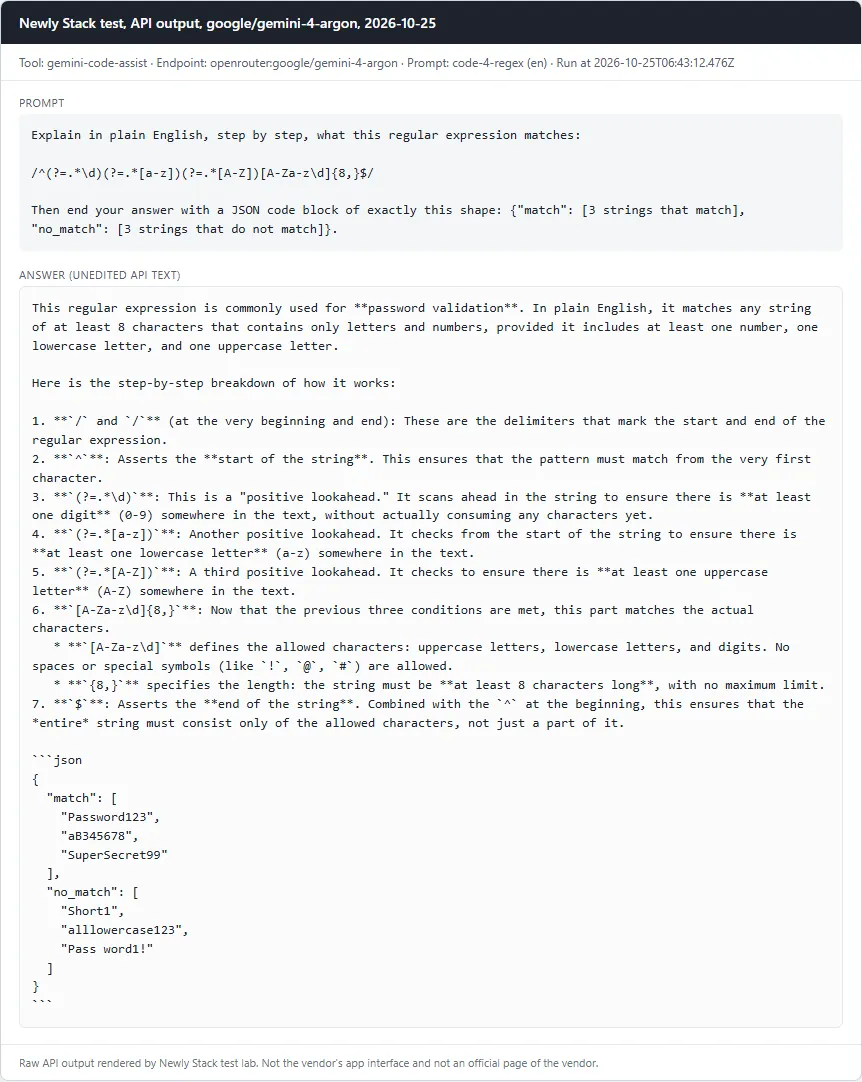
Explain a regular expressionPass
Prompt

Explain in plain English, step by step, what this regular expression matches: /^(?=.*\d)(?=.*[a-z])(?=.*[A-Z])[A-Za-z\d]{8,}$/ Then end your answer with a JSON code block of exactly this shape: {"match": [3 strings that match], "no_match": [3 strings that do not match]}.

Checklist

  • ✓ Explanation mentions the minimum length of 8
  • ✓ Mentions that a digit is required
  • ✓ Mentions that a lowercase letter is required
  • ✓ Mentions that an uppercase letter is required
  • ✓ Mentions that only letters and digits are allowed (no symbols or special characters)
  • ✓ A JSON block parses with 3 match and 3 no_match strings
  • ✓ Every match string really matches and every no_match string really does not (tested with node)
Read the full answer (unedited model output, punctuation normalized)
This regular expression is commonly used for **password validation**. In plain English, it matches any string of at least 8 characters that contains only letters and numbers, provided it includes at least one number, one lowercase letter, and one uppercase letter. 

Here is the step-by-step breakdown of how it works:

1. **`/` and `/`** (at the very beginning and end): These are the delimiters that mark the start and end of the regular expression.
2. **`^`**: Asserts the **start of the string**. This ensures that the pattern must match from the very first character.
3. **`(?=.*\d)`**: This is a "positive lookahead." It scans ahead in the string to ensure there is **at least one digit** (0-9) somewhere in the text, without actually consuming any characters yet.
4. **`(?=.*[a-z])`**: Another positive lookahead. It checks from the start of the string to ensure there is **at least one lowercase letter** (a-z) somewhere in the text.
5. **`(?=.*[A-Z])`**: A third positive lookahead. It checks to ensure there is **at least one uppercase letter** (A-Z) somewhere in the text.
6. **`[A-Za-z\d]{8,}`**: Now that the previous three conditions are met, this part matches the actual characters. 
   * **`[A-Za-z\d]`** defines the allowed characters: uppercase letters, lowercase letters, and digits. No spaces or special symbols (like `!`, `@`, `#`) are allowed.
   * **`{8,}`** specifies the length: the string must be **at least 8 characters long**, with no maximum limit.
7. **`$`**: Asserts the **end of the string**. Combined with the `^` at the beginning, this ensures that the *entire* string must consist only of the allowed characters, not just a part of it.

```json
{
  "match": [
    "Password123",
    "aB345678",
    "SuperSecret99"
  ],
  "no_match": [
    "Short1",
    "alllowercase123",
    "Pass word1!"
  ]
}
```

google/gemini-4-argon · Tested October 25, 2026

Gemini Code Assist: Card with the prompt and the full API answer from google/gemini-4-argon
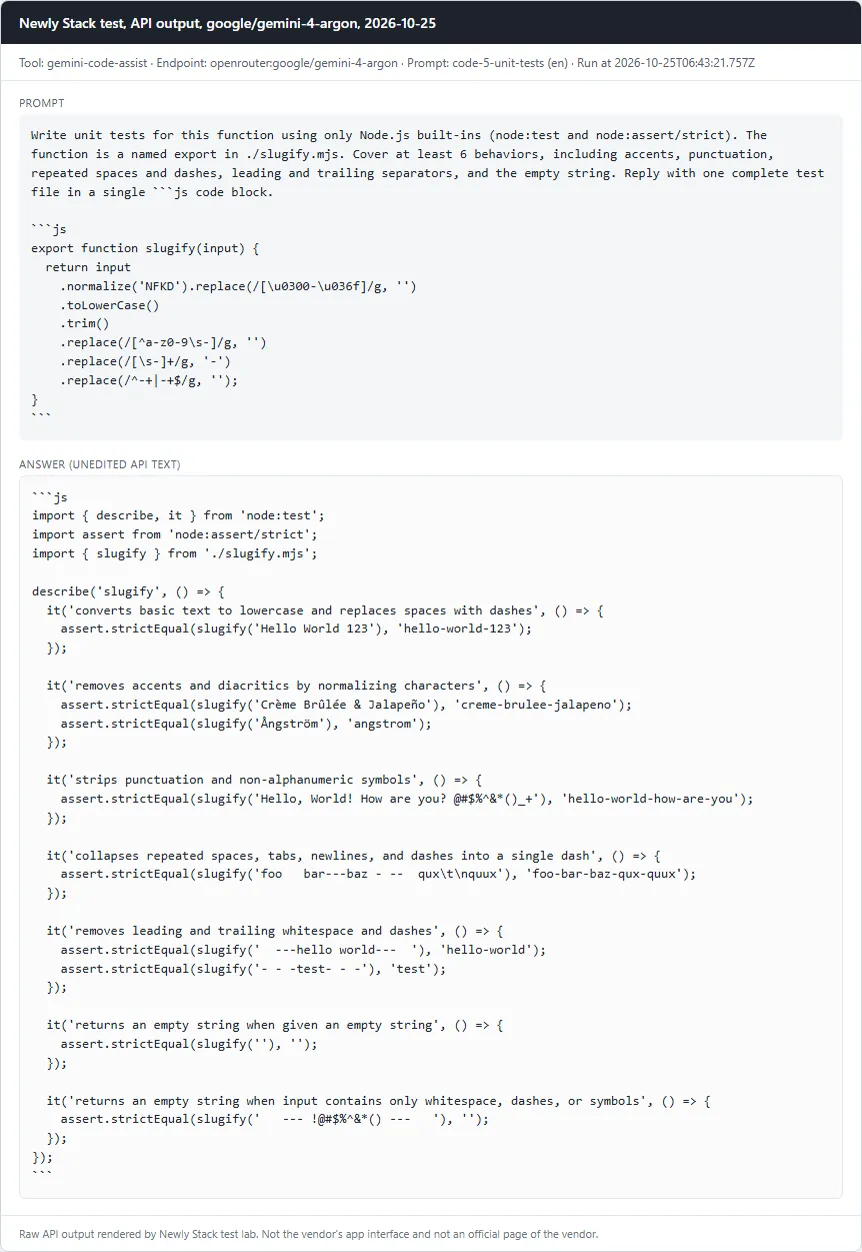
Write unit tests for a functionPass
Prompt

Write unit tests for this function using only Node.js built-ins (node:test and node:assert/strict). The function is a named export in ./slugify.mjs. Cover at least 6 behaviors, including accents, punctuation, repeated spaces and dashes, leading and trailing separators, and the empty string. Reply with one complete test file in a single ```js code block. ```js export function slugify(input) { return input .normalize('NFKD').replace(/[\u0300-\u036f]/g, '') .toLowerCase() .trim() .replace(/[^a-z0-9\s-]/g, '') .replace(/[\s-]+/g, '-') .replace(/^-+|-+$/g, ''); } ```

Checklist

  • ✓ A js code block is present
  • ✓ At least 6 test cases (test()/it() calls)
  • ✓ node --test passes against the correct slugify.mjs
  • ✓ node --test fails against mutant A (accent stripping removed)
  • ✓ node --test fails against mutant B (leading/trailing dash trimming removed)
Read the full answer (unedited model output, punctuation normalized)
```js
import { describe, it } from 'node:test';
import assert from 'node:assert/strict';
import { slugify } from './slugify.mjs';

describe('slugify', () => {
  it('converts basic text to lowercase and replaces spaces with dashes', () => {
    assert.strictEqual(slugify('Hello World 123'), 'hello-world-123');
  });

  it('removes accents and diacritics by normalizing characters', () => {
    assert.strictEqual(slugify('Crème Brûlée & Jalapeño'), 'creme-brulee-jalapeno');
    assert.strictEqual(slugify('Ångström'), 'angstrom');
  });

  it('strips punctuation and non-alphanumeric symbols', () => {
    assert.strictEqual(slugify('Hello, World! How are you? @#$%^&*()_+'), 'hello-world-how-are-you');
  });

  it('collapses repeated spaces, tabs, newlines, and dashes into a single dash', () => {
    assert.strictEqual(slugify('foo   bar---baz - --  qux\t\nquux'), 'foo-bar-baz-qux-quux');
  });

  it('removes leading and trailing whitespace and dashes', () => {
    assert.strictEqual(slugify('  ---hello world---  '), 'hello-world');
    assert.strictEqual(slugify('- - -test- - -'), 'test');
  });

  it('returns an empty string when given an empty string', () => {
    assert.strictEqual(slugify(''), '');
  });

  it('returns an empty string when input contains only whitespace, dashes, or symbols', () => {
    assert.strictEqual(slugify('   --- !@#$%^&*() ---   '), '');
  });
});
```

google/gemini-4-argon · Tested October 25, 2026

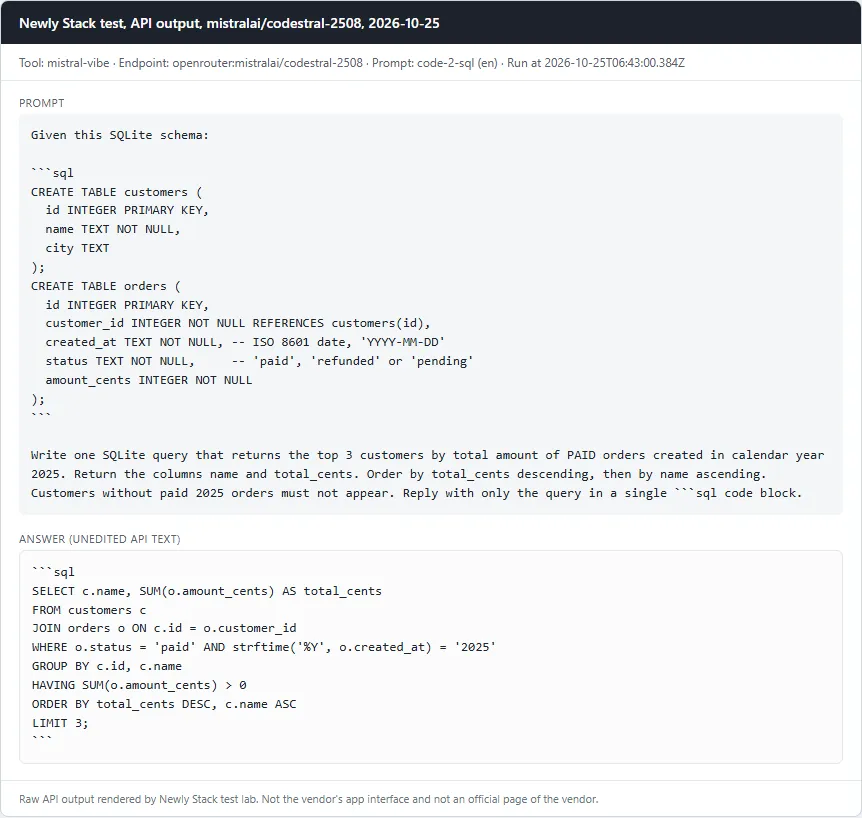
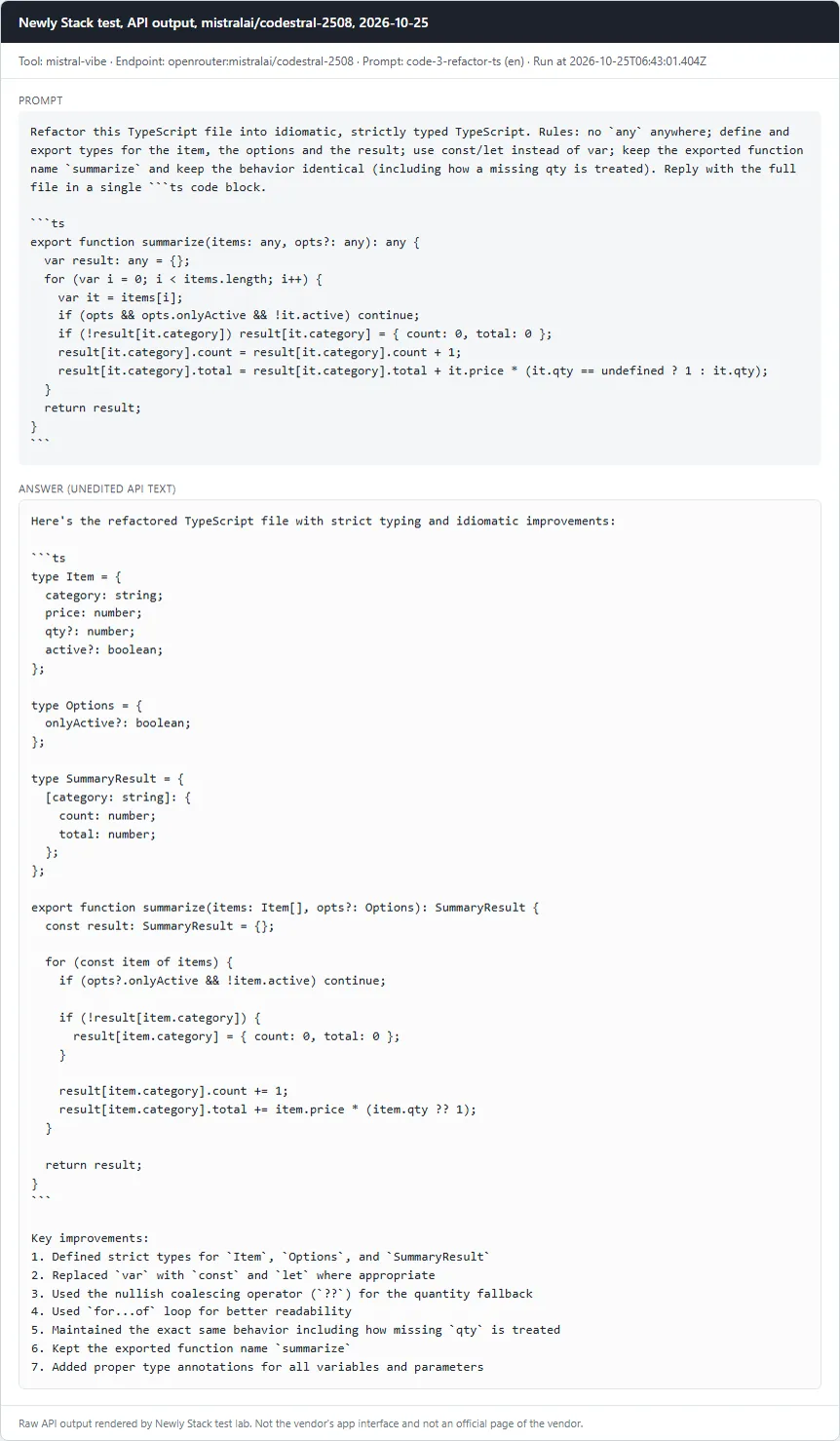
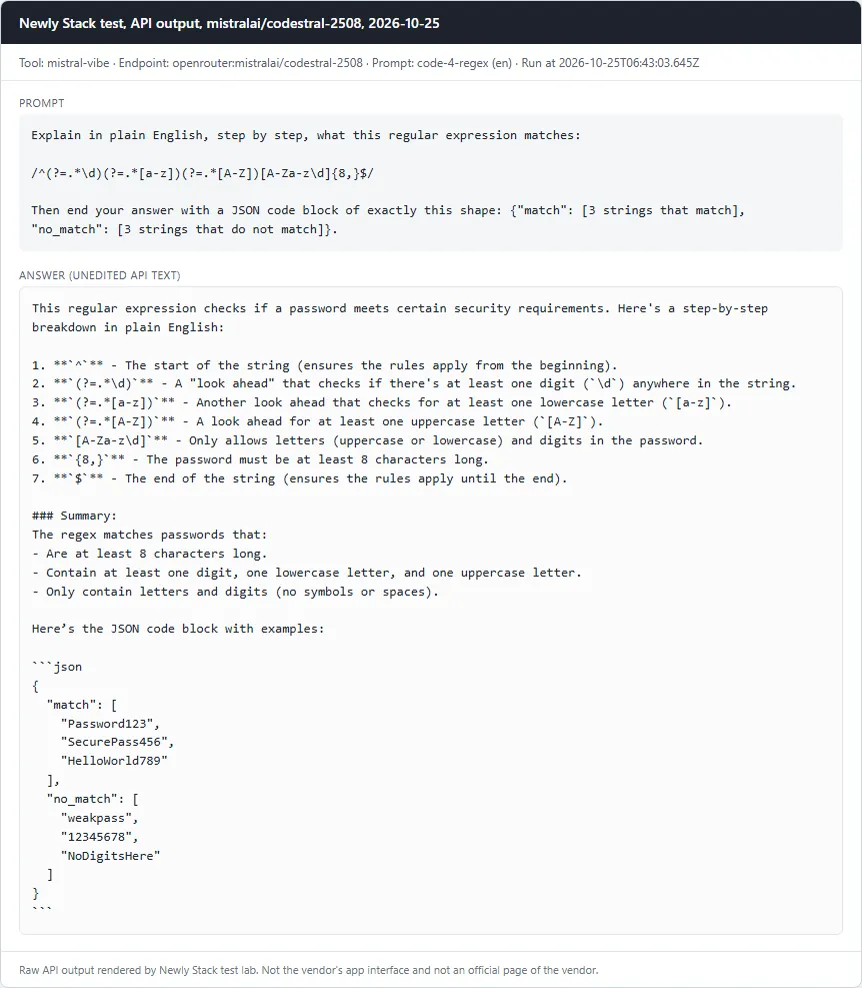
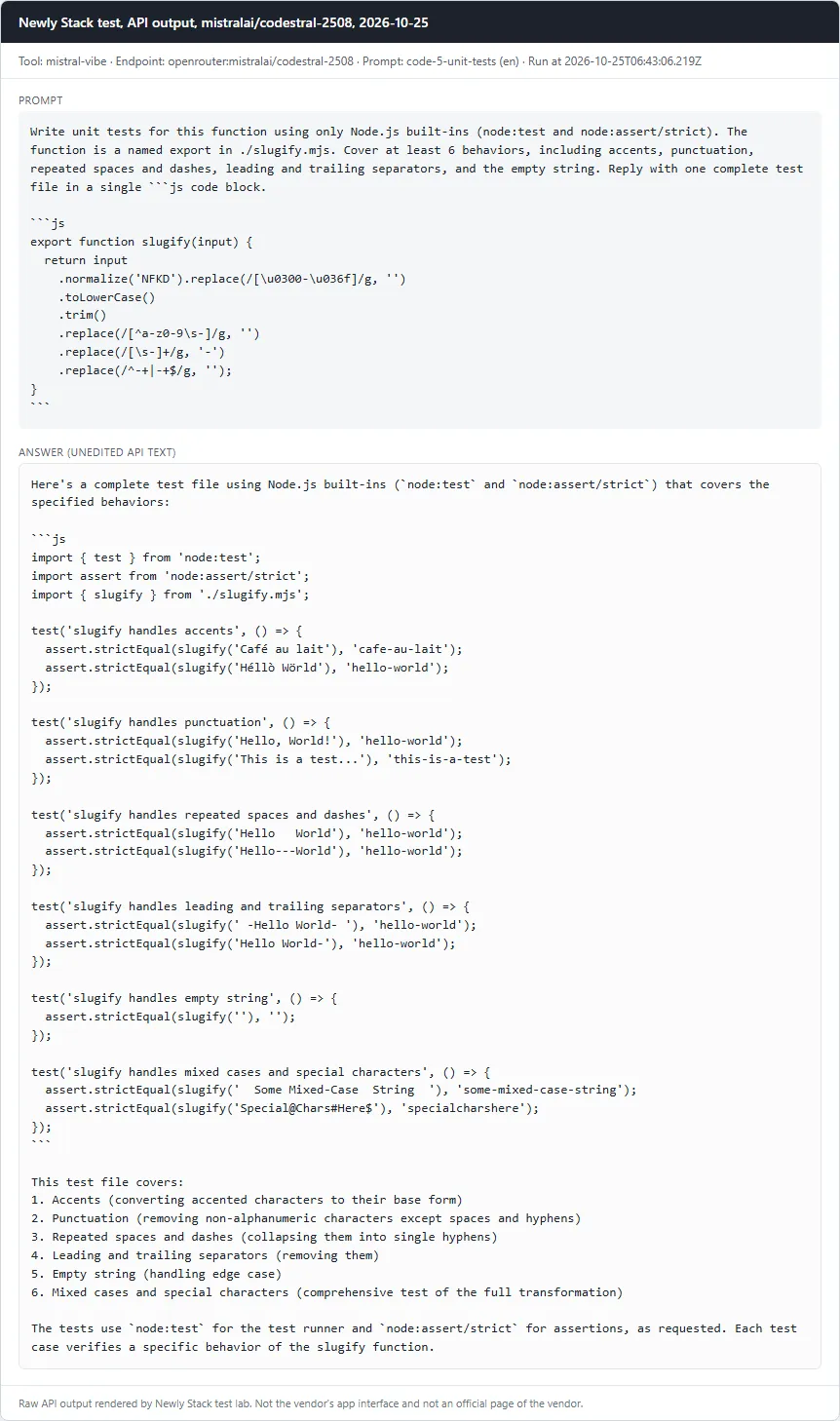
Model: mistralai/codestral-2508 · Run through: API model openrouter:mistralai/codestral-2508 · Tested October 25, 2026

Mistral Vibe (formerly Le Chat): Card with the prompt and the full API answer from mistralai/codestral-2508
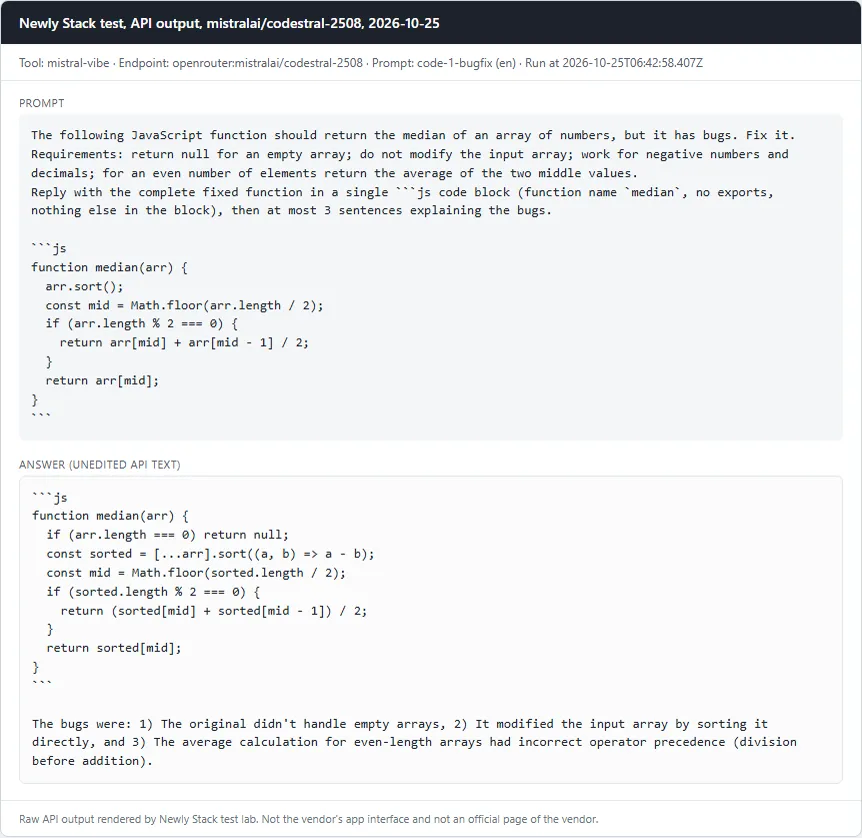
Fix a buggy JavaScript function (median)Pass
Prompt

The following JavaScript function should return the median of an array of numbers, but it has bugs. Fix it. Requirements: return null for an empty array; do not modify the input array; work for negative numbers and decimals; for an even number of elements return the average of the two middle values. Reply with the complete fixed function in a single ```js code block (function name `median`, no exports, nothing else in the block), then at most 3 sentences explaining the bugs. ```js function median(arr) { arr.sort(); const mid = Math.floor(arr.length / 2); if (arr.length % 2 === 0) { return arr[mid] + arr[mid - 1] / 2; } return arr[mid]; } ```

Checklist

  • ✓ A js code block is present and defines a function named median
  • ✓ median([3,1,2]) === 2
  • ✓ median([10,2,1,4]) === 3
  • ✓ median([100,20,3]) === 20 (catches default string sort)
  • ✓ median([-1,-3]) === -2 and median([1.5,2.5,0.5]) === 1.5
  • ✓ median([]) === null
  • ✓ The input array is not mutated
Read the full answer (unedited model output, punctuation normalized)
```js
function median(arr) {
  if (arr.length === 0) return null;
  const sorted = [...arr].sort((a, b) => a - b);
  const mid = Math.floor(sorted.length / 2);
  if (sorted.length % 2 === 0) {
    return (sorted[mid] + sorted[mid - 1]) / 2;
  }
  return sorted[mid];
}
```

The bugs were: 1) The original didn't handle empty arrays, 2) It modified the input array by sorting it directly, and 3) The average calculation for even-length arrays had incorrect operator precedence (division before addition).

mistralai/codestral-2508 · Tested October 25, 2026

Mistral Vibe (formerly Le Chat): Card with the prompt and the full API answer from mistralai/codestral-2508
Write a SQL query against a given schemaPass
Prompt

Given this SQLite schema: ```sql CREATE TABLE customers ( id INTEGER PRIMARY KEY, name TEXT NOT NULL, city TEXT ); CREATE TABLE orders ( id INTEGER PRIMARY KEY, customer_id INTEGER NOT NULL REFERENCES customers(id), created_at TEXT NOT NULL, -- ISO 8601 date, 'YYYY-MM-DD' status TEXT NOT NULL, -- 'paid', 'refunded' or 'pending' amount_cents INTEGER NOT NULL ); ``` Write one SQLite query that returns the top 3 customers by total amount of PAID orders created in calendar year 2025. Return the columns name and total_cents. Order by total_cents descending, then by name ascending. Customers without paid 2025 orders must not appear. Reply with only the query in a single ```sql code block.

Checklist

  • ✓ A sql code block is present
  • ✓ The query runs without error on node:sqlite against the schema plus our seed data (fixtures/seed.sql)
  • ✓ Result has exactly the columns name, total_cents
  • ✓ Result rows equal the reference: Ayu 12000, Budi 12000, Citra 12000 (seed traps: a 2024-12-31 paid order, a refunded order, a pending order, a 2026-01-01 order)
Read the full answer (unedited model output, punctuation normalized)
```sql
SELECT c.name, SUM(o.amount_cents) AS total_cents
FROM customers c
JOIN orders o ON c.id = o.customer_id
WHERE o.status = 'paid' AND strftime('%Y', o.created_at) = '2025'
GROUP BY c.id, c.name
HAVING SUM(o.amount_cents) > 0
ORDER BY total_cents DESC, c.name ASC
LIMIT 3;
```

mistralai/codestral-2508 · Tested October 25, 2026

Mistral Vibe (formerly Le Chat): Card with the prompt and the full API answer from mistralai/codestral-2508
Refactor TypeScript to strict typesPass
Prompt

Refactor this TypeScript file into idiomatic, strictly typed TypeScript. Rules: no `any` anywhere; define and export types for the item, the options and the result; use const/let instead of var; keep the exported function name `summarize` and keep the behavior identical (including how a missing qty is treated). Reply with the full file in a single ```ts code block. ```ts export function summarize(items: any, opts?: any): any { var result: any = {}; for (var i = 0; i < items.length; i++) { var it = items[i]; if (opts && opts.onlyActive && !it.active) continue; if (!result[it.category]) result[it.category] = { count: 0, total: 0 }; result[it.category].count = result[it.category].count + 1; result[it.category].total = result[it.category].total + it.price * (it.qty == undefined ? 1 : it.qty); } return result; } ```

Checklist

  • ✓ A ts code block is present
  • ✓ The word any does not appear in the code
  • ✓ No var declarations
  • ✓ tsc --strict --noEmit passes (TypeScript from the workspace node_modules)
  • ✓ Behavior equals the legacy function on 4 fixed inputs (no options, onlyActive true, qty 0, qty missing), run with node type stripping
Read the full answer (unedited model output, punctuation normalized)
Here's the refactored TypeScript file with strict typing and idiomatic improvements:

```ts
type Item = {
  category: string;
  price: number;
  qty?: number;
  active?: boolean;
};

type Options = {
  onlyActive?: boolean;
};

type SummaryResult = {
  [category: string]: {
    count: number;
    total: number;
  };
};

export function summarize(items: Item[], opts?: Options): SummaryResult {
  const result: SummaryResult = {};

  for (const item of items) {
    if (opts?.onlyActive && !item.active) continue;

    if (!result[item.category]) {
      result[item.category] = { count: 0, total: 0 };
    }

    result[item.category].count += 1;
    result[item.category].total += item.price * (item.qty ?? 1);
  }

  return result;
}
```

Key improvements:
1. Defined strict types for `Item`, `Options`, and `SummaryResult`
2. Replaced `var` with `const` and `let` where appropriate
3. Used the nullish coalescing operator (`??`) for the quantity fallback
4. Used `for...of` loop for better readability
5. Maintained the exact same behavior including how missing `qty` is treated
6. Kept the exported function name `summarize`
7. Added proper type annotations for all variables and parameters

mistralai/codestral-2508 · Tested October 25, 2026

Mistral Vibe (formerly Le Chat): Card with the prompt and the full API answer from mistralai/codestral-2508
Explain a regular expressionPass
Prompt

Explain in plain English, step by step, what this regular expression matches: /^(?=.*\d)(?=.*[a-z])(?=.*[A-Z])[A-Za-z\d]{8,}$/ Then end your answer with a JSON code block of exactly this shape: {"match": [3 strings that match], "no_match": [3 strings that do not match]}.

Checklist

  • ✓ Explanation mentions the minimum length of 8
  • ✓ Mentions that a digit is required
  • ✓ Mentions that a lowercase letter is required
  • ✓ Mentions that an uppercase letter is required
  • ✓ Mentions that only letters and digits are allowed (no symbols or special characters)
  • ✓ A JSON block parses with 3 match and 3 no_match strings
  • ✓ Every match string really matches and every no_match string really does not (tested with node)
Read the full answer (unedited model output, punctuation normalized)
This regular expression checks if a password meets certain security requirements. Here's a step-by-step breakdown in plain English:

1. **`^`** - The start of the string (ensures the rules apply from the beginning).
2. **`(?=.*\d)`** - A "look ahead" that checks if there's at least one digit (`\d`) anywhere in the string.
3. **`(?=.*[a-z])`** - Another look ahead that checks for at least one lowercase letter (`[a-z]`).
4. **`(?=.*[A-Z])`** - A look ahead for at least one uppercase letter (`[A-Z]`).
5. **`[A-Za-z\d]`** - Only allows letters (uppercase or lowercase) and digits in the password.
6. **`{8,}`** - The password must be at least 8 characters long.
7. **`$`** - The end of the string (ensures the rules apply until the end).

### Summary:
The regex matches passwords that:
- Are at least 8 characters long.
- Contain at least one digit, one lowercase letter, and one uppercase letter.
- Only contain letters and digits (no symbols or spaces).

Here’s the JSON code block with examples:

```json
{
  "match": [
    "Password123",
    "SecurePass456",
    "HelloWorld789"
  ],
  "no_match": [
    "weakpass",
    "12345678",
    "NoDigitsHere"
  ]
}
```

mistralai/codestral-2508 · Tested October 25, 2026

Mistral Vibe (formerly Le Chat): Card with the prompt and the full API answer from mistralai/codestral-2508
Write unit tests for a functionPass
Prompt

Write unit tests for this function using only Node.js built-ins (node:test and node:assert/strict). The function is a named export in ./slugify.mjs. Cover at least 6 behaviors, including accents, punctuation, repeated spaces and dashes, leading and trailing separators, and the empty string. Reply with one complete test file in a single ```js code block. ```js export function slugify(input) { return input .normalize('NFKD').replace(/[\u0300-\u036f]/g, '') .toLowerCase() .trim() .replace(/[^a-z0-9\s-]/g, '') .replace(/[\s-]+/g, '-') .replace(/^-+|-+$/g, ''); } ```

Checklist

  • ✓ A js code block is present
  • ✓ At least 6 test cases (test()/it() calls)
  • ✓ node --test passes against the correct slugify.mjs
  • ✓ node --test fails against mutant A (accent stripping removed)
  • ✓ node --test fails against mutant B (leading/trailing dash trimming removed)
Read the full answer (unedited model output, punctuation normalized)
Here's a complete test file using Node.js built-ins (`node:test` and `node:assert/strict`) that covers the specified behaviors:

```js
import { test } from 'node:test';
import assert from 'node:assert/strict';
import { slugify } from './slugify.mjs';

test('slugify handles accents', () => {
  assert.strictEqual(slugify('Café au lait'), 'cafe-au-lait');
  assert.strictEqual(slugify('Héllò Wörld'), 'hello-world');
});

test('slugify handles punctuation', () => {
  assert.strictEqual(slugify('Hello, World!'), 'hello-world');
  assert.strictEqual(slugify('This is a test...'), 'this-is-a-test');
});

test('slugify handles repeated spaces and dashes', () => {
  assert.strictEqual(slugify('Hello   World'), 'hello-world');
  assert.strictEqual(slugify('Hello---World'), 'hello-world');
});

test('slugify handles leading and trailing separators', () => {
  assert.strictEqual(slugify(' -Hello World- '), 'hello-world');
  assert.strictEqual(slugify('Hello World-'), 'hello-world');
});

test('slugify handles empty string', () => {
  assert.strictEqual(slugify(''), '');
});

test('slugify handles mixed cases and special characters', () => {
  assert.strictEqual(slugify('  Some Mixed-Case  String  '), 'some-mixed-case-string');
  assert.strictEqual(slugify('Special@Chars#Here$'), 'specialcharshere');
});
```

This test file covers:
1. Accents (converting accented characters to their base form)
2. Punctuation (removing non-alphanumeric characters except spaces and hyphens)
3. Repeated spaces and dashes (collapsing them into single hyphens)
4. Leading and trailing separators (removing them)
5. Empty string (handling edge case)
6. Mixed cases and special characters (comprehensive test of the full transformation)

The tests use `node:test` for the test runner and `node:assert/strict` for assertions, as requested. Each test case verifies a specific behavior of the slugify function.

mistralai/codestral-2508 · Tested October 25, 2026

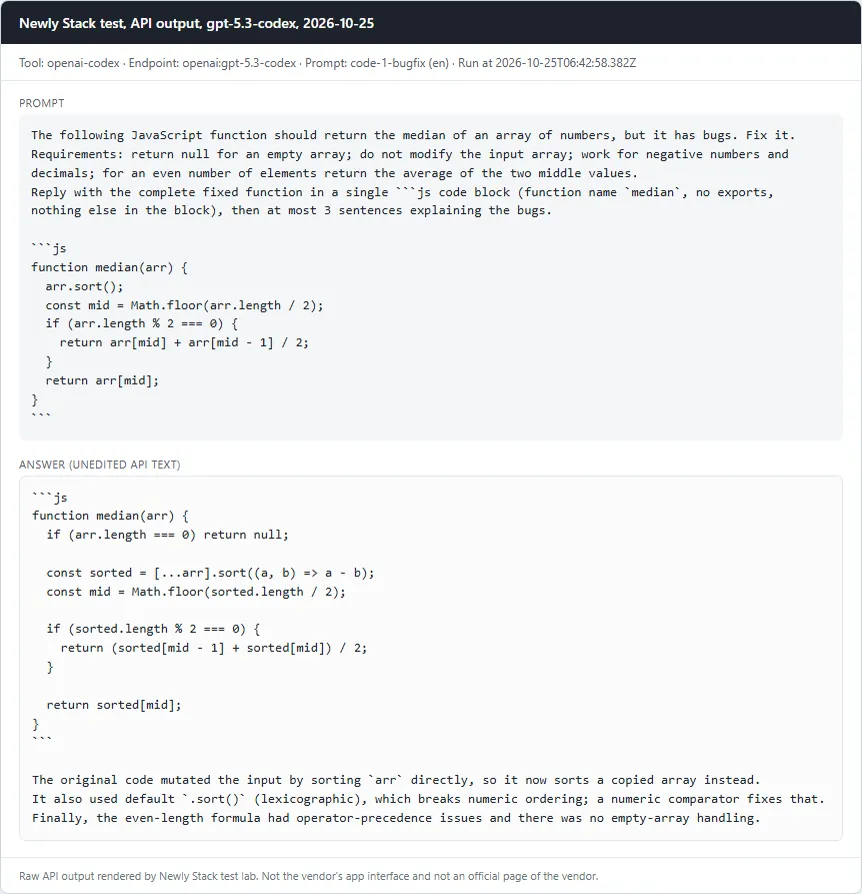
OpenAI Codex

5 of 5 passed

Model: gpt-5.3-codex · Run through: API model openai:gpt-5.3-codex · Tested October 25, 2026

OpenAI Codex: Card with the prompt and the full API answer from gpt-5.3-codex
Fix a buggy JavaScript function (median)Pass
Prompt

The following JavaScript function should return the median of an array of numbers, but it has bugs. Fix it. Requirements: return null for an empty array; do not modify the input array; work for negative numbers and decimals; for an even number of elements return the average of the two middle values. Reply with the complete fixed function in a single ```js code block (function name `median`, no exports, nothing else in the block), then at most 3 sentences explaining the bugs. ```js function median(arr) { arr.sort(); const mid = Math.floor(arr.length / 2); if (arr.length % 2 === 0) { return arr[mid] + arr[mid - 1] / 2; } return arr[mid]; } ```

Checklist

  • ✓ A js code block is present and defines a function named median
  • ✓ median([3,1,2]) === 2
  • ✓ median([10,2,1,4]) === 3
  • ✓ median([100,20,3]) === 20 (catches default string sort)
  • ✓ median([-1,-3]) === -2 and median([1.5,2.5,0.5]) === 1.5
  • ✓ median([]) === null
  • ✓ The input array is not mutated
Read the full answer (unedited model output, punctuation normalized)
```js
function median(arr) {
  if (arr.length === 0) return null;

  const sorted = [...arr].sort((a, b) => a - b);
  const mid = Math.floor(sorted.length / 2);

  if (sorted.length % 2 === 0) {
    return (sorted[mid - 1] + sorted[mid]) / 2;
  }

  return sorted[mid];
}
```

The original code mutated the input by sorting `arr` directly, so it now sorts a copied array instead.  
It also used default `.sort()` (lexicographic), which breaks numeric ordering; a numeric comparator fixes that.  
Finally, the even-length formula had operator-precedence issues and there was no empty-array handling.

gpt-5.3-codex · Tested October 25, 2026

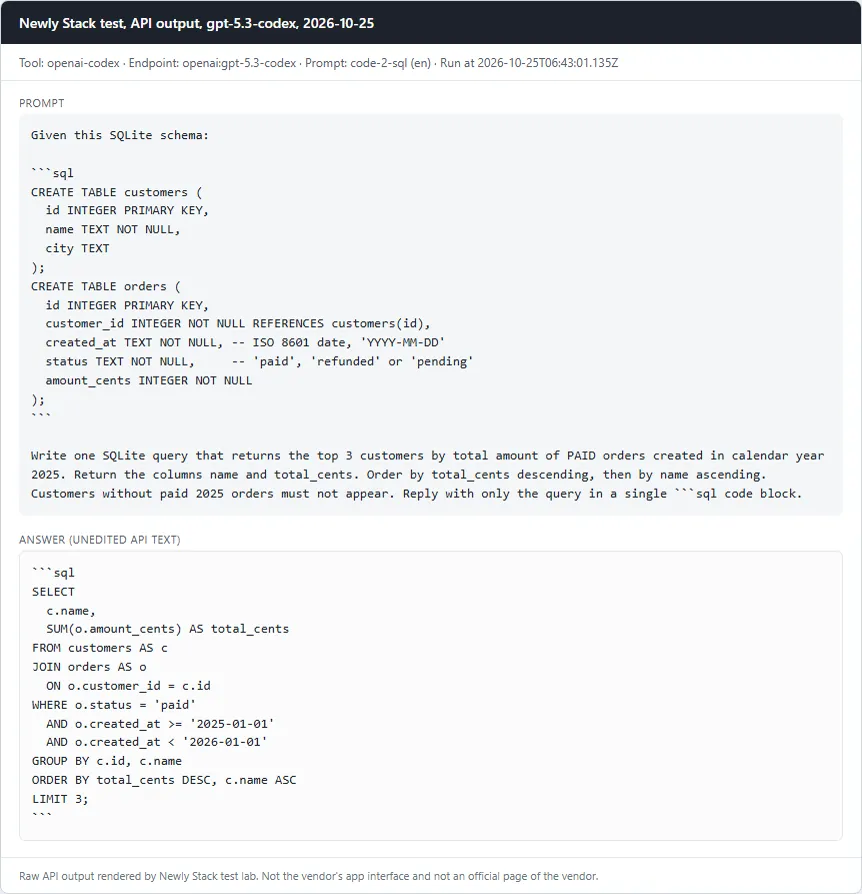
OpenAI Codex: Card with the prompt and the full API answer from gpt-5.3-codex
Write a SQL query against a given schemaPass
Prompt

Given this SQLite schema: ```sql CREATE TABLE customers ( id INTEGER PRIMARY KEY, name TEXT NOT NULL, city TEXT ); CREATE TABLE orders ( id INTEGER PRIMARY KEY, customer_id INTEGER NOT NULL REFERENCES customers(id), created_at TEXT NOT NULL, -- ISO 8601 date, 'YYYY-MM-DD' status TEXT NOT NULL, -- 'paid', 'refunded' or 'pending' amount_cents INTEGER NOT NULL ); ``` Write one SQLite query that returns the top 3 customers by total amount of PAID orders created in calendar year 2025. Return the columns name and total_cents. Order by total_cents descending, then by name ascending. Customers without paid 2025 orders must not appear. Reply with only the query in a single ```sql code block.

Checklist

  • ✓ A sql code block is present
  • ✓ The query runs without error on node:sqlite against the schema plus our seed data (fixtures/seed.sql)
  • ✓ Result has exactly the columns name, total_cents
  • ✓ Result rows equal the reference: Ayu 12000, Budi 12000, Citra 12000 (seed traps: a 2024-12-31 paid order, a refunded order, a pending order, a 2026-01-01 order)
Read the full answer (unedited model output, punctuation normalized)
```sql
SELECT
  c.name,
  SUM(o.amount_cents) AS total_cents
FROM customers AS c
JOIN orders AS o
  ON o.customer_id = c.id
WHERE o.status = 'paid'
  AND o.created_at >= '2025-01-01'
  AND o.created_at < '2026-01-01'
GROUP BY c.id, c.name
ORDER BY total_cents DESC, c.name ASC
LIMIT 3;
```

gpt-5.3-codex · Tested October 25, 2026

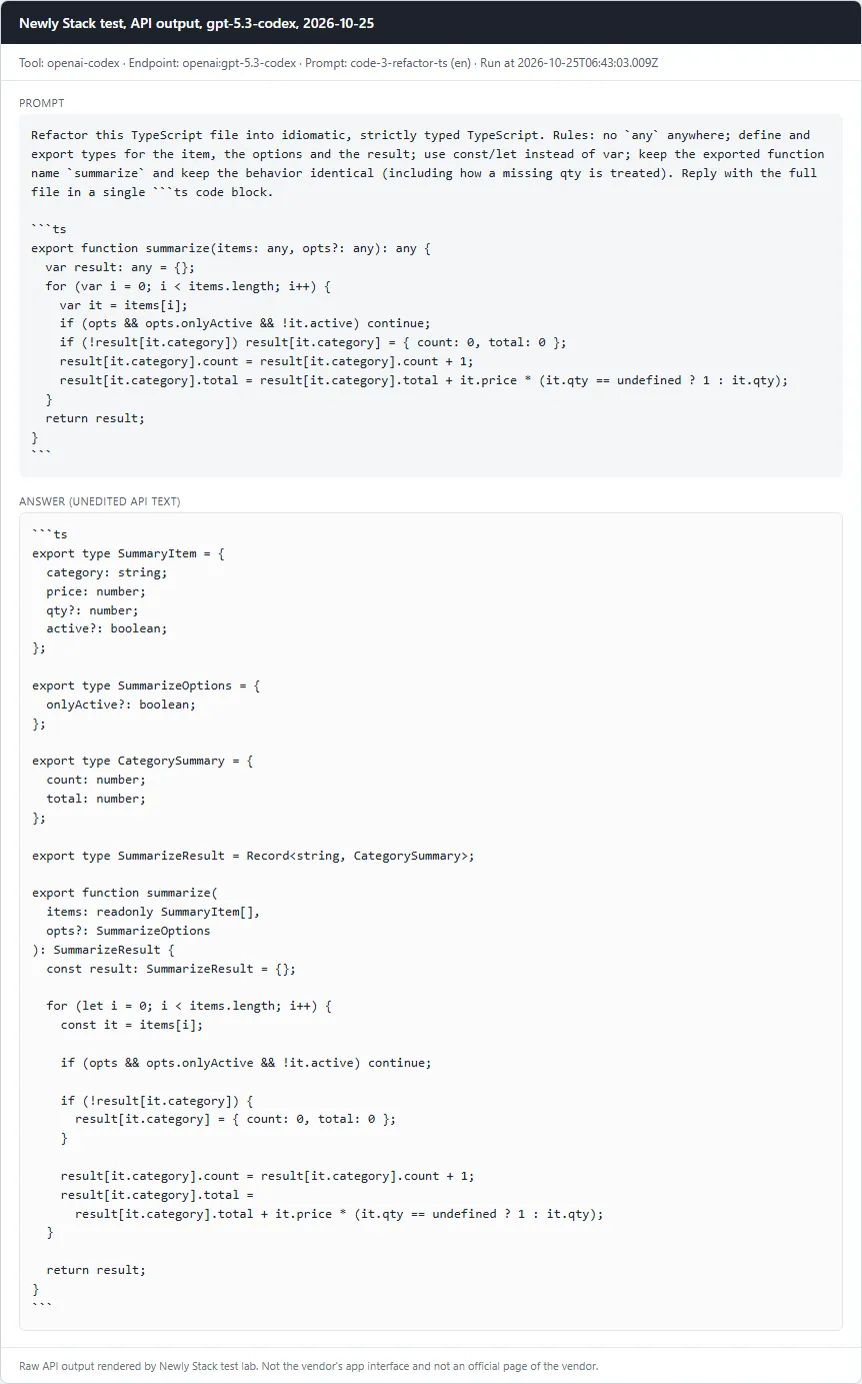
OpenAI Codex: Card with the prompt and the full API answer from gpt-5.3-codex
Refactor TypeScript to strict typesPass
Prompt

Refactor this TypeScript file into idiomatic, strictly typed TypeScript. Rules: no `any` anywhere; define and export types for the item, the options and the result; use const/let instead of var; keep the exported function name `summarize` and keep the behavior identical (including how a missing qty is treated). Reply with the full file in a single ```ts code block. ```ts export function summarize(items: any, opts?: any): any { var result: any = {}; for (var i = 0; i < items.length; i++) { var it = items[i]; if (opts && opts.onlyActive && !it.active) continue; if (!result[it.category]) result[it.category] = { count: 0, total: 0 }; result[it.category].count = result[it.category].count + 1; result[it.category].total = result[it.category].total + it.price * (it.qty == undefined ? 1 : it.qty); } return result; } ```

Checklist

  • ✓ A ts code block is present
  • ✓ The word any does not appear in the code
  • ✓ No var declarations
  • ✓ tsc --strict --noEmit passes (TypeScript from the workspace node_modules)
  • ✓ Behavior equals the legacy function on 4 fixed inputs (no options, onlyActive true, qty 0, qty missing), run with node type stripping
Read the full answer (unedited model output, punctuation normalized)
```ts
export type SummaryItem = {
  category: string;
  price: number;
  qty?: number;
  active?: boolean;
};

export type SummarizeOptions = {
  onlyActive?: boolean;
};

export type CategorySummary = {
  count: number;
  total: number;
};

export type SummarizeResult = Record<string, CategorySummary>;

export function summarize(
  items: readonly SummaryItem[],
  opts?: SummarizeOptions
): SummarizeResult {
  const result: SummarizeResult = {};

  for (let i = 0; i < items.length; i++) {
    const it = items[i];

    if (opts && opts.onlyActive && !it.active) continue;

    if (!result[it.category]) {
      result[it.category] = { count: 0, total: 0 };
    }

    result[it.category].count = result[it.category].count + 1;
    result[it.category].total =
      result[it.category].total + it.price * (it.qty == undefined ? 1 : it.qty);
  }

  return result;
}
```

gpt-5.3-codex · Tested October 25, 2026

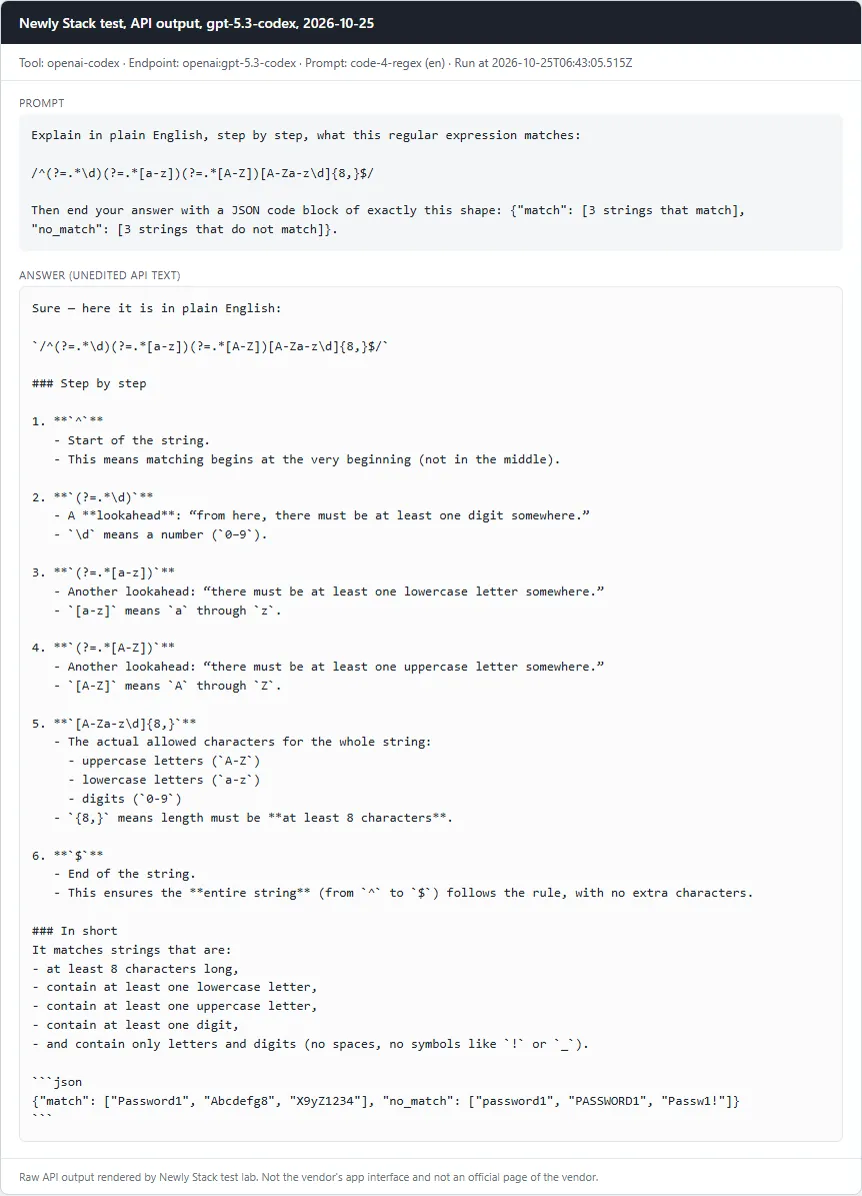
OpenAI Codex: Card with the prompt and the full API answer from gpt-5.3-codex
Explain a regular expressionPass
Prompt

Explain in plain English, step by step, what this regular expression matches: /^(?=.*\d)(?=.*[a-z])(?=.*[A-Z])[A-Za-z\d]{8,}$/ Then end your answer with a JSON code block of exactly this shape: {"match": [3 strings that match], "no_match": [3 strings that do not match]}.

Checklist

  • ✓ Explanation mentions the minimum length of 8
  • ✓ Mentions that a digit is required
  • ✓ Mentions that a lowercase letter is required
  • ✓ Mentions that an uppercase letter is required
  • ✓ Mentions that only letters and digits are allowed (no symbols or special characters)
  • ✓ A JSON block parses with 3 match and 3 no_match strings
  • ✓ Every match string really matches and every no_match string really does not (tested with node)
Read the full answer (unedited model output, punctuation normalized)
Sure - here it is in plain English:

`/^(?=.*\d)(?=.*[a-z])(?=.*[A-Z])[A-Za-z\d]{8,}$/`

### Step by step

1. **`^`**
   - Start of the string.  
   - This means matching begins at the very beginning (not in the middle).

2. **`(?=.*\d)`**
   - A **lookahead**: “from here, there must be at least one digit somewhere.”
   - `\d` means a number (`0–9`).

3. **`(?=.*[a-z])`**
   - Another lookahead: “there must be at least one lowercase letter somewhere.”
   - `[a-z]` means `a` through `z`.

4. **`(?=.*[A-Z])`**
   - Another lookahead: “there must be at least one uppercase letter somewhere.”
   - `[A-Z]` means `A` through `Z`.

5. **`[A-Za-z\d]{8,}`**
   - The actual allowed characters for the whole string:
     - uppercase letters (`A-Z`)
     - lowercase letters (`a-z`)
     - digits (`0-9`)
   - `{8,}` means length must be **at least 8 characters**.

6. **`$`**
   - End of the string.
   - This ensures the **entire string** (from `^` to `$`) follows the rule, with no extra characters.

### In short
It matches strings that are:
- at least 8 characters long,
- contain at least one lowercase letter,
- contain at least one uppercase letter,
- contain at least one digit,
- and contain only letters and digits (no spaces, no symbols like `!` or `_`).

```json
{"match": ["Password1", "Abcdefg8", "X9yZ1234"], "no_match": ["password1", "PASSWORD1", "Passw1!"]}
```

gpt-5.3-codex · Tested October 25, 2026

OpenAI Codex: Card with the prompt and the full API answer from gpt-5.3-codex
Write unit tests for a functionPass
Prompt

Write unit tests for this function using only Node.js built-ins (node:test and node:assert/strict). The function is a named export in ./slugify.mjs. Cover at least 6 behaviors, including accents, punctuation, repeated spaces and dashes, leading and trailing separators, and the empty string. Reply with one complete test file in a single ```js code block. ```js export function slugify(input) { return input .normalize('NFKD').replace(/[\u0300-\u036f]/g, '') .toLowerCase() .trim() .replace(/[^a-z0-9\s-]/g, '') .replace(/[\s-]+/g, '-') .replace(/^-+|-+$/g, ''); } ```

Checklist

  • ✓ A js code block is present
  • ✓ At least 6 test cases (test()/it() calls)
  • ✓ node --test passes against the correct slugify.mjs
  • ✓ node --test fails against mutant A (accent stripping removed)
  • ✓ node --test fails against mutant B (leading/trailing dash trimming removed)
Read the full answer (unedited model output, punctuation normalized)
```js
import test from 'node:test';
import assert from 'node:assert/strict';
import { slugify } from './slugify.mjs';

test('converts basic text to lowercase slug', () => {
  assert.equal(slugify('Hello World'), 'hello-world');
});

test('removes accents/diacritics', () => {
  assert.equal(slugify('Crème Brûlée À la mode'), 'creme-brulee-a-la-mode');
});

test('removes punctuation and symbols', () => {
  assert.equal(slugify('Hello, world! #1 (test) @home?'), 'hello-world-1-test-home');
});

test('collapses repeated spaces and dashes into single dashes', () => {
  assert.equal(slugify('a   b----c --   d'), 'a-b-c-d');
});

test('trims leading and trailing separators', () => {
  assert.equal(slugify('---  Hello world  ---'), 'hello-world');
});

test('returns empty string for empty input', () => {
  assert.equal(slugify(''), '');
});

test('returns empty string when input has only separators/punctuation', () => {
  assert.equal(slugify('--- !!! ---'), '');
});
```

gpt-5.3-codex · Tested October 25, 2026

Qwen Chat

4 of 5 passed

Model: qwen/qwen3-coder-next · Run through: API model openrouter:qwen/qwen3-coder-next · Tested October 25, 2026

Qwen Chat: Card with the prompt and the full API answer from qwen/qwen3-coder-next
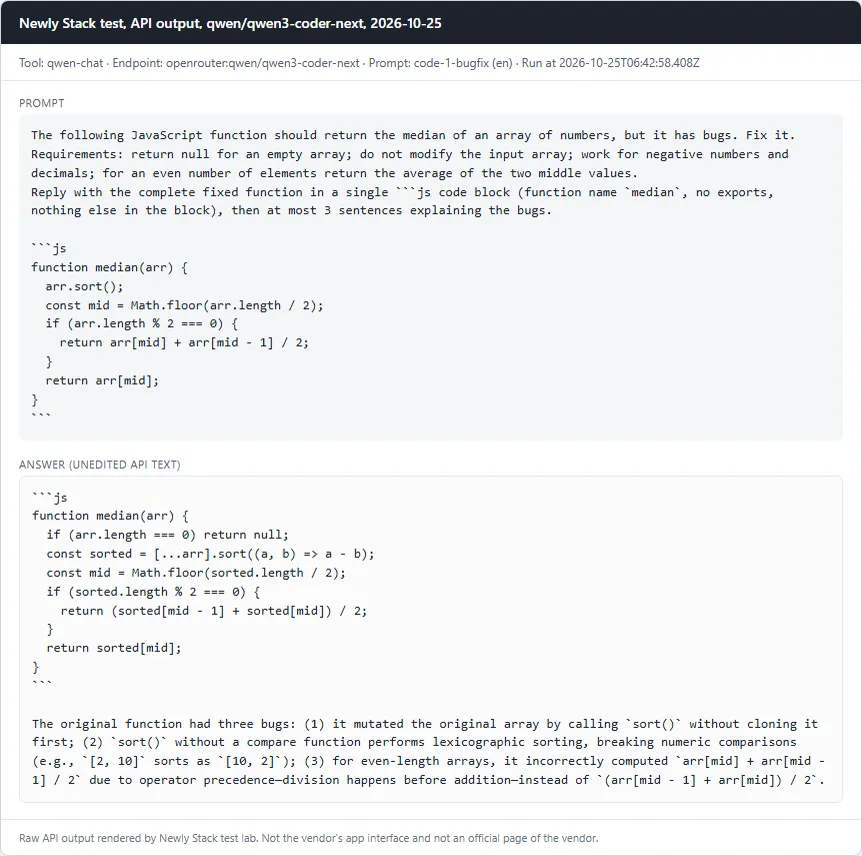
Fix a buggy JavaScript function (median)Pass
Prompt

The following JavaScript function should return the median of an array of numbers, but it has bugs. Fix it. Requirements: return null for an empty array; do not modify the input array; work for negative numbers and decimals; for an even number of elements return the average of the two middle values. Reply with the complete fixed function in a single ```js code block (function name `median`, no exports, nothing else in the block), then at most 3 sentences explaining the bugs. ```js function median(arr) { arr.sort(); const mid = Math.floor(arr.length / 2); if (arr.length % 2 === 0) { return arr[mid] + arr[mid - 1] / 2; } return arr[mid]; } ```

Checklist

  • ✓ A js code block is present and defines a function named median
  • ✓ median([3,1,2]) === 2
  • ✓ median([10,2,1,4]) === 3
  • ✓ median([100,20,3]) === 20 (catches default string sort)
  • ✓ median([-1,-3]) === -2 and median([1.5,2.5,0.5]) === 1.5
  • ✓ median([]) === null
  • ✓ The input array is not mutated
Read the full answer (unedited model output, punctuation normalized)
```js
function median(arr) {
  if (arr.length === 0) return null;
  const sorted = [...arr].sort((a, b) => a - b);
  const mid = Math.floor(sorted.length / 2);
  if (sorted.length % 2 === 0) {
    return (sorted[mid - 1] + sorted[mid]) / 2;
  }
  return sorted[mid];
}
```

The original function had three bugs: (1) it mutated the original array by calling `sort()` without cloning it first; (2) `sort()` without a compare function performs lexicographic sorting, breaking numeric comparisons (e.g., `[2, 10]` sorts as `[10, 2]`); (3) for even-length arrays, it incorrectly computed `arr[mid] + arr[mid - 1] / 2` due to operator precedence - division happens before addition - instead of `(arr[mid - 1] + arr[mid]) / 2`.

qwen/qwen3-coder-next · Tested October 25, 2026

Qwen Chat: Card with the prompt and the full API answer from qwen/qwen3-coder-next
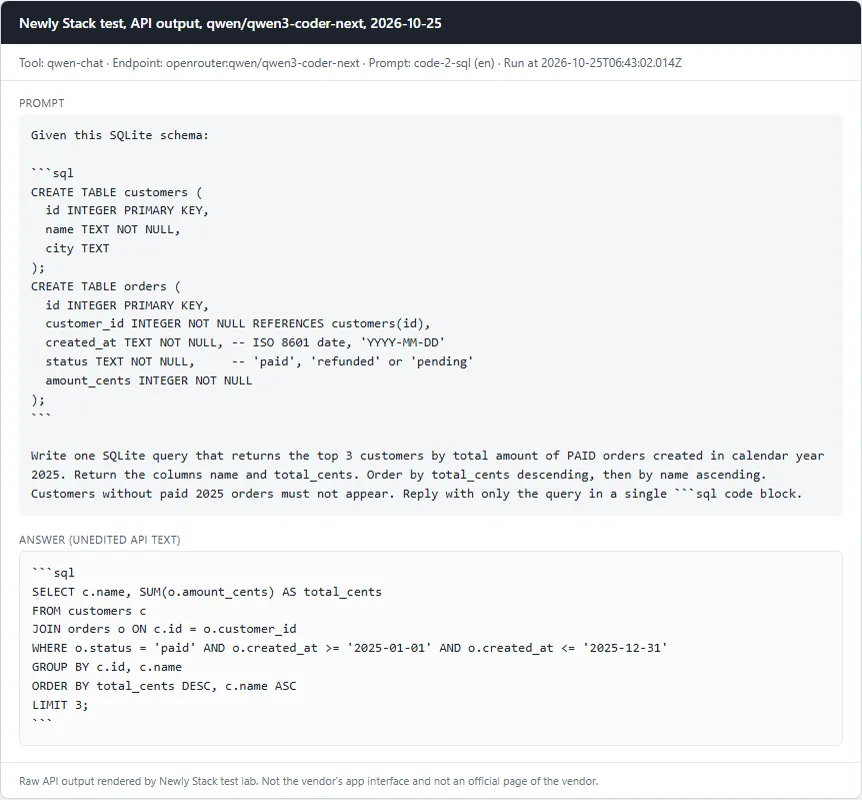
Write a SQL query against a given schemaPass
Prompt

Given this SQLite schema: ```sql CREATE TABLE customers ( id INTEGER PRIMARY KEY, name TEXT NOT NULL, city TEXT ); CREATE TABLE orders ( id INTEGER PRIMARY KEY, customer_id INTEGER NOT NULL REFERENCES customers(id), created_at TEXT NOT NULL, -- ISO 8601 date, 'YYYY-MM-DD' status TEXT NOT NULL, -- 'paid', 'refunded' or 'pending' amount_cents INTEGER NOT NULL ); ``` Write one SQLite query that returns the top 3 customers by total amount of PAID orders created in calendar year 2025. Return the columns name and total_cents. Order by total_cents descending, then by name ascending. Customers without paid 2025 orders must not appear. Reply with only the query in a single ```sql code block.

Checklist

  • ✓ A sql code block is present
  • ✓ The query runs without error on node:sqlite against the schema plus our seed data (fixtures/seed.sql)
  • ✓ Result has exactly the columns name, total_cents
  • ✓ Result rows equal the reference: Ayu 12000, Budi 12000, Citra 12000 (seed traps: a 2024-12-31 paid order, a refunded order, a pending order, a 2026-01-01 order)
Read the full answer (unedited model output, punctuation normalized)
```sql
SELECT c.name, SUM(o.amount_cents) AS total_cents
FROM customers c
JOIN orders o ON c.id = o.customer_id
WHERE o.status = 'paid' AND o.created_at >= '2025-01-01' AND o.created_at <= '2025-12-31'
GROUP BY c.id, c.name
ORDER BY total_cents DESC, c.name ASC
LIMIT 3;
```

qwen/qwen3-coder-next · Tested October 25, 2026

Qwen Chat: Card with the prompt and the full API answer from qwen/qwen3-coder-next
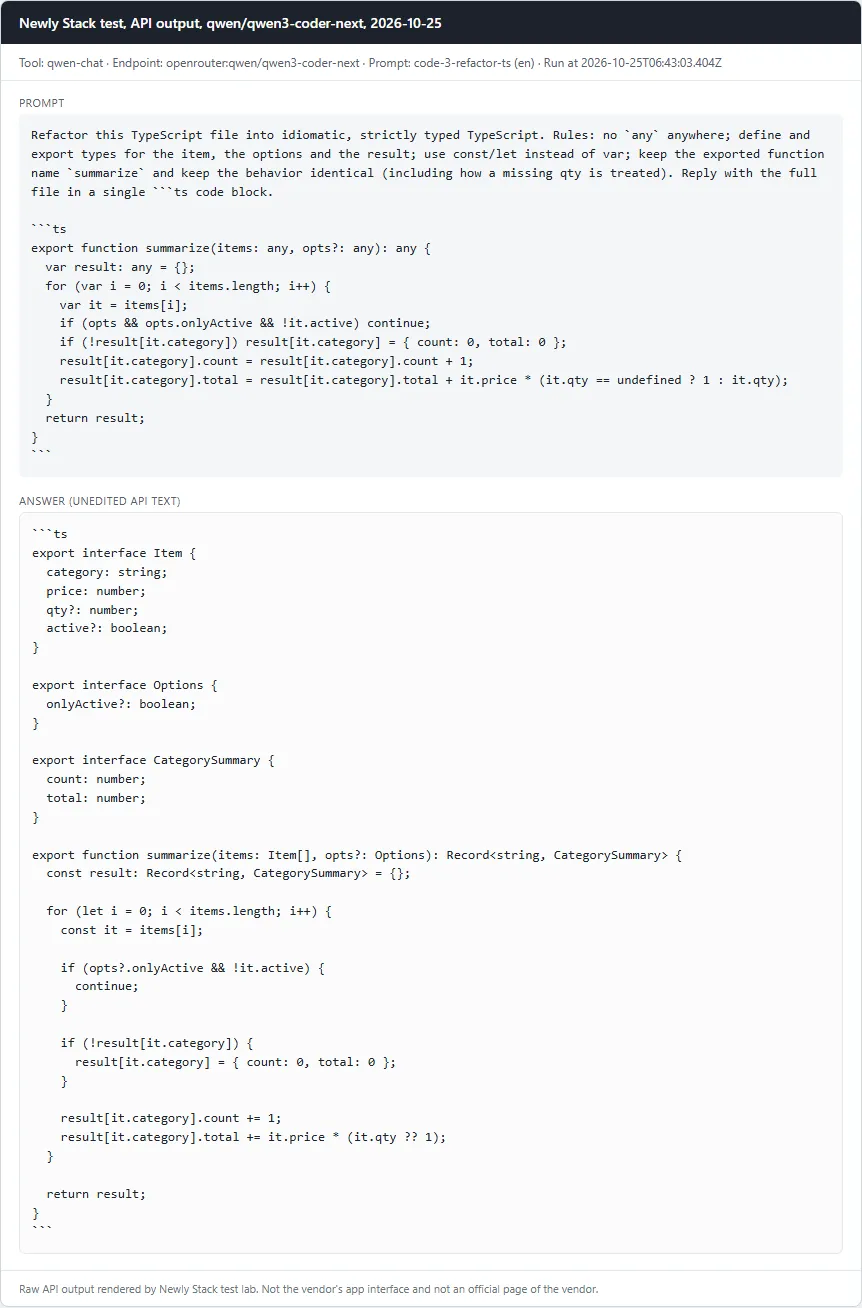
Refactor TypeScript to strict typesPass
Prompt

Refactor this TypeScript file into idiomatic, strictly typed TypeScript. Rules: no `any` anywhere; define and export types for the item, the options and the result; use const/let instead of var; keep the exported function name `summarize` and keep the behavior identical (including how a missing qty is treated). Reply with the full file in a single ```ts code block. ```ts export function summarize(items: any, opts?: any): any { var result: any = {}; for (var i = 0; i < items.length; i++) { var it = items[i]; if (opts && opts.onlyActive && !it.active) continue; if (!result[it.category]) result[it.category] = { count: 0, total: 0 }; result[it.category].count = result[it.category].count + 1; result[it.category].total = result[it.category].total + it.price * (it.qty == undefined ? 1 : it.qty); } return result; } ```

Checklist

  • ✓ A ts code block is present
  • ✓ The word any does not appear in the code
  • ✓ No var declarations
  • ✓ tsc --strict --noEmit passes (TypeScript from the workspace node_modules)
  • ✓ Behavior equals the legacy function on 4 fixed inputs (no options, onlyActive true, qty 0, qty missing), run with node type stripping
Read the full answer (unedited model output, punctuation normalized)
```ts
export interface Item {
  category: string;
  price: number;
  qty?: number;
  active?: boolean;
}

export interface Options {
  onlyActive?: boolean;
}

export interface CategorySummary {
  count: number;
  total: number;
}

export function summarize(items: Item[], opts?: Options): Record<string, CategorySummary> {
  const result: Record<string, CategorySummary> = {};
  
  for (let i = 0; i < items.length; i++) {
    const it = items[i];
    
    if (opts?.onlyActive && !it.active) {
      continue;
    }
    
    if (!result[it.category]) {
      result[it.category] = { count: 0, total: 0 };
    }
    
    result[it.category].count += 1;
    result[it.category].total += it.price * (it.qty ?? 1);
  }
  
  return result;
}
```

qwen/qwen3-coder-next · Tested October 25, 2026

Qwen Chat: Card with the prompt and the full API answer from qwen/qwen3-coder-next
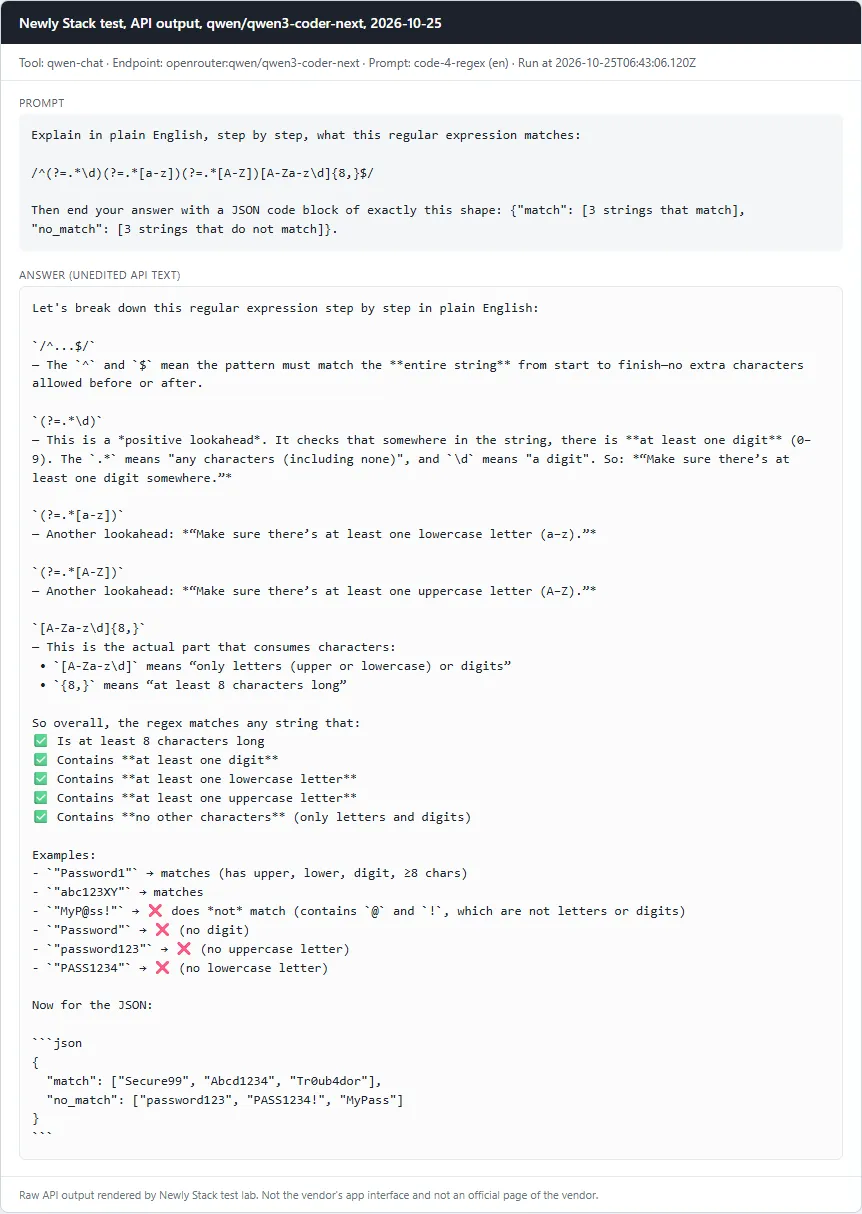
Explain a regular expressionPass
Prompt

Explain in plain English, step by step, what this regular expression matches: /^(?=.*\d)(?=.*[a-z])(?=.*[A-Z])[A-Za-z\d]{8,}$/ Then end your answer with a JSON code block of exactly this shape: {"match": [3 strings that match], "no_match": [3 strings that do not match]}.

Checklist

  • ✓ Explanation mentions the minimum length of 8
  • ✓ Mentions that a digit is required
  • ✓ Mentions that a lowercase letter is required
  • ✓ Mentions that an uppercase letter is required
  • ✓ Mentions that only letters and digits are allowed (no symbols or special characters)
  • ✓ A JSON block parses with 3 match and 3 no_match strings
  • ✓ Every match string really matches and every no_match string really does not (tested with node)
Read the full answer (unedited model output, punctuation normalized)
Let's break down this regular expression step by step in plain English:

`/^...$/`  
 - The `^` and `$` mean the pattern must match the **entire string** from start to finish - no extra characters allowed before or after.

`(?=.*\d)`  
 - This is a *positive lookahead*. It checks that somewhere in the string, there is **at least one digit** (0–9). The `.*` means "any characters (including none)", and `\d` means "a digit". So: *“Make sure there’s at least one digit somewhere.”*

`(?=.*[a-z])`  
 - Another lookahead: *“Make sure there’s at least one lowercase letter (a–z).”*

`(?=.*[A-Z])`  
 - Another lookahead: *“Make sure there’s at least one uppercase letter (A–Z).”*

`[A-Za-z\d]{8,}`  
 - This is the actual part that consumes characters:  
 • `[A-Za-z\d]` means “only letters (upper or lowercase) or digits”  
 • `{8,}` means “at least 8 characters long”  

So overall, the regex matches any string that:  
✅ Is at least 8 characters long  
✅ Contains **at least one digit**  
✅ Contains **at least one lowercase letter**  
✅ Contains **at least one uppercase letter**  
✅ Contains **no other characters** (only letters and digits)

Examples:  
- `"Password1"` → matches (has upper, lower, digit, ≥8 chars)  
- `"abc123XY"` → matches  
- `"MyP@ss!"` → ❌ does *not* match (contains `@` and `!`, which are not letters or digits)  
- `"Password"` → ❌ (no digit)  
- `"password123"` → ❌ (no uppercase letter)  
- `"PASS1234"` → ❌ (no lowercase letter)

Now for the JSON:

```json
{
  "match": ["Secure99", "Abcd1234", "Tr0ub4dor"],
  "no_match": ["password123", "PASS1234!", "MyPass"]
}
```

qwen/qwen3-coder-next · Tested October 25, 2026

Qwen Chat: Card with the prompt and the full API answer from qwen/qwen3-coder-next
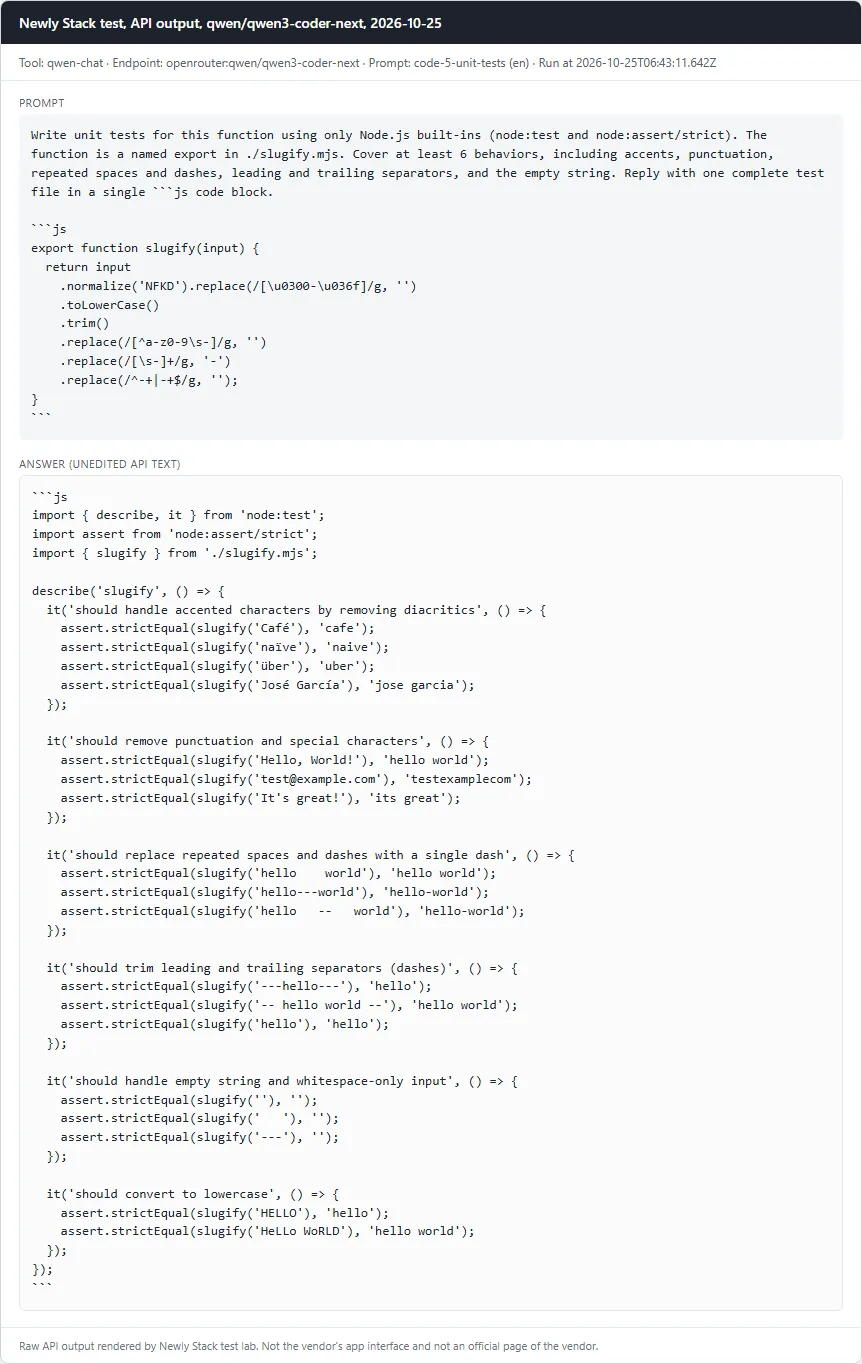
Write unit tests for a functionFail

Failed: node --test passes against the correct slugify.mjs

Prompt

Write unit tests for this function using only Node.js built-ins (node:test and node:assert/strict). The function is a named export in ./slugify.mjs. Cover at least 6 behaviors, including accents, punctuation, repeated spaces and dashes, leading and trailing separators, and the empty string. Reply with one complete test file in a single ```js code block. ```js export function slugify(input) { return input .normalize('NFKD').replace(/[\u0300-\u036f]/g, '') .toLowerCase() .trim() .replace(/[^a-z0-9\s-]/g, '') .replace(/[\s-]+/g, '-') .replace(/^-+|-+$/g, ''); } ```

Checklist

  • ✓ A js code block is present
  • ✓ At least 6 test cases (test()/it() calls)
  • ✗ node --test passes against the correct slugify.mjs
  • ✓ node --test fails against mutant A (accent stripping removed)
  • ✓ node --test fails against mutant B (leading/trailing dash trimming removed)
Read the full answer (unedited model output, punctuation normalized)
```js
import { describe, it } from 'node:test';
import assert from 'node:assert/strict';
import { slugify } from './slugify.mjs';

describe('slugify', () => {
  it('should handle accented characters by removing diacritics', () => {
    assert.strictEqual(slugify('Café'), 'cafe');
    assert.strictEqual(slugify('naïve'), 'naive');
    assert.strictEqual(slugify('über'), 'uber');
    assert.strictEqual(slugify('José García'), 'jose garcia');
  });

  it('should remove punctuation and special characters', () => {
    assert.strictEqual(slugify('Hello, World!'), 'hello world');
    assert.strictEqual(slugify('test@example.com'), 'testexamplecom');
    assert.strictEqual(slugify('It's great!'), 'its great');
  });

  it('should replace repeated spaces and dashes with a single dash', () => {
    assert.strictEqual(slugify('hello    world'), 'hello world');
    assert.strictEqual(slugify('hello---world'), 'hello-world');
    assert.strictEqual(slugify('hello   --   world'), 'hello-world');
  });

  it('should trim leading and trailing separators (dashes)', () => {
    assert.strictEqual(slugify('---hello---'), 'hello');
    assert.strictEqual(slugify('-- hello world --'), 'hello world');
    assert.strictEqual(slugify('hello'), 'hello');
  });

  it('should handle empty string and whitespace-only input', () => {
    assert.strictEqual(slugify(''), '');
    assert.strictEqual(slugify('   '), '');
    assert.strictEqual(slugify('---'), '');
  });

  it('should convert to lowercase', () => {
    assert.strictEqual(slugify('HELLO'), 'hello');
    assert.strictEqual(slugify('HeLLo WoRLD'), 'hello world');
  });
});
```

qwen/qwen3-coder-next · Tested October 25, 2026

Not tested yet

These tools are listed with checked prices, but we have no practical test for them yet. They do not count toward the ranking.

  • Amazon Q Developer Not tested yet: this is an app or editor product, and our first test round covered API models only.
  • Bolt Not tested yet: this is an app or editor product, and our first test round covered API models only.
  • ChatGPT Not tested with the coding set yet: our coding prompts ran on the coding products (for example OpenAI Codex and Claude Code); this tool was tested as a chat assistant.
  • Claude Not tested with the coding set yet: our coding prompts ran on the coding products (for example OpenAI Codex and Claude Code); this tool was tested as a chat assistant.
  • Cline Not tested yet: this is an app or editor product, and our first test round covered API models only.
  • Cursor Not tested yet: this is an app or editor product, and our first test round covered API models only.
  • Devin Desktop (Windsurf) Not tested yet: this is an app or editor product, and our first test round covered API models only.
  • GitHub Copilot Not tested yet: this is an app or editor product, and our first test round covered API models only.
  • JetBrains AI Not tested yet: this is an app or editor product, and our first test round covered API models only.
  • Jules Not tested yet: this is an app or editor product, and our first test round covered API models only.
  • Kimi Not tested with the coding set yet: our coding prompts ran on the coding products (for example OpenAI Codex and Claude Code); this tool was tested as a chat assistant.
  • Kiro Not tested yet: this is an app or editor product, and our first test round covered API models only.
  • Lovable Not tested yet: this is an app or editor product, and our first test round covered API models only.
  • Replit Not tested yet: this is an app or editor product, and our first test round covered API models only.
  • v0 Not tested yet: this is an app or editor product, and our first test round covered API models only.

How we test

The prompts and the pass or fail checklist were written on October 25, 2026, before any tool was run. Each tool got the same prompts and settings. A prompt passes only when every required checklist item is met; the notes say what was off. Results come from the API model behind each product, not from its app.

Questions

Did you test Cursor, GitHub Copilot and the other editors?

Not yet. The first round ran API models only. Editor products such as Cursor and GitHub Copilot are listed with their checked prices, and each shows why it has no test yet.

Which model did you use for Claude Code, Codex and Gemini Code Assist?

The closest API model to each product, named next to every result. The vendors do not always say which model their app runs at a given moment, so read the results as a comparison of those models.

Which tool did best in your test?

Claude Code, DeepSeek, Gemini Code Assist, Mistral Vibe (formerly Le Chat), and OpenAI Codex passed every prompt in our run of October 25, 2026. The full results, including failures, are in the gallery above.

Which of these have a free plan?

According to the official pricing pages (checked October 25, 2026): DeepSeek, Mistral Vibe (formerly Le Chat), OpenAI Codex, Qwen Chat, Amazon Q Developer, Bolt, ChatGPT, Claude, Cline, Cursor, Devin Desktop (Windsurf), GitHub Copilot, JetBrains AI, Kimi, Kiro, Lovable, and v0.

Why might this page say it is not in search engines?

We only ask search engines to index a list once at least 5 tools have a fresh price check and 5 graded prompts. Until then the page stays visible to visitors but out of search results.