
How to Use AI: A Practical Beginner's Guide (2026)
On this page
Short answer
The fastest way to use AI well is simple: pick one general assistant (ChatGPT, Gemini or Claude are the usual starting points), give it one real task with clear context, check what it gives back, and refine. You do not need to code, pay, or train anything to start. Every assistant in this guide had a free plan when we checked on October 25, 2026, so the only real cost of starting is a little practice on a task you already do.
You would not be early, either. A Pew Research Center survey run from February 24 to March 2, 2025 found that 34% of U.S. adults had used ChatGPT, roughly double the 2023 share, and 58% of adults under 30 had. Below: how to choose, how to prompt, where AI helps, how to make your own AI helper, and how to avoid confident mistakes.
Start with one problem, not a tool
A common way to give up on AI: open a chatbot, type "write me something about marketing", get a bland answer, and decide it is overhyped. The tool was fine. The request had no job attached.
A better first move is to list three tasks you repeat every week and that eat time without needing your best judgment. Good candidates:
- Turning rough notes into a clean email or report
- Summarizing a long document, contract, or thread before a meeting
- Drafting a first version of something you then edit (a proposal, a product description, a lesson plan)
- Explaining a concept you half understand, at your level
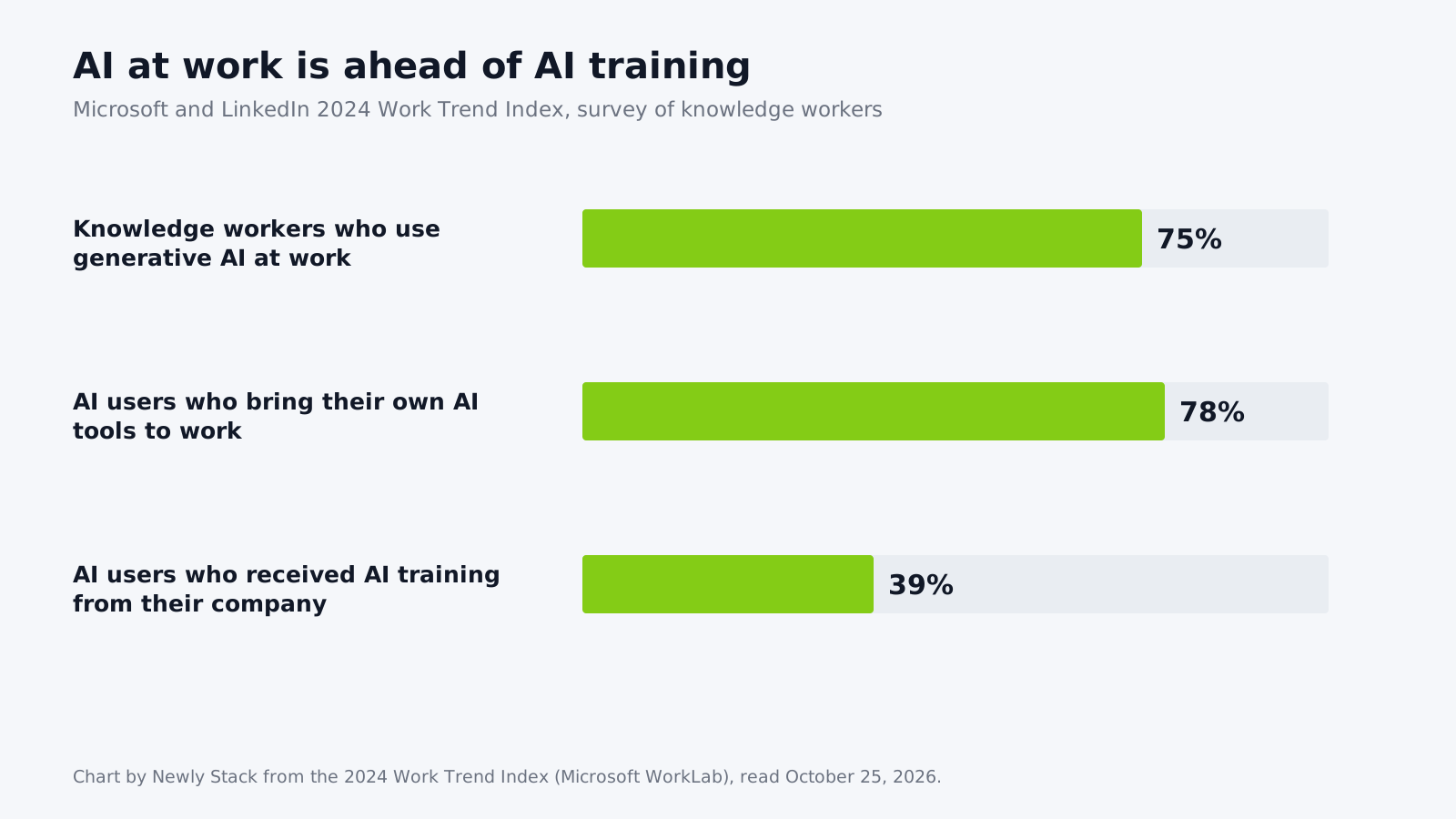
Microsoft's 2024 Work Trend Index shows why this matters. It reports that 75% of knowledge workers already use generative AI at work, 78% of those users bring tools their employer did not provide, and only 39% have received AI training from their company. The report's own advice to companies is to start from a specific business problem, and the same rule works for individuals.
Our editorial view at Newly Stack (an opinion, not a test result): in your first week, "which AI is best" matters less than how clearly you describe the job. Anthropic's prompting guide, cited below, puts clear context and precise instructions first, so fix the request before you switch tools. Pick the task first, then the tool.
Pick one general assistant (and stick with it for a week)
General assistants handle writing, research, summaries, brainstorming, simple data work and image creation in one place. Specialized tools come later. Here is how the main options compared on their official pricing pages on October 25, 2026.
| Assistant | Free plan | Entry paid plan (as listed) | Worth knowing |
|---|---|---|---|
| ChatGPT | Yes, with limits on uploads, images, voice and deep research | Go: IDR 75,000/month; Plus: IDR 349,000/month (prices shown to a visitor from Indonesia) | Go "may include ads"; Plus adds Projects and scheduled tasks |
| Gemini | Yes, with a Google account | Google AI Plus: Rp 75,000/month; Google AI Pro: Rp 309,000/month (Indonesian page) | Paid tiers add Gemini in Gmail and other Google apps, plus 400 GB or more of cloud storage |
| Claude | Yes, "Free for everyone" | Pro: $20/month billed monthly, or $17/month billed annually | Projects (up to five) on the free plan |
| Microsoft Copilot | Yes, limited by capacity | Microsoft 365 Personal: $9.99/month | Paid plans bring Copilot into Word, Excel, PowerPoint and Outlook |
| Perplexity | Yes | Pro: $17/month when billed annually | Answers with cited sources; good for quick research |
Prices change often and differ by country, so confirm on the vendor page before you pay. Our AI tools directory and free AI tools list track plans with the date we last checked them.
So which one? If you already live in Gmail and Google Drive, Gemini keeps everything in one account. If you want to organize long documents and instructions into workspaces on a free plan, Claude Projects fit that job. If you want search, images, voice and deep research in one app, ChatGPT covers all of them, with limits on the free plan. For a deeper side-by-side, read our ChatGPT vs Gemini comparison, and if ChatGPT is not working for you, see ChatGPT alternatives.
If you work in Bahasa Indonesia or another language
Assistants do not perform equally across languages, and English benchmarks tell you little about that. That is why Newly Stack runs NS-ID, a Bahasa Indonesia benchmark that scores models on the same Indonesian tasks and publishes dated results on our AI benchmarks hub, next to the overall LLM leaderboard. The first run (25 October 2026) scored 20 models; most scored 90 or more, so small gaps at the top do not prove one model is better for your work. If your customers write in Indonesian, check how a model handles your language before committing to a paid plan.
How to write prompts that get useful answers
A prompt is just the instruction you type. The single best piece of advice comes from Anthropic's prompting best practices: think of the model as "a brilliant but new employee who lacks context on your norms and workflows." It suggests a quick test: show your prompt to a colleague with minimal context. If they would be confused, the model will be too.
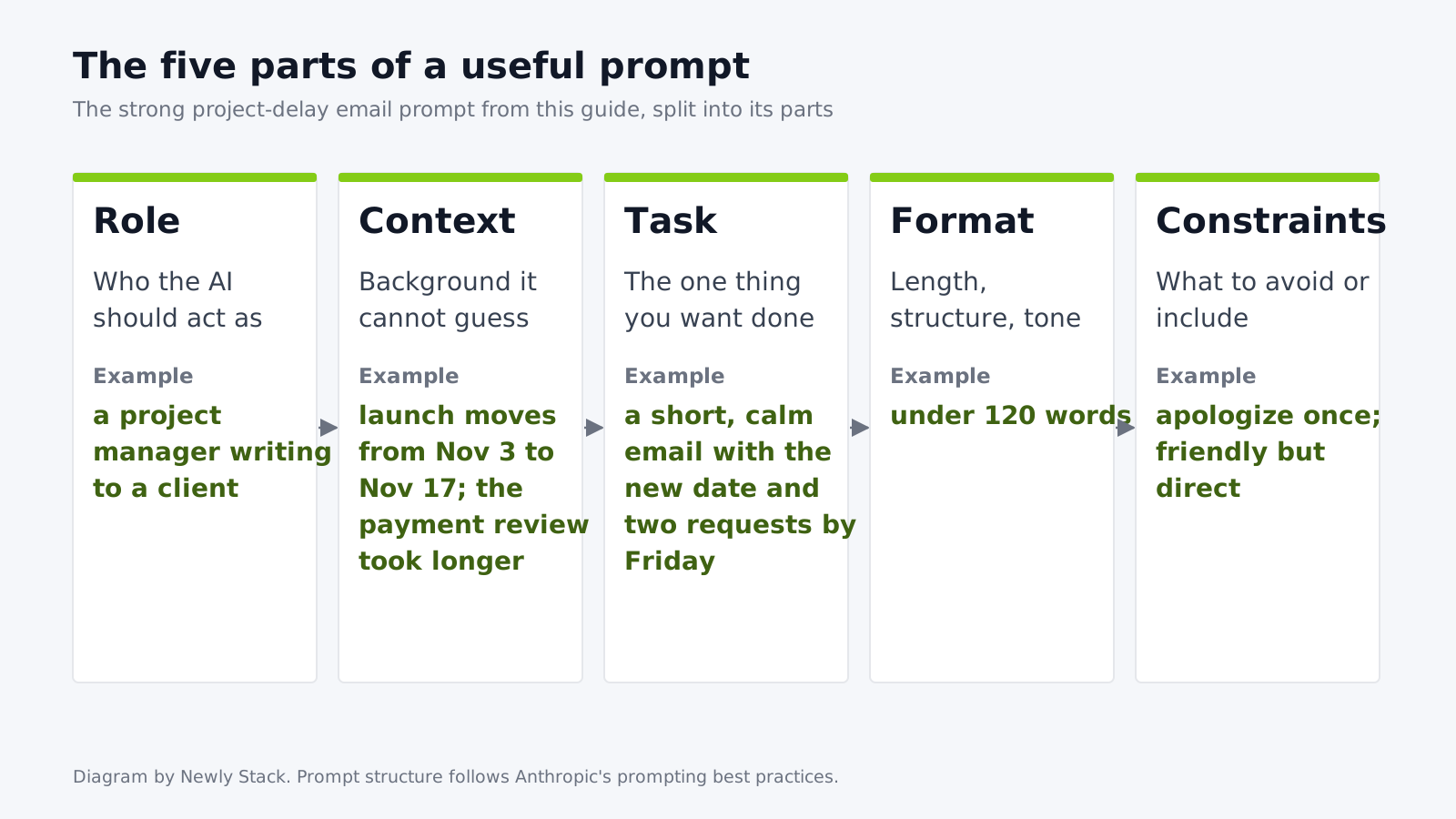
That advice applies to every assistant, not only Claude. A reliable prompt usually has five parts:
- Role: who the AI should act as ("You are an editor for a B2B software blog").
- Context: the background it cannot guess (audience, product, what already happened).
- Task: the one thing you want done.
- Format: length, structure, tone ("five bullets, under 80 words, plain English").
- Constraints: what to avoid or include ("no jargon, keep the original numbers").
A before-and-after example
Weak: "Write an email about the project delay."
Strong: "You are a project manager writing to a client. The website launch moves from November 3 to November 17 because the payment provider's review took longer than planned. Write a short, calm email that apologizes once, gives the new date, and lists the two things we need from them by Friday. Under 120 words, friendly but direct."
The second prompt takes longer to write and saves rounds of edits. Anthropic's guide also notes that a few well-made examples are one of the most reliable ways to steer format and tone, so if you have a past email you liked, paste it in and say "match this style."
Ways to use AI in everyday work
Once the basics click, these are the most practical ways to use AI, with the kind of tool that fits each job.
Writing and editing
Drafting emails, rewriting a paragraph for a different audience, fixing grammar, and turning bullet points into prose. A general assistant is enough. Paste your own draft and ask for edits; the result keeps your voice.
Research and learning
Ask the assistant to explain a topic at your level, then ask for sources. Tools with web search, such as Perplexity or the search mode in ChatGPT, show citations you can click. Pew found that 26% of U.S. adults had used ChatGPT for learning, up from 8% in March 2023, more than three times the earlier share.
Meetings and notes
AI note takers such as Otter.ai join calls, transcribe them and write summaries. We compare the options, including free tiers, on our AI note taker page.
Coding
Even non-developers can use AI to write spreadsheet formulas or small scripts. Developers usually move to dedicated tools like GitHub Copilot inside their editor. See our best AI for coding guide.
Automation
When you find yourself copying AI output between apps, connect them instead. Workflow tools like Zapier and n8n chain apps together with AI steps, for example taking a form submission, letting AI summarize or sort it, and passing the result to your CRM or inbox. Start with our AI automation guide, and for what multi-step "agents" look like in practice, browse these AI agents examples.
Images and video
ChatGPT and Gemini both list image creation on their free plans. When you need more control, dedicated generators help; compare them on our best AI image generator and AI video generator pages.
How to make your own AI (without training a model)
Search for "build your own AI" or "make your own AI" and you will find two very different things mixed together. For most people, making your own AI means a saved assistant that remembers your instructions and reference files. Training a model is a different, developer-level job. Here is where each platform stood on October 25, 2026.
| Option | What it is | Who can create one |
|---|---|---|
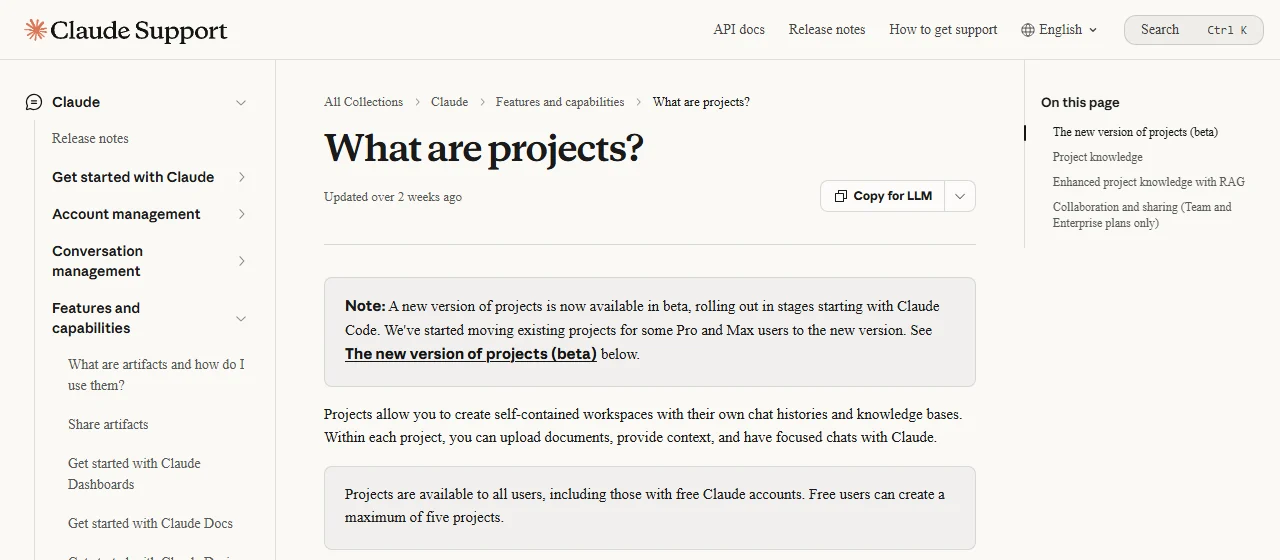
| Claude Projects | A workspace with its own chat history, instructions and uploaded files | All users, including free accounts (up to five projects); paid plans add larger knowledge capacity |
| Gemini Gems | A saved, customized Gemini with your guidance and optional knowledge files | Signed-in users; Google says Gems on personal accounts move to "skills" starting November 2026 |
| ChatGPT GPTs | A custom ChatGPT with instructions and knowledge | OpenAI says personal accounts (Free, Go, Plus, Pro) can no longer create new GPTs; it plans to retire custom GPTs and recommends Plugins |
Our take: do not invest hours building a polished custom GPT or Gem today. Two of the three big platforms are changing that feature right now. Instead, keep your instructions and reference files in a plain document you own. Then you can paste them into whichever feature exists next month, on whichever assistant you use.
A good "my own AI" setup has three ingredients:
- Instructions: who it serves, the tone, and the steps it should follow. OpenAI's builder guide recommends explicit step structure ("when X happens, do Y") and concrete positive rules over long lists of prohibitions.
- Knowledge: a few files it should rely on, such as your price list, style guide, or FAQ.
- Test prompts: five real questions you know the right answer to. Run them after every change.
What about training your own AI?
To train your own AI in the technical sense (fine-tuning a model on your examples) you work through a developer API, not the chat app. It only makes sense for narrow, high-volume jobs where you have many good examples. If that is you, start with our guide to the AI API and the LLM leaderboard to shortlist models.
Check what AI tells you, and protect your data
The biggest risk of using AI is not that it refuses. It is that it answers wrongly and sounds sure. OpenAI's own help article, Does ChatGPT tell the truth?, lists the usual failures: incorrect dates or facts, fabricated quotes, studies or citations, and overconfident answers to ambiguous questions. Its practical tip is to use ChatGPT "as a first draft, not a final source."
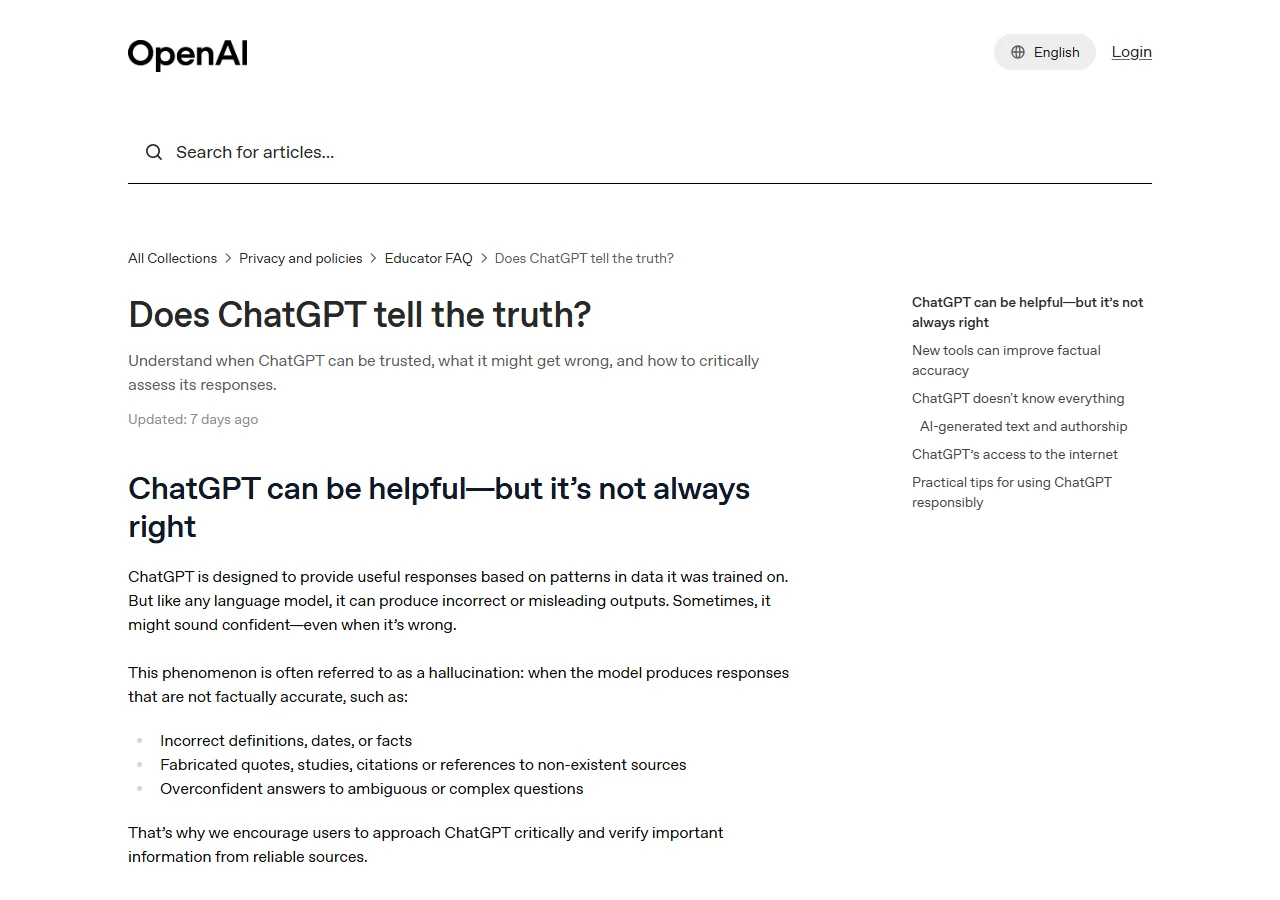
OpenAI's research post on why language models hallucinate gives a useful reason. Many evaluations score models only on accuracy, so a model that guesses can look better on a scoreboard than one that says "I don't know." In their example, a widely used chatbot gave three different, all wrong, answers about one researcher's dissertation title.
A simple checking routine:
- Verify every number, quote and name against the original page. If the AI cannot give a link, treat the claim as unconfirmed.
- Ask it to list its assumptions. Wrong assumptions surface quickly.
- Use search modes for anything recent, since models have a knowledge cutoff.
- Never let AI make the final call on medical, legal or financial decisions.
Privacy matters too. Google's Gemini privacy hub states that a subset of chats are reviewed by human reviewers and asks users: "Please don’t enter confidential information that you wouldn’t want a reviewer to see or Google to use to improve our services." Read the data settings of whichever tool you use. Remove client names, personal data and passwords before pasting, and if your employer offers an approved business plan, use that for work files.
A one-week plan to start using AI
If you want a concrete path, this is the routine we suggest to readers who are new to AI:
| Day | What to do |
|---|---|
| 1 | Write down three weekly tasks you want to use AI to speed up. Open one free assistant. |
| 2 | Run task one with a five-part prompt (role, context, task, format, constraints). Save the prompt. |
| 3 | Run the same task again with a past example pasted in. Compare the two answers. |
| 4 | Try task two. Ask the assistant to list its assumptions and check two facts yourself. |
| 5 | Put your best instructions in a document, then into a Project or saved assistant. |
| 6 | Try one specialized tool for task three (note taker, automation, or image generator). |
| 7 | Decide: does the free plan cover you, or does a paid plan save enough time to justify it? |
By day seven you will know more about how to use AI for your own work than any top-ten list can tell you. When you are ready to compare more tools, the best AI apps page and our software deals section are good next stops, and our benchmarks hub is where NS-ID results for Indonesian will appear.
Frequently asked questions
What is the easiest way to start using AI?
Open one free general assistant such as ChatGPT, Gemini or Claude, pick one real task you do every week, and describe it in plain sentences with context and the format you want. Review the answer, then ask for changes. Using one tool on one task for a week teaches more than trying ten tools once.
Can I use AI for free?
Yes. ChatGPT, Gemini, Claude, Microsoft Copilot and Perplexity all had a free plan when we checked their pricing pages on October 25, 2026. Free plans carry usage limits, and paid plans mainly raise those limits and unlock extra features.
How do I make my own AI without coding?
Use a saved workspace with your own instructions and files. Claude Projects are available on free accounts (up to five projects), and Gemini Gems work for signed-in users, although Google says Gems on personal accounts move to skills starting November 2026. OpenAI says personal ChatGPT accounts can no longer create new custom GPTs and recommends Plugins instead.
Do I need to train my own AI model?
Almost never for personal or small-team use. Writing instructions and attaching reference files covers most needs. Training or fine-tuning a model is a developer task done through an API, and it only pays off for narrow, repeated jobs with lots of examples.
Is it safe to paste work documents into an AI chat?
Check the provider's privacy settings first. Google's Gemini privacy hub says some chats are reviewed by human reviewers and asks users not to enter confidential information they would not want a reviewer to see. Remove names, client data and passwords before pasting, or use a work plan your company approves.
Why does AI sometimes give wrong answers so confidently?
OpenAI explains that hallucinations are cases where a model confidently generates an answer that is not true, partly because common evaluations reward guessing over admitting uncertainty. Treat AI output as a first draft and verify facts, quotes and numbers against the original source.
How do I write a good prompt for AI?
Give the assistant what a new colleague would need: a role, the context it cannot guess, one clear task, the format you want, and any constraints. Anthropic's prompting guide suggests showing your prompt to a colleague with minimal context; if they would be confused, the model will be too. Pasting a past example you liked is one of the most reliable ways to steer format and tone.
How many people already use AI at work?
Microsoft and LinkedIn's 2024 Work Trend Index reports that 75% of knowledge workers use generative AI at work. It also found that 78% of AI users bring their own AI tools to work, and only 39% of people who use AI at work have received AI training from their company.
Sources
Pages we read for this article, with the date we accessed each one.
- Pew Research Center: 34% of U.S. adults have used ChatGPT, about double the share in 2023accessed October 25, 2026
- Microsoft and LinkedIn 2024 Work Trend Index: AI at work is here. Now comes the hard partaccessed October 25, 2026
- Anthropic: Prompting best practices (Claude documentation)accessed October 25, 2026
- OpenAI Help Center: Does ChatGPT tell the truth?accessed October 25, 2026
- OpenAI: Why language models hallucinateaccessed October 25, 2026
- OpenAI Help Center: Creating and editing GPTsaccessed October 25, 2026
- Google Gemini Help: Use Gems in Gemini Appsaccessed October 25, 2026
- Claude Help Center: What are projects?accessed October 25, 2026
- Google Gemini Apps Privacy Hubaccessed October 25, 2026
- ChatGPT pricingaccessed October 25, 2026
- Google AI plans (Gemini subscriptions)accessed October 25, 2026
- Claude pricingaccessed October 25, 2026
- Microsoft Copilot pricing for individualsaccessed October 25, 2026
- Perplexity Proaccessed October 25, 2026
Related articles
AI Agents Examples: 20 Agents by Type, With Sources (2026)
AI agents examples by type: classic agents, everyday assistants, coding agents and workflow agents, with official sources and prices checked 2026-10-25.
Artificial Intelligence Companies in 2026: Who Builds What
The artificial intelligence companies that matter in 2026: model labs, chip makers and challengers, with dated plan prices, Indonesian support and sources.
Starting a Startup in 2026: A Step-by-Step Guide for Small Teams
A practical guide to starting a startup: find a real problem, validate it, build a no-code or AI-built MVP, handle setup and funding, and launch. Tool prices checked 2026-10-25.